Well, you asked for more granular reporting and we listened! We took our Reports feature to the next level by adding a new advanced filter functionality to help tailor your reports to your exact needs.
Now you can filter your social media monitoring data by tracker, sentiment, emotion, relevance, and presets individually on every slide to get precise analyses.
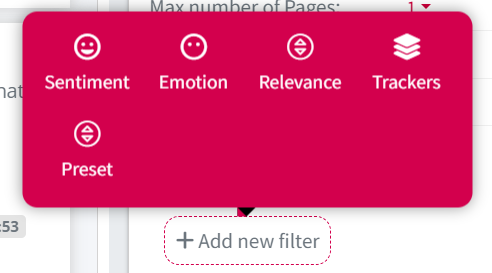
For instance, using the trackers in the new filtering options, you can create a slide only with Competitor A’s top mentions, another one with Competitor B, and so on — all in the same report!
That wasn’t possible in the platform before the new filtering options, as you had to create different reports for each of your competitors to study and benchmark separately.
But now you can tailor your reports — and custom dashboards — like never before.
Yes, you read that correctly! The new filtering options are available in Custom Dashboards too, so that you can filter your data and create new components.
Use Cases
To help you understand how you can use the new filters, let’s see some use cases below.
Use Case #1: Competitor Analysis Report
Let’s say you work for Ryanair, a popular airline in Europe, and want to compare the weekly top mentions of your competitors to yours.
Using the new advanced filters and selecting trackers, you can include each of your competitors’ top mentions in separate slides of your report only by choosing each competitor’s name in the filters.
So, you’ll have a slide with Volotea’s top mentions of the week. Another one for EasyJet’s top mentions, and so on for all your competitors.
Plus, you can create a slide with Ryanair’s top mentions to compare and draw conclusions.

Use Case #2: Crisis Management Daily Report
Now, let’s say you generate a daily mentions report with all the negative brand mentions to stay informed and take action when needed.
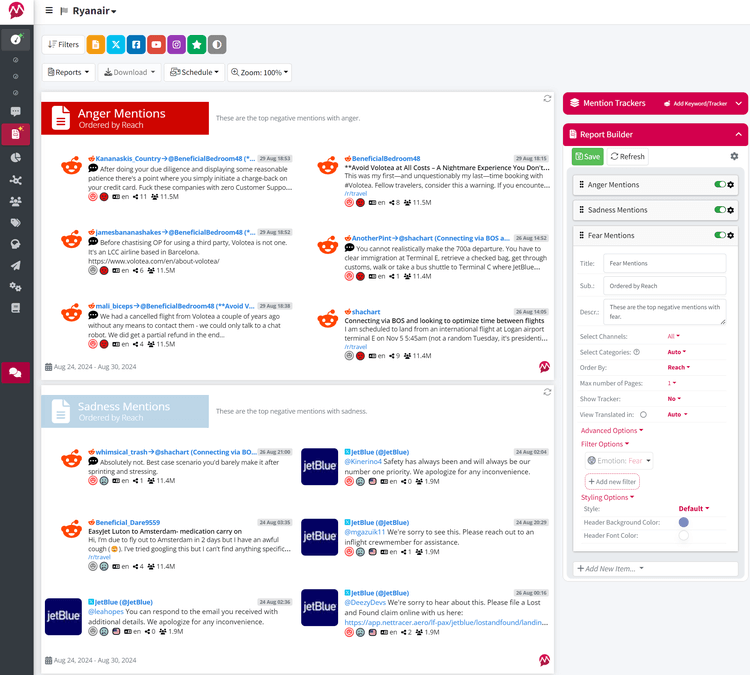
You can make this report more granular with the new emotion filter by sorting your negative mentions based on the user’s emotion behind them.
For instance, you can create slides containing only mentions expressing anger, others containing mentions expressing sadness, and so on.
Thus, you can flag emerging reputation issues, see what frustrates your audience, and where your services fall short.
Use Case #3: Detailed Market Research Report
For this one, suppose you want to create a detailed market research report. You have been monitoring your competitors with Mentionlytics for a while and have gathered enough data.
With the new filters, you can compare your Share of Voice to each and every competitor.
So, instead of creating different reports “Your Brand vs Competitor A”, you can now have all these comparative analyses in a single report.
All you have to do is filter each slide by a competitor’s name and ta-da!

You can do the same for Share of Sentiment, Media Share, and every component available in the Reports Builder.
Use Case #4: Competitive Overview Dashboard
As we already said, the new filters can be applied also to custom dashboards.
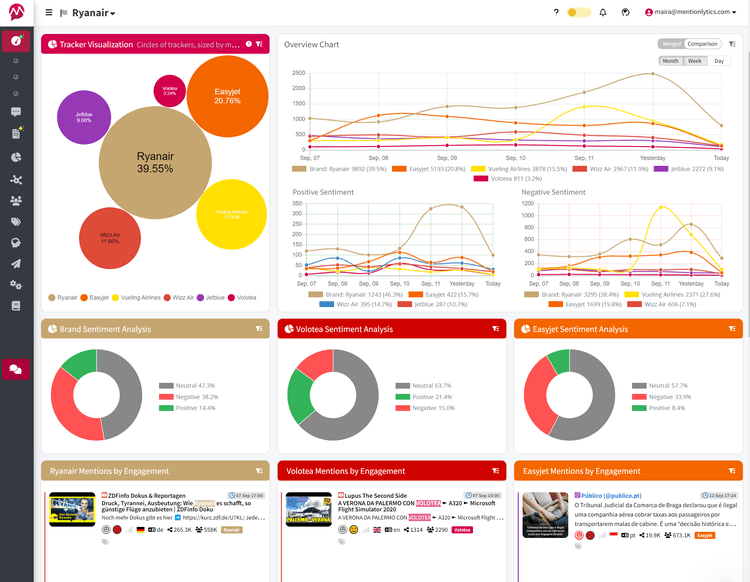
So, for this one assume you want to create a granular competitive overview to keep track of your most important competitors’ sentiments and engagement compared to yours.
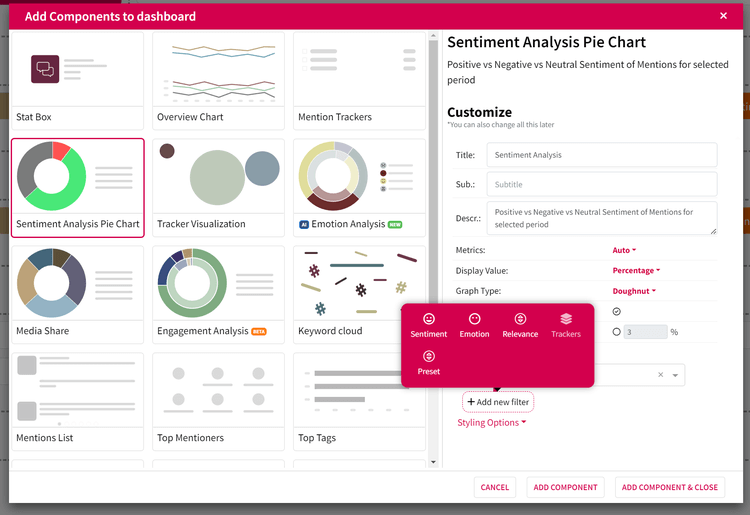
To do this, start by adding a sentiment component. From the Customize section, select the new filter options and add the Tracker filter. Select Competitor A’s brand name and you’re all set!
Do the same for the other competitors and the engagement components.
You’ll end up with a dashboard looking like this below.
How to use the new filters
To use the new filter functionality:
- Go to Reports features.
- Select the report you want to customize.
- Go to the Report Builder and add a new item.
- Find the new filter option located at the bottom.
- Choose the filters that best suit your needs.
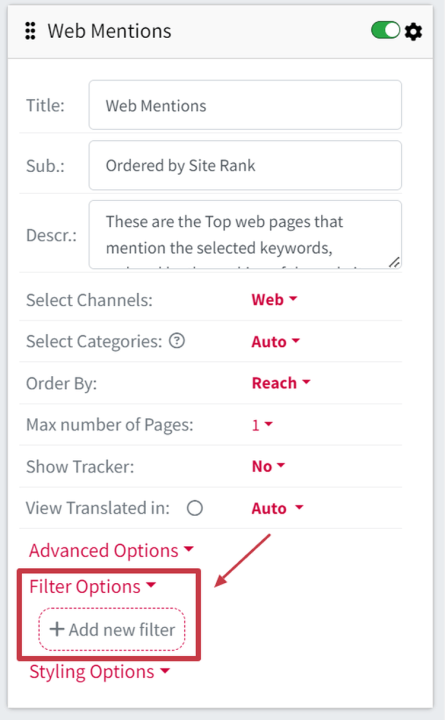
Following these steps, the slide you’ll create will present data matching your filters.
You can also find the new filters in the Customize section of each new component in the Custom Dashboards.
Good to Know
These new advanced filters open up a world of possibilities for your reports.
From competitor analysis to crisis prevention, they can help you create more insightful reports for your brand or your clients.
Now go and create awesome reports in Mentionlytics!
Note: To use the filter option in reports and dashboards, you have to be a Pro or higher plan user.