What better way to benchmark your online performance against the competition than Share of Voice (SoV), huh?
Hmm…Perhaps a neat, organized, up-to-date, insightful, and ready-to-use competitive analysis dashboard that includes SoV and ALL the metrics you need to see how your brand stacks up against competitors?
Exactly!
Stop imagining it and see it in action in Mentionlytics: The brand new Competitive Analysis Dashboard is now available to all our Advanced and higher plan users!

You said you needed it — we brought it to life!
Let’s go through it!
Summer Tour on the New Competitive Analysis Dashboard
With the new Competitive Analysis Dashboard, you can compare how your brand performs against your competitors in key brand metrics and monitor their strategies closely.
Here’s everything you’ll find in this dashboard.
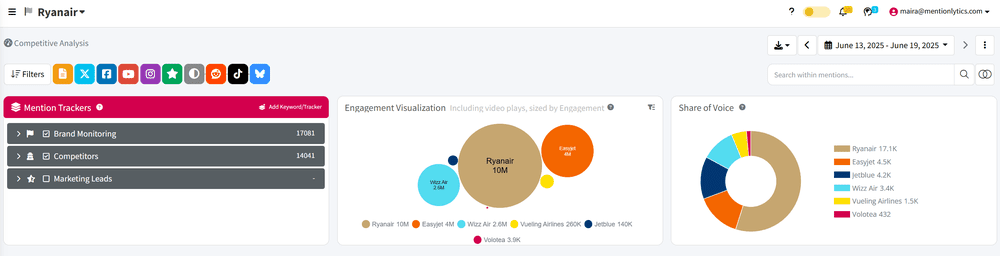
Share of Voice & Engagement Visualization
Quickly see how much of the conversation your brand owns compared to competitors (with SoV) — and how you do in terms of engagement.
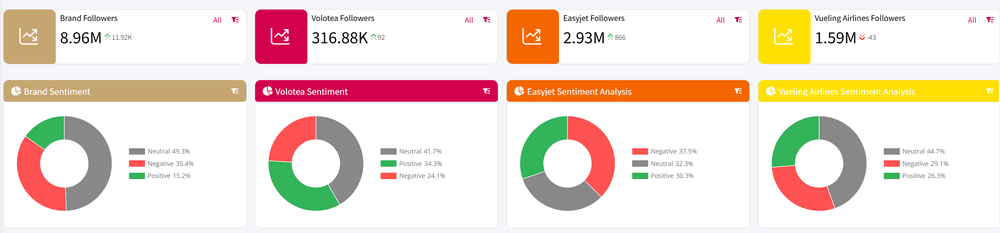
Follower Growth & Sentiment Analysis
Track how audience size and brand sentiment evolve over time and understand if you grow faster than the competition, and if perception is on your side.
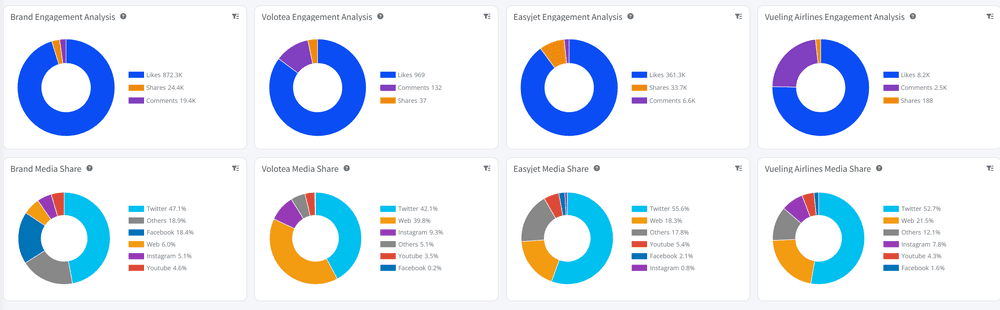
Engagement Analysis & Media Share
Identify which competitors drive the most interactions and through which online channels, so that you can adjust your social media strategy accordingly.
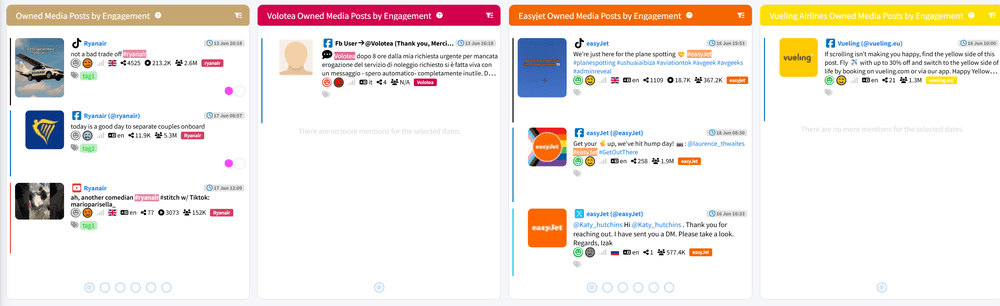
Owned Media Performance
Measure how your brand’s own posts perform side-by-side with competitors’, highlighting what content resonates most with your target audience.
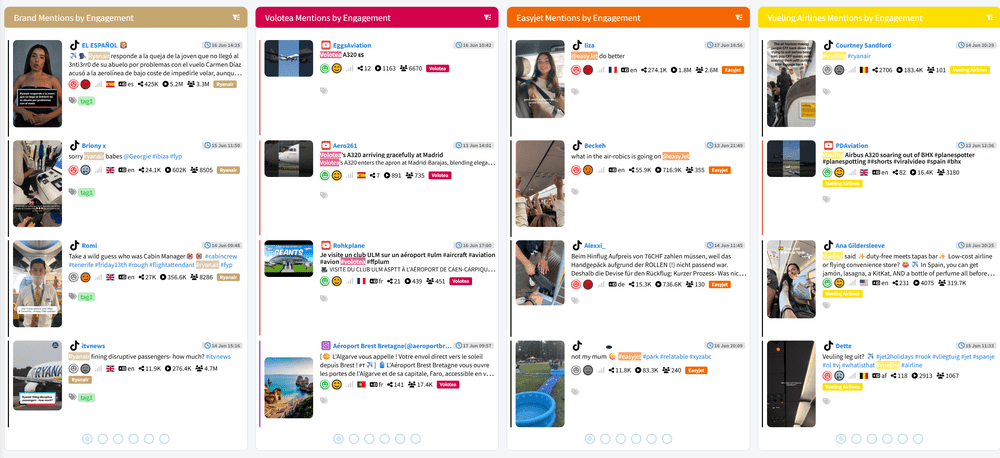
Brand Mentions by Engagement
Spot high-impact mentions across all brands to uncover PR wins, influencer activity, or viral moments that moved the needle.
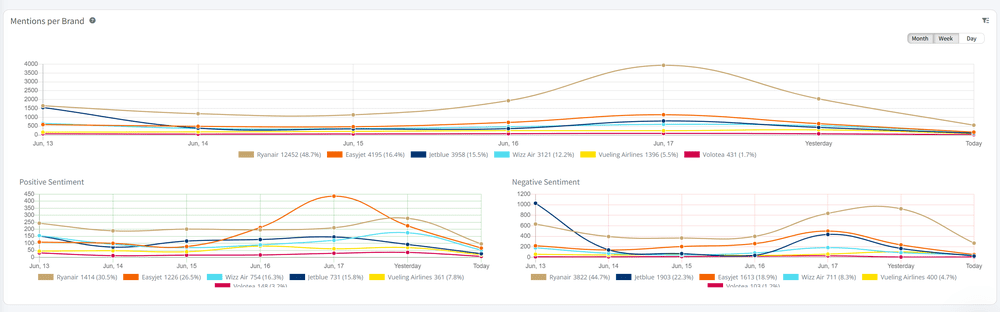
Brand Mentions Volume Comparison Table
Get a clear, easy-to-read breakdown of total mentions for each brand — perfect for identifying trends or share shifts at a glance.
Good to Know: The new Competitive Analysis Dashboard works the same way as all the other pre-built dashboards in Mentionlytics. That means you can filter your data by channel, time, boolean queries, and all the other familiar and powerful Mentionlytics’ filters to run your analyses and extract the insights you need.
Hidden Gems
Except for the Competitive Analysis Dashboard, we did a little backstage work on our custom dashboard builder that you shouldn’t miss to take your tailor-made dashboards a step forward.
Dynamic Scrollable Sections
Forget about the 2-column limitation! You can now create horizontally scrollable rows for displaying comparisons across multiple competitors without cluttering the view.
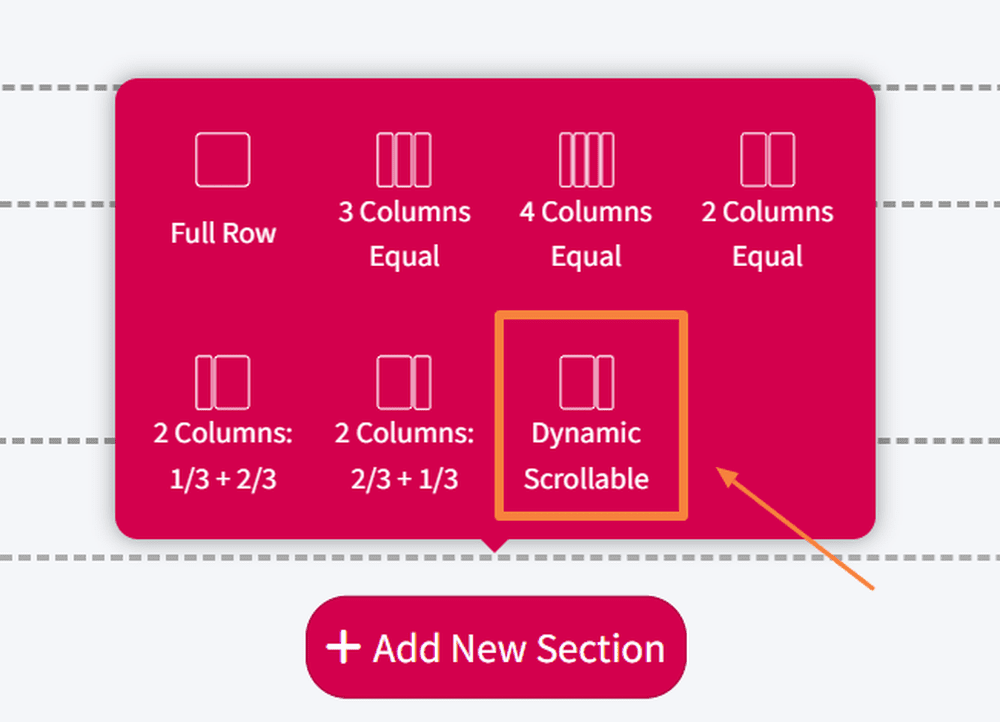
Got a wide screen? Even better — you’ll see more columns at once.
New Component Filter Options
Placeholder Trackers: A new dynamic filtering option that lets you select generic competitors (e.g., “Competitor 1”) without choosing a specific tracker (e.g., Volotea). This means your dashboard templates stay flexible and can be reused for different brands or accounts with ease.
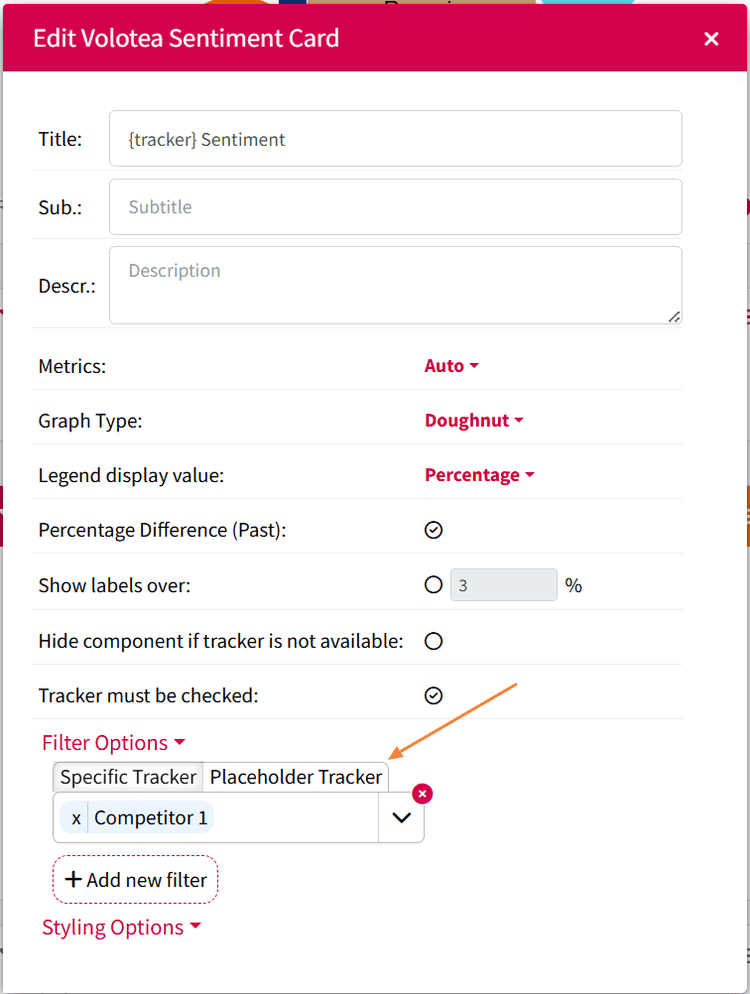
“Tracker must be checked” option: If this new checkbox is not ticked (as shown in the image below), it will always show data from the tracker in the corresponding placeholder, no matter if it’s selected or not in the Mention Tracker box.
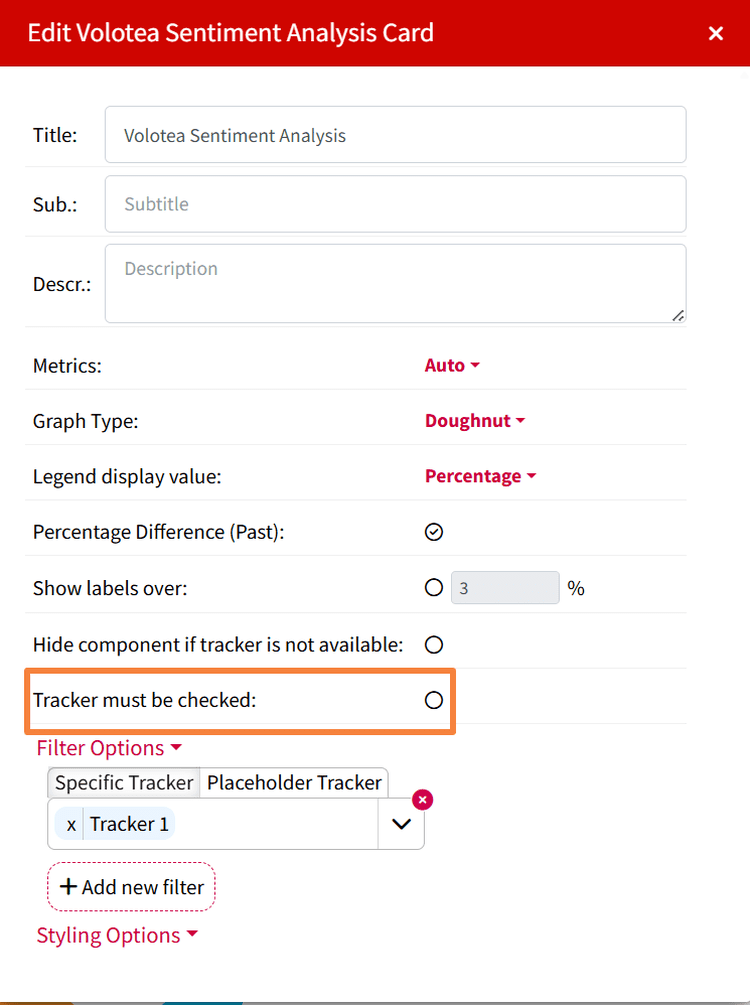
Tracker Type Filter: Want to focus only on owned content? Or only on external mentions triggered by keywords? You can now filter dashboard components by Profiles or Keywords, making your analysis more relevant to the context you’re examining.

How to Access This Dashboard
- Enter the new dashboard from the left menu bar (Competitive Analysis under Dashboards).
- Select the competitors you want to benchmark against from the Competitors section in your Mention Trackers box.
- And ta-da! You’ve got a detailed view of Your Brand vs Competitors in a few clicks.
Analyze Your Competition Smarter with Mentionlytics
Time to jump into your Mentionlytics account and explore your new Competitive Analysis Dashboard!
Your competitors are already making moves. Now you can see exactly what they’re doing, how well it’s working, and how you compare — all in one place!