


Welcome to the era where customer feedback will determine whether Google’s AI buddy will recommend you or ghost you. Will your sales bloom, or will Mitch’s random two-star review on a platform you didn’t even know existed ruin your quarter?
We have to admit that running around the internet chasing reviews like they’re rare jungle herbs isn’t sustainable. It’s exhausting, messy, and you’ll always miss the one that matters most.
That’s why it’s smarter (and way less stressful) to arm yourself with a customer feedback tool. There are plenty out there, but finding the right one can be… well, a feedback loop of its own.
So, I’ve done the hard part: testing, comparing, and occasionally yelling at dashboards, so you don’t have to. Here’s the verdict: the 16 best customer feedback tools for 2026, and what each one does best (because no tool is perfect, not even the shiny ones).
Table of Contents
- What is a Customer Feedback Tool?
- 16 Top Customer Feedback Tools for Different Business Needs
- What Methods Can Be Used to Gather Feedback from Customers?
- What is the Most Immediate Way to Gather Customer Feedback?
- Try a Great Customer Feedback Tool for Free
- FAQ
What is a Customer Feedback Tool?
A customer feedback tool is a software solution that detects, collects, and analyzes customer experience from various internal and external sources, such as review platforms, social media, surveys, and forms.
These tools are the radar that scans all the “loved it!”, “meh” and “never again” signals so you can actually do something about them.
If we know that 53% of users aged 25 to 34 leave at least one online review a month, it’s evident how important tracking them is.
Don’t forget that when gathered and analyzed properly, customer feedback gives marketers the kind of insights you can’t buy from any ad campaign, like:
- Product gaps: What customers wish you offered but don’t.
- Customer journey hiccups: Where people are dropping off or getting frustrated.
- Market trends: What’s shifting in expectations, preferences, or even industry lingo.
- Brand perception: How customers really describe you (versus how you describe yourself).
- Retention triggers: What makes customers come back (or run away).
16 Top Customer Feedback Tools for Different Business Needs
Here’s my review of the best 16 customer feedback analysis tools and what they have to offer.
1. Mentionlytics – Best Among AI Tools For Analyzing Customer Feedback on Social Media
Let’s start with a listening tool that will spot your brand mention anywhere on the internet, armed with a special lance for social media. Whether it’s a customer dropping feedback in a public Facebook group, a Reddit thread you’ve never seen, or a YouTube comment on that campaign video you forgot existed, Mentionlytics will find it.
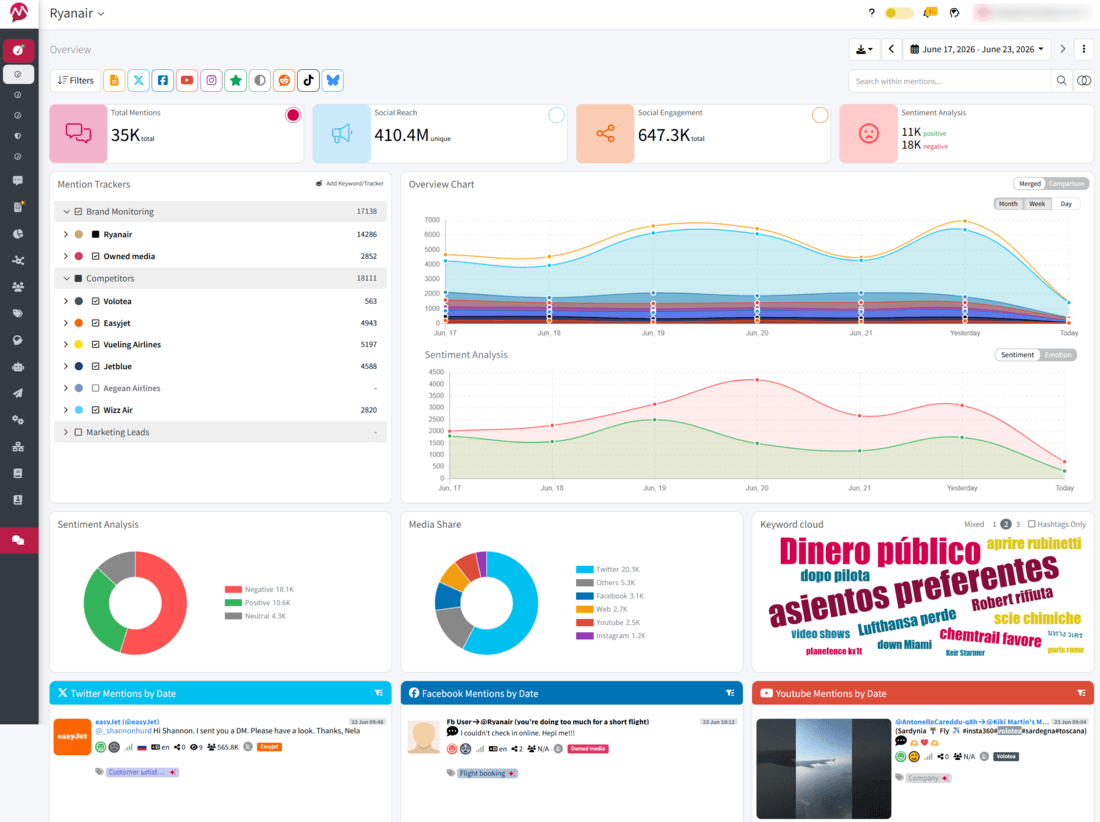
But spotting mentions is only half the magic. The platform goes a step further with:
- Wide media coverage: Monitoring from social platforms to blogs, forums, all review platforms, and every other source. If it’s on the internet, it’s on your report.
- Accurate sentiment analysis: Powered by AI, with 96%+ accuracy, so you know if that comment is praise, sarcasm, or a subtle roast.
- Boolean search filters: Perfect if you want feedback tied to a specific event like a feature launch, new campaign, or pricing update.
My highlight
My pick for this topic would be Troll detection. Because let’s face it: not all negative feedback is real feedback. Some is just… trolling. And when 88% of customers trust online reviews as if they are in-person recommendations, even a single troll can distort how your business is perceived. Mentionlytics steps in by alerting you whenever troll behavior targets your brand.

From real customer reviews
Mentionlytics has a very high score on G2, with 4.9 stars and 90 reviews.
What’s Great:
“Everything in one place, and makes me look like I spend hours searching the internet – but it’s actually just a few seconds to check in after all the set up is done.”
What Could Be Better:
“There is a bit of a learning curve, but the team is helpful and really quick to jump in. As with most subscriptions you do need to tier up $$ to get all the features included…”
Source: G2
Pricing
Mentionlytics plans start at $69/month, and if you catch the limited-offer deal, you can get it for $59/month.
2. Zonka Feedback – For Multi-Channel Feedback Management
Imagine all your surveys, chats, tickets, and reviews being pulled into one place, processed, and analyzed so you can actually see what’s working, and where customers are quietly (or not so quietly) pointing out gaps. Yes, that’s what you can get with Zonka.

- AI does the heavy lifting: It instantly sorts through responses and shows you patterns and sentiment you’d otherwise miss.
- Workflows that actually work: I liked how easy it was to tag a teammate or trigger an automated follow-up without touching another tool.
- Keeps you in the loop: Real-time alerts and integrations with Slack or HubSpot mean you don’t need to live inside yet another dashboard.
My highlight
The feature that really stood out for me was Ask Zonka AI. It’s like chatting with your data. You just ask, “What caused a chart drop-off rise?” or “What are customers most unhappy about this month?” and it gives you answers pulled straight from your feedback analytics. Honestly, it feels like having an analyst on speed dial.
From real customer reviews
Zonka Feedback has great reviews, scoring 4.6 stars on G2 and 4.8 stars at App Sumo.
What’s Great:
“This platform has allowed us to easily create surveys without hassle, it’s easy to use and user-friendly, also the existing templates are highly customizable, requiring little to no assistance.”
What Could Be Better:
“The team has integrations available; however, this pool is too small, with many software not currently available to allow integrations.”
Source: G2
Pricing
Feedback management features are unlocked at $399/month, but if you want a package with AI feedback intelligence, you’ll have to opt for $999 package.
3. Uniqode – Best for Collecting Feedback from Physical Touchpoints
Uniqode’s QR Code generator is built for brands that need feedback from real-world touchpoints. Customers walk into your store, scan a code on the table, or check out at the counter, and boom, they’re sharing their thoughts right there.
The platform gives you QR Codes with forms attached. Pick from 15+ templates or build your own with logic jumps, so people get questions that actually fit their situation instead of generic surveys.
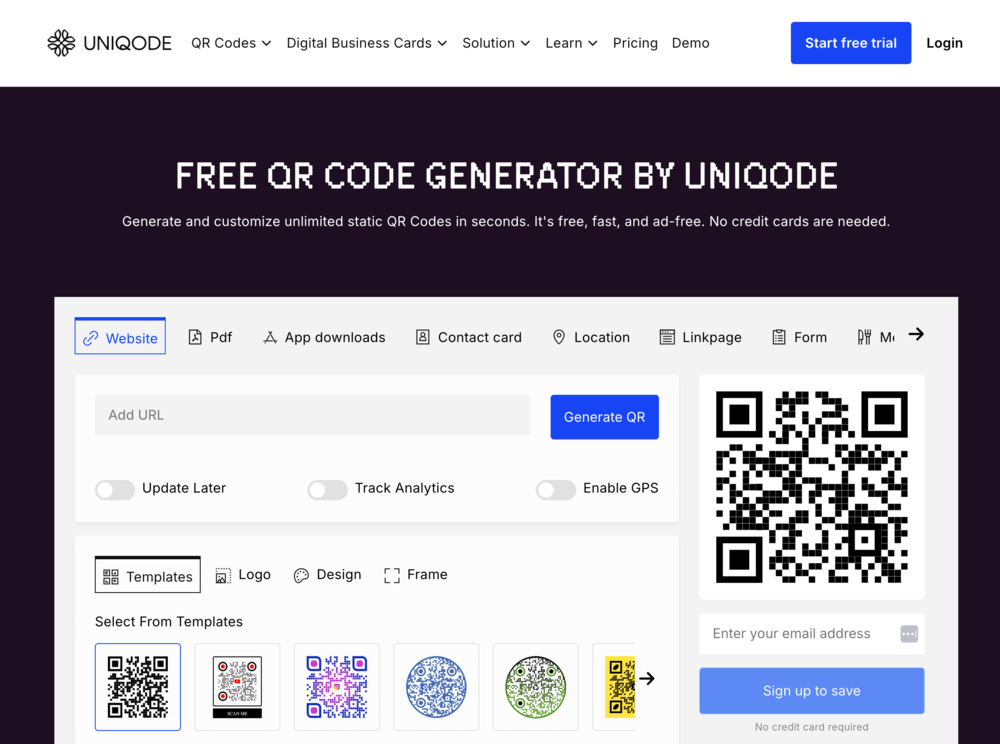
- Smart rules that personalize: Forms adapt based on location, device, or scan frequency. Feedback feels like a conversation, not an interrogation.
- Turn scanners into retargetable audiences: Group customers who scan your codes and serve them targeted ads on Google and social platforms later.
- Security and fraud protection: SOC® 2, HIPAA, GDPR, and ISO 27001:2022 certified with built-in phishing detection.
My highlight
The standout feature here is retargeting. Most feedback tools stop at collection. Uniqode keeps going. You can identify groups of customers who scanned your QR Codes and serve them targeted ads later. So that person who scanned your code at the checkout counter? You can remind them about your new product launch a week later. It’s feedback collection that doubles as audience building.
From real customer reviews
Uniqode scores 4.8 stars on G2 with strong ratings across ease of use and customer support.
What’s Great:
“Uniqode’s QR Code generator has been one of the best I have found online for the amount of services it offers for small businesses. I use it every day to provide potential clients with my business contact info. Their customer support is amazing. The setup is simple and straightforward. The easy integration for small businesses. Very customisable.”
What Could Be Better:
“I wish It integrated with other online mailing platforms and not only Google. Because Microsoft is also very popular.”
Source: G2
Pricing
Paid plans start at $9/month and include dynamic QR Codes, tracking, analytics, CRM integrations, and features like retargeting and white labeling for teams and enterprises.
4. Survey Monkey – For Customer Feedback and Survey Tool
One of the most direct ways to get customer feedback is through surveys. And Survey Monkey is definitely the right tool if you want to focus only on that, or you want to do additional market research on your target audience.

With this customer feedback software solution, there’s a lot you can do:
- Smart survey creation: Create any type of survey, with open questions or multiple answers.
- Next-level analytics with AI: You get real-time dashboards, filters, crosstabs, and even sentiment analysis with auto-tagging of open-ended responses. It’s like turning raw feedback into a highlight reel you can act on immediately.
- AI Survey Builder: If you’re lazy or lack the inspiration, you can use their survey templates or AI (it uses ChatGPT) to build a survey from scratch with just one prompt.
My highlight
Now, with everything said, I was impressed with Multi-Survey Analysis. That means you can compare and sync multiple surveys and get analytics from them mixed. That way, you can analyze customer feedback from various angles.
From real customer reviews
SurveyMonkey is a well-known survey software, and it’s not a surprise to see 4.4 stars on G2 with more than 23,000 reviews.
What’s Great:
“I appreciate how easy it is to create and distribute surveys with minimal effort. The drag-and-drop interface makes building surveys a breeze, even for people without any technical background.”
What Could Be Better:
“While it’s great for basic surveys, some of the more advanced features are locked behind higher-tier pricing plans, which can be a bit limiting for smaller teams or individuals.”
Source: G2
Pricing
Individual pricing plan starts at €39/ month.
5. Typeform – For Those Looking For an AI-powered Customer Feedback Tool
Yes, we’re still in the survey land. Typeform offers interesting forms with a more conversational and chatty style. Their surveys are catchy and intuitive, making them great for gathering feedback from your customers.

I gave Typeform a whirl, and here’s what really stuck with me:
- Conversational charm: Your forms ask one question at a time, almost like a friendly chat. Add in visuals, GIFs, or videos, and suddenly responding feels way less boring and way more personal.
- Video questions: The innovation that I’ve rarely seen in customer satisfaction surveys, and which is most beneficial by giving a personal tone to the survey.
- AI know-pilot: If you use this feature, it will follow you through the entire process, from asking you relevant questions to building the best surveys for your brand, to analysis of the collected feedback.
My highlight
I guess I’m the lazy type, because the feature I liked the most is the AI-powered survey builder. But it’s not AI that delighted me, but the fact that you can change anything you want within the survey during your preview. So, even if you mess things up with the prompt, you can easily correct it, add a video to your survey, and make it more interesting.
From real customer reviews
Typeform has a score of 4.5 stars out of 5 on G2.
What is Great:
“Typeform is a great, affordable survey software. You can do lots of things, for a good value for money.”
What Could Be Better:
“I would like to see multi-user as a standard feature. Archiving of old surveys would also be helpful. And a global trigger for the Zapier integration.”
Source: G2
Pricing
The Typeform team plans start at $59 a month, but they also offer a Free individual plan.
6. Medallia – Ideal Customer Feedback Tool for Businesses
Now we’re stepping out of the narrow survey niche and moving a bit broader. Medallia collects feedback across all touchpoints, including chat logs, social reviews, and operational data from systems such as CRM, HRIS, POS, and ERP.

Overall, you can have:
- Omnichannel voice of customer signals: Medallia collects feedback from everywhere (surveys, chat, mobile apps, in-person interactions, and contact centers).
- AI-powered insights: Its AI digs into text and speech feedback to surface themes, root causes, and early churn signals.
- Built-in action triggers and role-based visibility: The system pushes the right insights to the right people, from frontline teams to execs via alerts, dashboards, and automated workflows.
My highlight
The feature that really made me pause was Feedback from Connected Devices. Medallia connects with smart devices, such as cars, watches, kiosks, or even kitchen appliances, to capture customer experiences directly at the source. It’s brilliant because you get real-world signals without waiting for surveys… but also a little eerie to imagine your suitcase giving customer feedback behind your back.
From real customer reviews
Medallia has 166 reviews on G2 and a score of 4.5 out of 5.
What’s Great:
“The platform is very adaptable to the needs of information visualization. It updates in real-time with the responses from surveyed customers. Configuring the ad-hocs is quite simple; you don’t need to be an expert to do it. Something I really like is that we can add additional questions (turn them on and off at any time) to the Voice Programs…”
What Could Be Better:
“One of the areas of opportunity I consider is the lack of more comprehensive dashboards for the Ad-hocs. It is also necessary to empower clients more in the use of the tool, meaning that we should be able to perform basic configurations such as adding filters, modifying existing dashboard graphics, and setting up automated report delivery.”
Source: G2
Pricing
Prices are not publicly available. You will need to contact their sales team for details.
7. ReviewTrackers – For Collecting Existing Reviews and Boosting New Ones
ReviewTrackers is a customer feedback collection tool that gathers your existing reviews, helps you gain more reviews across multiple sources on one dashboard, analyzes them, and provides valuable insights.

It’s useful regardless of the size of your company, whether you’re a single store or a multi-location empire; everything shows up in one unified dashboard.
- All your reviews in one feed: Google My Business, Yelp, Facebook, niche sites, ReviewTrackers aggregates all of them.
- Smart sentiment and trend reporting: Real-time sentiment analysis, trend spotting, and customizable reports turn raw feedback into insight you can act on.
- Cross-team collaboration: You can share review insights across marketing, ops, and support.
My highlight
The “Ask Tool” for review generation. It makes building campaigns, QR codes, and NPS requests feel effortless. You can actually run a review drive straight from your dashboard without needing an extra tool.
From real customer reviews
ReviewTrackers has a score of 4.6 stars on G2.
What’s Great:
“The aggregation feature is great. I can easily see reviews all in one place and don’t have to worry about collecting it from individual sources. Additionally, they make it very easy to respond to Google reviews and help us with quick response times.”
What Could Be Better:
“Features that help you secure, verify, and manage profiles better would be tremendously helpful. Apple Business Connect, for example, is tricky to verify, and having a built-in solution within Review Trackers would be helpful.”
Source: G2
Pricing
ReviewTrackers’ pricing system is location-based. The more locations you have, the lower the price per location becomes. But for those with up to 10 locations, the price is $89 per location per month.
8. Qualtrics – One of the Favorite B2B Customer Feedback Tools for Enterprises
Due to its robust and complex system (and its price), Qualtrics is one of the most widely used platforms in enterprise B2B environments where customer relationships are long-term, complex, and feedback needs to flow into decision-making across multiple departments.

It’s designed for enterprises that want full experience management across customers, employees, products, and even brands.
- Omnichannel listening: Capture feedback from surveys, apps, websites, emails, call centers, and social, all in one place.
- Predictive & prescriptive AI: Spot churn risks, forecast satisfaction trends, and even get “next best action” suggestions.
- Customizable dashboards & integrations: Tailor insights for execs, ops teams, or frontline staff, and push data into your CRM or workflow tools.
My highlight
I know Net Promoter Score (NPS) is nothing new, but when you pair this built-in feature and trending detection notifications, you get an alert whenever a topic begins spiking in open-ended feedback. That combo was a discovery for me.
From real customer reviews
The total score on G2 is 4.3 stars out of 5.
What’s Great:
“All the system’s capabilities. People often think of Qualtrics as a survey tool, but it offers many possibilities to the organization to build a full program around Customer Experience. From technical integrations to features, Qualtrics offers the full experience in-house.”
What Could Be Better:
“Price is not competitive unless you really use all the features in the right way, which may be a challenge for some organizations, as it’s designed to be a multi-departmental tool. Additionally, everything is designed or built to use Qualtrics as the core tool, but it’s not that flexible if you want to use it as a “proxy” (workflows, API limitations…).
Source: G2
Pricing
Prices are not publicly available. For more information, you have to book a meeting with them.
9. ProProfs – Excellent Customer Feedback Tools for Small Businesses
ProProfs is more of an ecosystem than a single tool, with products like Help Desk, Survey Maker, Live Chat, Qualaroo Insights, BIGContacts CRM, Picreel Popups, WebinarNinja, and CourseNinja.

When it comes to collecting feedback, you could technically use almost all of them, except WebinarNinja and CourseNinja, which are focused on training.
- Chat and Help Desk: Together, these cover ticketing and real-time support, with built-in options for quick satisfaction ratings or follow-up surveys after a ticket is resolved.
- Survey Maker and Qualaroo Insights: Survey Maker handles traditional surveys, forms, NPS, and CSAT, while Qualaroo embeds “in-context” microsurveys on your site or app, so you capture feedback while customers are actually using your product.
- Quiz Maker: Primarily an assessment tool, but businesses often use it for customer knowledge checks or interactive polls. It tracks responses and scores automatically, which can double as informal feedback.
My highlight
I’ve only tried Survey Maker, and what stood out wasn’t a flashy feature but the sheer ease of use. Their AI literally builds surveys for you. I typed in “product launch feedback,” hit generate, and in under two minutes had a full NPS survey ready to go, no tweaks needed unless you’re extra picky.
From real customer reviews
ProProfs Survey Maker scores 4.5 on G2, while Quiz Maker has a rating score of 4.4.
What’s Great:
“The best part about ProProfs is that it’s so easy to process basic surveys in it. Hardly any training or preparation needed! Compared to some of its competitors, it’s also less time-consuming.”
What Could Be Better:
“The worst part about ProProfs is its reports – they are very basic and require a lot of work before they can be used for formal or professional purposes. I am not really sure why this is the case.”
Source: G2
Pricing
ProProfs offers a Free plan for one user, while team plans start at $59.99.
10. HubSpot – For Larger Companies With Complex Needs
I’ll admit, HubSpot is powerful, yes, and despite its complexity, it does a great job once you get to know it.

One of the greatest things about HubSpot is that it has everything under one roof. And within the Service Hub, you have:
- NPS, CSAT & CES surveys: The basics are there, and results link directly to customer records in the CRM.
- Survey delivery via email, chat, or website: Flexible enough, though not as customizable as some standalone survey tools. You’ll need a pro plan for that.
- Automation & limits: You can automate workflows, which will make it easier for you to act on responses, but remember, there are caps on how many surveys you can run per account.
My highlight
The takeaway here is that HubSpot Feedback lives within your CRM, which means your surveys, tickets, chat, and contact history all communicate with each other automatically.
From real customer reviews
HubSpot’s G2 score is 4.4 stars, based on 2,711 reviews.
What’s Great:
“Reporting & Feedback Tools: Built-in dashboards and survey tools (like NPS and CSAT) help us measure customer satisfaction and identify areas for improvement…”
What Could Be Better:
“Customization Limits: While the platform is user-friendly, some limitations exist around customizing pipelines or certain automation logic without relying on third-party tools or custom code…”
Source: G2
Pricing
HubSpot pricing for Service Hub starts at €100/month/per seat.
11. User Voice – For Product Feedback, Research, and Actionable Insights
UserVoice is built for one thing: making product feedback visible and usable. Instead of chasing scattered requests, you get a single place to collect, prioritize, and act on what customers actually want.

A great thing with this tool is that it doesn’t stop with the collected user feedback. It connects them back to product planning, so you can see which features are worth building next.
- Public idea boards with voting: Customers submit ideas, upvote, and comment, so the best requests rise to the top.
- Theme detection and trend tracking: AI groups feedback into themes and flags what’s gaining traction over time.
- Roadmap integration: You can tag ideas by status, update users when something moves forward, and connect them with tools like Salesforce or Slack.
My highlight
From my perspective, the most practical feature is the feedback widget. Customers can share ideas or report issues directly inside your app, without needing to access a separate portal. For product teams, that means feedback comes in context and in volume. The interface can feel a bit heavy at first, but once you’re rolling, it really helps separate the “nice-to-haves” from the “must-builds”.
From real customer reviews
UserVoice has 4.5 stars on G2, with 242 user reviews.
What’s Great:
“The UserVoice platform was easy for us to implement, and we integrated it into our partner community to solicit feedback from our dealer partners on their usage of the suite of interconnected digital tools that my team builds and supports for them…”
What Could Be Better:
“We would like to see greater reporting and analytics capabilities, perhaps with the option to feed key usage details into a data lake so that we can generate our own insights from the data using our own BI tools…”
Source: G2
Pricing
UserVoice offers only quarterly and annual plans, and starts at $999/month.
12. Lyssna – One of the Useful Customer Feedback Tools for Websites
How many times did you confront your designer, asking for something, and the designer just said, “No, it looks ugly”, or “It’s not a good choice for design”? Well, with Lyssna, you can test your website design and see exactly what end users think about it.
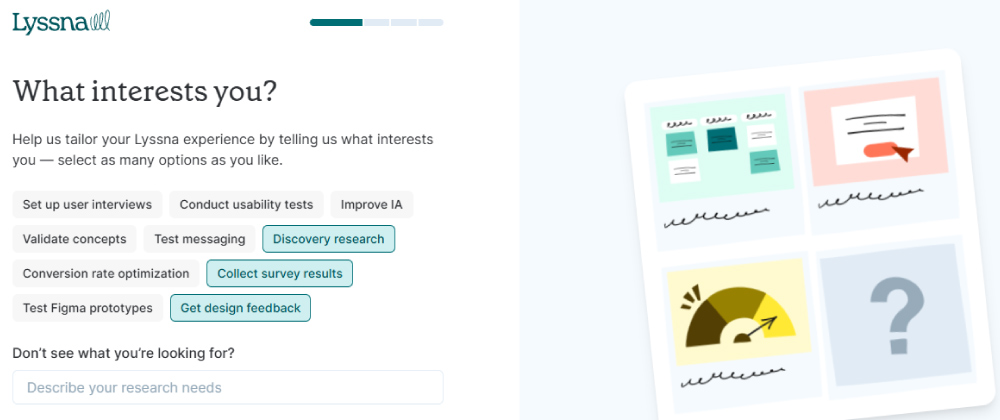
I’m talking about customer feedback data collected directly from your website or prototype. You can pick the setup that fits best:
- First-click tests & preference tests: Find out what people notice first, or which version of a design they prefer.
- Surveys & unmoderated tasks: Collect qualitative and quantitative insights on navigation, messaging, and usability.
- Panel of testers or your own audience: Either tap into Lyssna’s global panel or invite your own users for feedback.
My highlight
What impressed me most was Lyssna’s research panel. You can create a survey or usability test, send it to their pool of testers, and start getting responses without chasing down participants yourself. It’s like having a ready-made focus group on demand, which saves tons of time when you need real user opinions fast.
From real customer reviews
Lyssna’s review score ranges from 4.5 on G2 to 4.6 on Capterra and SoftwareAdvice.
What’s Great:
“The survey creation tool is second to none. You really can do any kind of survey or unmoderated research you want on there. Easy analysis, easy creation….”
What Could Be Better:
“The thing I would improve is the size of the panel. It’s really good for consumer insights and slightly more generalized audiences, but when you want to get really specific with B2B or niche audiences, then sometimes I’m not able to get the participants I need…”
Source: G2
Pricing
Lyssna starts at $0 with a free plan, but once you begin creating surveys, some features run on a credit system. Basically, 1 credit = $1. So while you can get started for free, advanced testing or using their research panel will require credits.
13. SurveySparrow – Ideal Customer Feedback Tools for Hospitality
SurveySparrow is all about turning static surveys into chat-like conversations. It’s built for richer engagement and flexible deployment, whether you’re chasing feedback post-support, via email, or directly in your app.

It’s got a lot of cool features, but here are the most useful that I actually looked into and found valuable:
- Conversational & chat-style surveys: These UI-driven forms feel way more engaging than traditional surveys, and brands report up to 40% higher response rates.
- Omnichannel distribution (including WhatsApp & SpotChecks): You can push surveys via email, your site, or even try SpotChecks, tiny in-app microsurveys, or capture feedback directly through WhatsApp.
- AI-powered insights with CogniVue: This tool helps you cut through the noise by surfacing meaningful patterns in feedback at scale.
My highlight
The highlight for me is CogniVue, SurveySparrow’s AI-powered analytics. It takes raw survey responses, especially those messy open-text answers, and turns them into clear patterns, trends, and sentiment insights. Instead of manually digging through responses, you get an instant view of what’s really driving customer opinions.
From real customer reviews
SurveySparrow is scored with 4.5 stars on G2 by 2,018 users.
What’s Great:
“SurveySparrow’s conversational interface makes surveys feel like natural chats, boosting engagement and response rates. Its sleek design, automation features, and easy integrations help businesses collect feedback smoothly while offering a modern, user-friendly experience across devices.”
What Could Be Better:
“SurveySparrow can get pricey for small teams, especially on higher plans with advanced features. Some users also report limited customization in lower tiers and occasional lags in real-time analytics or reporting. Integration depth could be improved for niche tools…”
Source: G2
Pricing
The price is not publicly available, but you can try the tool for free.
14. Hotjar – For Seeing What Customers Really Do on Your Site
Now, Hotjar isn’t a typical survey tool. It’s more like an X-ray for your website. Instead of only asking customers what they think, it tracks customers’ journey, shows you how they actually behave, where they click, and where they drop off.
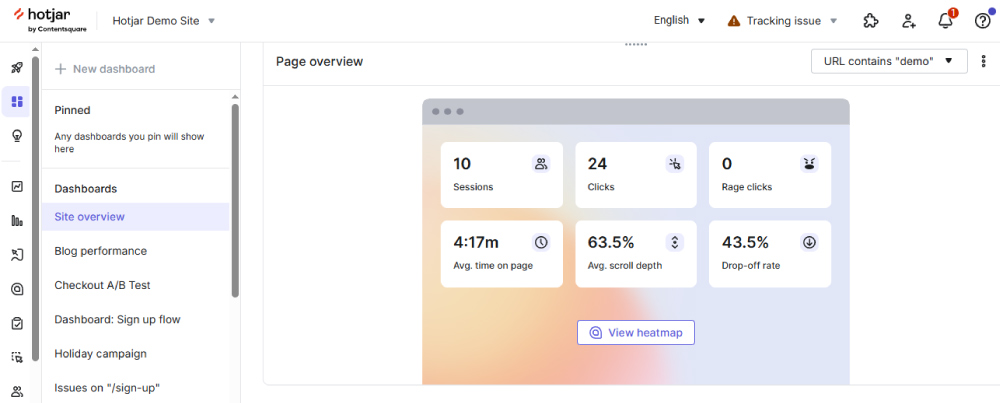
That means you get hard evidence of what’s working and what’s frustrating. Pair that with lightweight feedback widgets, and you’ve got both the “what” and the “why”:
- Heatmaps & session recordings: Visualize clicks, scrolls, and movements to see where users engage or struggle.
- On-site feedback widgets and AI-powered surveys: Tiny pop-ups and polls that capture reactions in the exact moment they happen.
- Conversion funnels: Track where people drop out of forms or checkout flows, and tie that back to behavior.
My highlight
I used Hotjar for a year or so, and I have to say it was very useful. Call me old-fashioned, but I like the Heatmap. When I see red and orange all over the place, I’m in heaven. And of course, session recordings are very useful (though they might sometimes miss something).
From real customer reviews
On G2, users scored Hotjar with 4.3 stars.
What’s Great:
“The ability to integrate HotJar with HubSpot has been super helpful in understanding leads that visit our website; we typically receive multiple leads per day, so we use the platform frequently…“
What Could Be Better:
“It slows our site down a bit since recordings are enabled.”
Source: G2
Pricing
Paid plans start at €39 per month, but you can have a basic plan for free.
15. User Snap – One of the Perfect eCommerce Customer Feedback Tools
UserSnap is designed to make feedback visual. Instead of asking users to describe problems, it lets them show exactly what’s wrong with annotated screenshots, recordings, and context data. Quick to build, even faster to answer.

If you’re tired of vague bug reports like “it broke”, UserSnap turns those into visual stories that your team can act on fast:
- Visual capturing & annotation: Users can grab screenshots or record their screen, draw, comment, and highlight exactly what’s wrong, with every submission auto-tagged with browser and session info.
- Microsurveys: Launch in-app CSAT, NPS, or preference polls targeted by user behavior, URL, or segments, so feedback happens in context.
- AI-assisted insights & streamlined workflow: Get auto-summarized feedback trends, and smart labels with integrations into Jira, Slack, Asana, and more.
My highlight
What I found most useful are UserSnap’s templates for quick surveys. You can choose whether to run a simple star rating or a more detailed feedback form, all right inside your site or app. For eCommerce stores, this is gold. You can capture product feedback, checkout friction, or post-purchase satisfaction without overloading customers.
From real customer reviews
UserSnap has 4.6 stars on G2, rated by 90 users.
What’s Great:
“Usersnap made it easy to collect feedback from our customers. We also are now able to directly gather Requests for Features, Reports of Bugs or general Customer communication directly in our Product without the need to program it ourselves…”
What Could Be Better:
“It’s a bit expensive and has the “usersnap” Branding in all price plans except the highest one. I would expect no branding way earlier.”
Source: G2
Pricing
UserSnap has the first 20 feedbacks monthly for free, while their Basic plan starts at €39/month.
16. Google Forms – For Free Customer Feedback Collection
And last, but not least, the good old and free Google Forms. Sometimes the simplest option is the right one. Google Forms may not have fancy AI, dashboards, or widgets, and it may lack the flexibility and full customization, but it gets the job done if you just need to ask questions and collect responses. And it’s completely free.
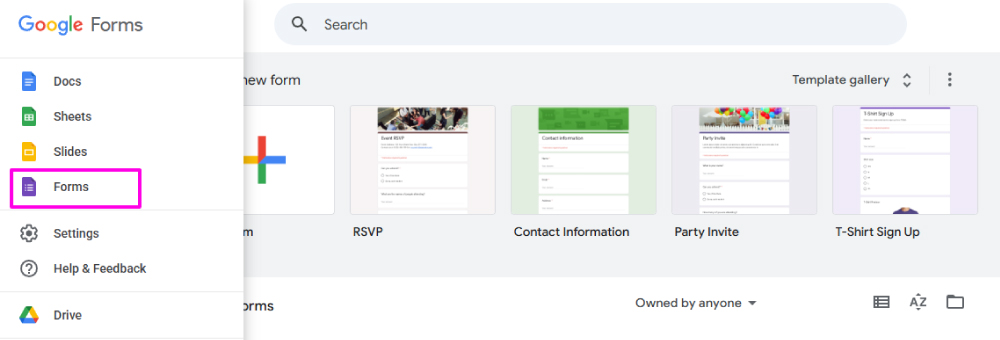
It works best for teams that want a lightweight way to gather customer input without setting up new software or paying extra subscriptions.
- Unlimited forms and responses: Create as many surveys as you need and collect responses in real time.
- Integration with Google Sheets: Responses flow directly into Sheets for sorting, filtering, or even basic analysis.
- Simple customization and sharing: Add logos, choose themes, and share links via email or embed on your site.
My highlight
I like Google Forms for its no-nonsense approach: you spin up a form in minutes and start collecting feedback instantly. It’s not advanced, but for small businesses or side projects, it’s a reliable way to stay informed without spending a cent.
From real customer reviews
Google Forms has a high rating on GetApp, with 4.7 stars from 11,200 users. But you don’t need a review from other users when you can try it for free. It’s a part of your Google Account, alongside Google Docs and Sheets.
Pricing
Google Forms doesn’t cost you anything. It’s free.
Gather Customer Feedback Without Asking A Single Question
Your customers are already sharing their experiences with your products/services online. You don’t have to ask for it. Collect all that existing feedback with Mentionlytics.
What Methods Can Be Used to Gather Feedback from Customers?
There’s no single right way to listen to your customers. It’s more like a buffet. Pick what works, mix a few together, and don’t be afraid to experiment.
Different types of customer feedback software use different methods, and here are the main ones:
- Surveys and Forms – The classics: NPS, CSAT, CES. Boring? Maybe. Effective? Definitely.
- In-App or On-Site Popups – Tiny widgets that catch people mid-action, asking for quick ratings or comments.
- Live Chat and Help Desk – Real-time conversations where customers casually drop golden nuggets of insight.
- Social Media and Review Platforms – Unfiltered opinions, sometimes brutally honest, but always worth paying attention to.
- Email Feedback Requests – A polite follow-up that can work wonders if timed right (and doesn’t scream spam).
- User Testing and Focus Groups – Watching people actually use your product. Spoiler: they never click where you think they will.
- Customer Interviews – One-on-one chats that dig deeper into feelings, frustrations, and wins.
- AI Sentiment Analysis – When reading 5,000 comments isn’t humanly possible, let AI detect the mood for you.
The trick? Don’t stick to just one. Combine structured methods with spontaneous ones, and you’ll begin to see the full picture.
What is the Most Immediate Way to Gather Customer Feedback?
If you want the instant noodles version of customer feedback, ready in minutes, no prep, no waiting, the answer is social listening.
Did you know that 40% of customers in the USA are checking reviews on Facebook? They want firsthand experiences from other users.
Customers are tweeting about your new feature, dropping comments in Facebook groups, writing Reddit posts at 2 AM, or leaving star ratings on niche review sites you’ve never heard of. They’re not waiting for your survey link but talking in real time.
With a good social listening tool, you can tap into that pool instantly. No chasing, no reminders, no “please take five minutes to complete this survey”. Instead, you get raw, unfiltered feedback the moment it happens, whether it’s excitement over your latest campaign or frustration about a checkout bug.
The beauty? People tend to be more honest when they’re talking to their peers online than when they’re filling out a company’s official form. And that honesty, even when it stings, is gold.
So, if you’re after speed (and truth), skip the clipboard. Social listening is feedback in real time.
Try a Great Customer Feedback Tool for Free
Fortune favors the brave. If you haven’t tried social listening to get the feedback you crave, why not jump in and see what you’ve been missing?
Take your free ride with Mentionlytics and watch how much feedback you can collect, in places you never even thought to look. Reddit threads, niche forums, hidden review sites… It’s all out there, waiting.
Explore. Expand. Grow.
FAQ
What is the best tool to collect feedback?
It depends on your needs and mix. For example, you can use Mentionlytics for social listening, SurveySparrow for surveys, and Hotjar for on-site behavior.
What is a feedback tracker?
A feedback tracker is a tool that collects, organizes, and monitors customer comments across surveys, chats, reviews, and social media.
Which method is commonly used to gather customer feedback?
Surveys are the most commonly used method to gather customer feedback, but social listening is the fastest-growing method.
Which tool is commonly used to measure customer satisfaction?
NPS and CSAT surveys, built into tools like Qualtrics, SurveyMonkey, or HubSpot, are the go-to choice.

