


Is modern PR getting… a bit much? PR pros are expected to manage everything today – media monitoring, social listening, press releases, influencer outreach, crisis comms, and more. And let’s be honest: most PR tools only excel at one or two things.
That means juggling multiple platforms – and multiple price tags.
But what if you could get all the must-haves without maxing out your budget?
In this article, we’ve rounded up the best PR tools of 2026 that are feature-rich, performance-ready, and wallet-friendly.
Whether you’re handling press outreach or tracking real-time brand sentiment, these tools prove you don’t have to trade quality for cost.
Table of Contents
- PR Tools for Media Monitoring & Social Listening
- Public Relations Tools for Media Database & Outreach
- PR Tools for Press Release Distribution
- PR Analytics & Reporting Tools
- PR Management Tools
- Influencer Relationship Management Tools
- Crisis Management & Alerting Tools
- AI Tools for PR
- Check Out the Best PR Tool for Media Monitoring & More for Free
- FAQs
PR Tools for Media Monitoring & Social Listening
Media monitoring and social listening go hand in hand. Keeping tabs on your brand’s online mentions and the mood behind them is the first line of defense in PR.
How do people perceive your brand? Are they roaming about something? Is there a crisis on the horizon?
Let’s find out what tools can help you cover all that, and stay ahead without overpaying!
1. Mentionlytics – So You Never Miss a Mention
Or a headline, review, tweet, blog post, and more. Mentionlytics is an all-in-one social listening and media monitoring tool that covers all major social networks, news sites, review platforms, and the whole internet!
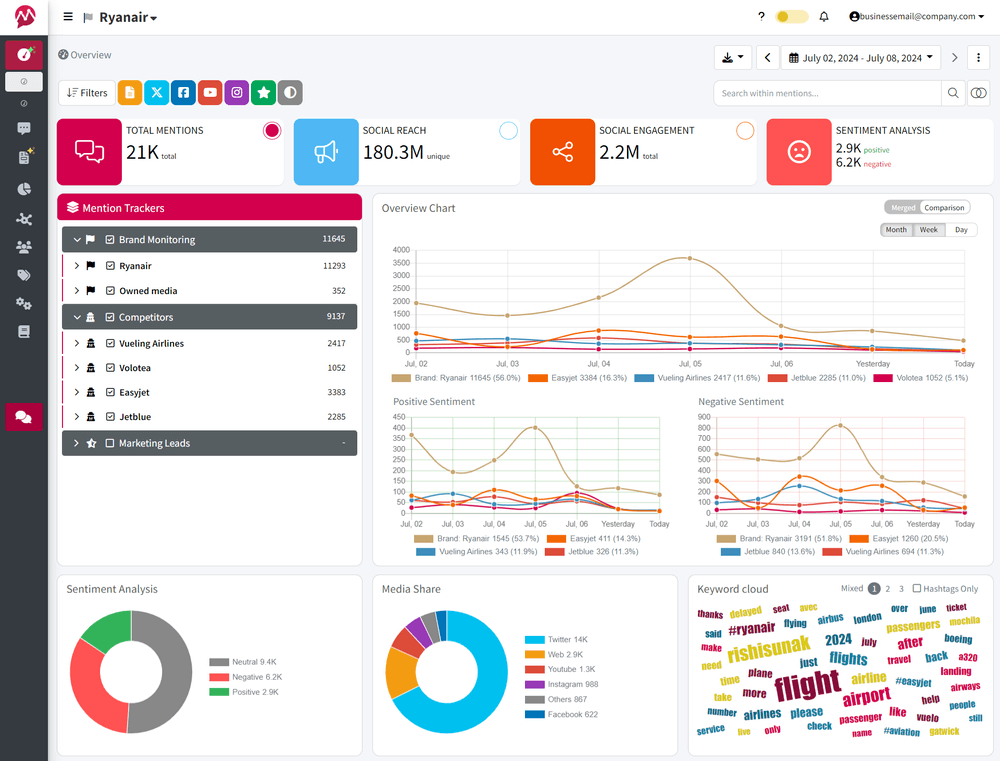
With Mentionlytics, PR pros can do next-level media monitoring: track every mention of their brand (or their competitors) in real time and get instant insights delivered via smart dashboards and daily AI-powered summaries.
From spotting a crisis early to uncovering positive buzz, it helps you stay in control.
Our Highlight
What makes Mentionlytics stand out is the Social Intelligence Advisor (SIA) – an AI-powered assistant that gives you personalized advice on how to improve your performance, but also summarizes key events, alerts you on potential risks, and tells you when something highly unusual happens.
From Real Customer Reviews
Users love the AI-powered features and the user-friendly dashboard, but they do say it might sometimes be challenging to figure out all the functionalities.
- 4.9 on G2 (90 reviews)
- 4.7 on Software Advice (38 reviews)
- 4.7 on GetApp (38 reviews)
What’s Good:
“Mentionlytics has a very good tool for configuring and analyzing alerts, making it a standout experience for monitoring online mentions. I have been testing it for some weeks and, compared to other social listening tools, it actually captures everything.”
What Could Be Better:
“The platform can be a bit overwhelming at the beginning, due to the vast number of features it has.”
Rodrigo R, Digital Consultant, G2
Main Features Users Love
- SIA (Social Intelligence Advisor): Daily AI-powered summaries, personalized tips, and crisis signals in your inbox.
- Customizable Reports: Tailored insights that match your internal reporting needs (no extra digging required).
- Wide Coverage: Tracks mentions from news sites, blogs, forums, review sites, and all major social media platforms, including TikTok, X (Twitter), Bluesky, Facebook, Instagram, LinkedIn, and more!
Pricing
The Basic plan is priced at $58/month, but if you’re keeping an eye on the Mentionlytics pricing page, you can catch the time-limited offer of $49/month with a yearly subscription.
Besides the Basic plan, there are other options that you can choose, depending on your business’s needs. You can also test it out first with a 14-day free trial (no credit card required).
2. Awario – Real Real-Time Monitoring
Awario provides real-time results of your mentions across various platforms, including X, Instagram, Facebook, YouTube, Vimeo, and Reddit. The tool also scans the web for mentions of your brand.
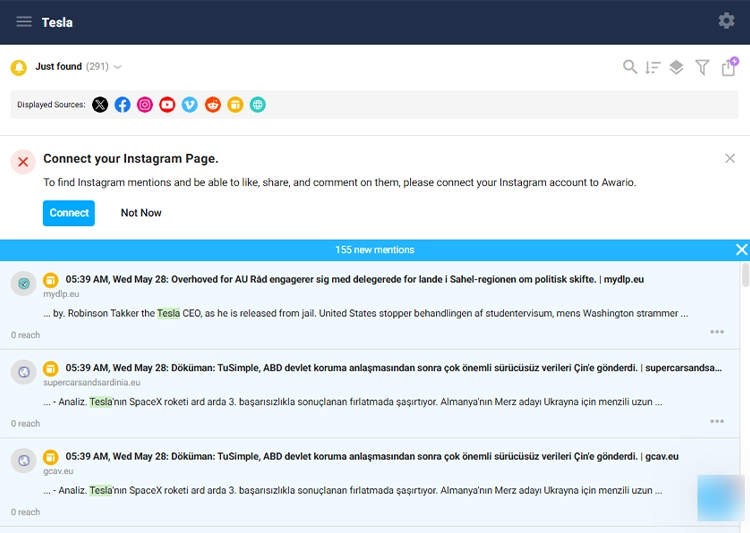
Whenever someone mentions your brand on these platforms or the web, that mention is going to show up promptly on your dashboard. It’s quick, the quickest it can be.
On the flip side, customers are not so much delighted with their customer support, but the dashboard is easy to handle, so you probably will not have any issues with that.
Our Highlight
Real-time insights, that’s our highlight for this tool. Perhaps the media coverage is not on a top level, but for a quick scan of the internet and most popular social networks, it’s a great choice.
From Real Customer Reviews
Awario’s users love its UI and the support team, while they point out that there is room for improvement in the API.
- 4.0 on G2 (41 reviews)
- 4.3 on Software Advice (47 reviews)
- 4.3 on GetApp (47 reviews)
What’s Good:
“UI is super simple to use and encompasses the same features that a lot of the more expensive tools have. The customer support team has been super helpful. Dmitriy has been wonderful in helping us learn about how to use Awario for our use case.”
What Could Be Better:
“While Awario has an API, I’m looking forward to seeing how they build it out to make it better.”
Verified User in Media Production, G2
Main Features Users Love
- Overall Sentiment Analysis: This feature provides users with insight into the overall sentiment of all mentions within the time frame.
- Boolean search: The perfect way to narrow down the search and collect mentions with specific context.
- Top Mentions: Within this feature, you can see which mentions had the highest influence on the audience.
Pricing
Awario’s price starts at $49 per month for one team member.
3. Mention – Media Monitoring for Always-On PR Professionals
Mention, a favorite of big brands, is a platform with high coverage across social media platforms, but it also covers TV and radio stations through integrations. Its dashboard is easy to use, clean, and useful.
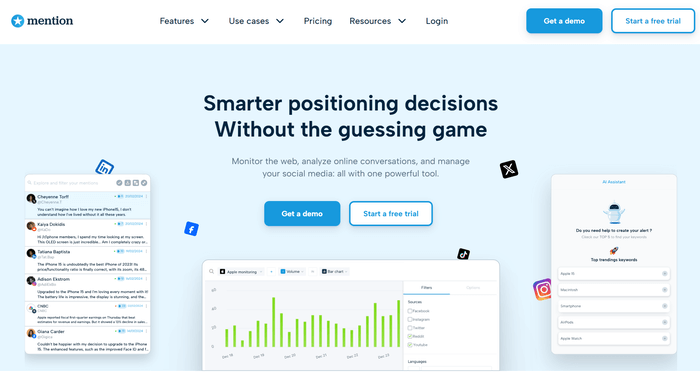
This PR media monitoring tool offers you the option to directly respond from the platform, which is especially helpful for PR teams managing multiple channels.
On the other hand, some users feel that the sentiment analysis could be more precise, and advanced features are only available with higher-tier plans.
Our Highlight
Our highlight for this PR software tool is its real-time alerts and collaborative tools. You can assign tasks to team members, tag mentions, and streamline responses, all in one space. For teams juggling press inquiries, social chatter, and crisis management, that’s a major win.
From Real Customer Reviews
Users emphasize the tool’s ability to track untagged or unlinked mentions, but wish they could capture the historical data after creating a boolean search.
- 4.3 on G2 (440 reviews)
- 4.7 on Software Advice (290 reviews)
- 9.4/10 on Trust Radius (39 reviews)
What’s Good:
“I love how Mention is able to look for unbranded mentions in article copy, and find those (otherwise) hidden backlinks to my website that help me track outreach efforts. It also provides a look at websites that sometimes help when there is a paywall to an article talking about your brand.”
What Could Be Better:
“I wish Mention would allow us to capture historical data after creating a boolean search.”
Verified User in Online Media, G2
Main Features Users Love
- Quick Chart: Instantly visualize your data with easy-to-read charts that help you spot trends without digging.
- Respond: Jump into the conversation directly, reply to comments and DMs on social media right from the dashboard.
- Spike Notification: No need to refresh constantly, this digital public relations tool will alert you when there’s a sudden spike in mentions or activity.
Pricing
Mention pricing starts at $41/month when billed annually. You also have a free trial.
Public Relations Tools for Media Database & Outreach
When it comes to digital PR tools for media database and outreach, here are our three picks that can help you find the right contacts, pitch with precision, and stay organized, without blowing your budget.
1. Prowly – Press Releases and Media Relations With Ease
Powly is a PR platform that helps you find journalists, pitch stories, and manage your press communication all in one place. With access to a media database of over a million contacts, it’s a powerful tool for building long-term media relationships.

You can create branded press releases with their drag-and-drop builder, organize your newsroom, and track who opened or clicked your emails. That way, you’re not sending pitches into the void.
It’s intuitive, visual, and easy to use, even if you’re not a tech-savvy person. The flip side is that, according to users, it can sometimes become buggy, and there are some tricky aspects when transitioning from the free trial to the paid plan.
Our Highlight
Our highlight for Prowly is their media contact database and press release builder. It makes cold pitching much easier and less time-consuming.
From Real Customer Reviews
According to Prowly’s users, it’s a budget-friendly tool, but they wish the email responses were handled better.
- 4.2 on G2 (103 reviews)
- 3.8 on Software Advice (19 reviews)
What’s Good:
“As a user of Prowly, I found it to be a cost-effective PR tool that caters to businesses on a budget. The pricing and ease of use were the standout features that attracted me to this platform.”
What Could Be Better:
“While Prowly allows bulk email sending, the responses from recipients go to individual email accounts, leading to time-consuming and inefficient handling.”
Sofia L., Information Services, G2
Main Features Users Love
- Media Contact Database: Enables search through over 1M journalists and filters by name, location, outlet, audience, traffic, language, topic, media type or category, or role.
- Press Release Creator: Allows you to build sleek, branded releases and host them in your own online newsroom.
- Pitching and Tracking: You can send personalized pitches and track opens, clicks, and replies in real time.
Pricing
The price for this tool starts at $369 per month, with a 30% discount if billed annually. Additionally, a free 7-day trial is available.
2. Anewstip – Journalists and Influencers Advanced Search
Anewstrip is a media outreach tool with a twist – you can search for journalists and media outlets based on what they’ve actually written or tweeted.
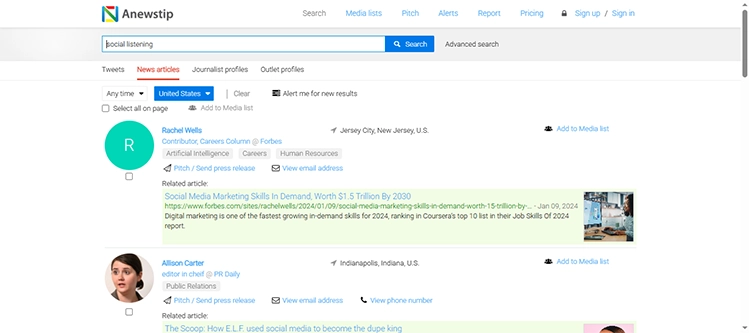
They have a rich database, with more than 1 million journalist and media outlet contacts, 200 million news articles, and 1 billion X tweets.
Our Highlight
The keyword-based journalist search is what we consider highly useful when it comes to Anewstrip. Instead of guessing who might care about your story, you get direct access to those already engaging with the topic.
Plus, you can save contacts on your media list.
From Real Customer Reviews
Although this online PR tool was launched in November 2017, it has not received many reviews, but the existing reviews score the product over 4.5.
- 4.8 on G2 (18 reviews)
- 5.0 on ProductHunt (5 reviews)
What’s Good:
“ANewsTip is easy to use – very intuitive. Overall, it’s easy to find media contacts and create lists as well as send group emails.”
What Could Be Better:
“The database of journalists is not always up-to-date.”
Verified User in Public Relations and Communications, G2
Main Features Users Love
- Search by Tweets or Articles: You can easily find journalists by what they’re talking about, with the related-keyword search.
- Media List Building: Enables you to save and organize media contacts for targeted outreach.
- Pitch Distribution: It’s easy to send emails and track engagement directly from the platform.
Pricing
Anewstrip offers a free plan with limited features. Paid plans start at $200 per month, billed monthly, and include a 7-day free trial.
3. Meltwater – Analytics Tool with PR Outreach Set
Perhaps Meltwater is not primarily a PR outreach tool, but it does have a database with around 700,000 journalists and other contacts, and the option to send press releases directly to the selected contacts.
Now, since Meltwater is a veteran in social listening, it has a well-developed measurement system, which might be useful for public relations professionals.
Our Highlight
Meltwater’s global media database and analytics integration make it ideal for larger teams who want to pitch, track, and report from one place. It’s all under one roof: outreach, visibility, and measurement.
From Real Customer Reviews
Meltwater has received solid feedback from PR agencies and users, praising its search options and emphasizing that it might not be the best budget-friendly option, but it still maintains a score of around four stars.
- 4.0 on G2 (2.285 reviews)
- 4.0 on Capterra (96 reviews)
- 4.0 on SoftwareAdvice (96 reviews)
What’s Good:
“Meltwater is a useful tool in my day-to-day work. I like how you can tailor the search to virtually any topic.”
What Could Be Better:
“I think certain metrics are inflated on Meltwater, for example, PR reach. Sometimes, results are crowded by bot activity. I also think the platform can take a long time to load.”
Verified User in Entertainment, G2
Main Features Users Love
- Global Media Contact Database: You can access journalists, bloggers, and influencers from around the world.
- Press Release Distribution: Enables you to send targeted campaigns and track their performance.
- Integrated Analytics: Gives you the option to measure press coverage, engagement, and ROI.
Pricing
Meltwater doesn’t have publicly stated pricing plans, and you’ll have to contact them for a quote.
PR Tools for Press Release Distribution
When press release distribution is your top priority, the tool you choose needs to offer reach, reliability, and results.
That’s why we’ve selected three platforms that specialize in getting your message in front of the right media, without stretching your budget.
1. eReleases – Distribution Tool with Serious Reach
eReleases is one of the most trusted press release distribution platforms, particularly for small businesses and startups seeking to gain visibility in reputable outlets. It partners directly with PR Newswire, giving your press release a strong shot at major media coverage, including top-tier outlets like Associated Press, Reuters, Google, Bing, and Yahoo! News.
What makes it stand out is its human editing process. Every release is reviewed by an experienced editor to ensure clarity and professionalism before it’s sent out.
Our Highlight
If you want wide syndication with a personal touch, eReleases delivers. The PR Newswire distribution, combined with editorial support, makes it the right tool for credibility-focused campaigns.
From Real Customer Reviews
This platform has a strong rating and excellent reviews from PR professionals.
- 4.2 on G2 (13 reviews)
- 4.8 on ShopperApproved (6,557 reviews)
What’s Good:
“I have used eReleases several times over the past three years, and my experience has consistently been excellent and valuable. Their website is simple and easy to navigate, but what I appreciate most is the human support available throughout the process.”
What Could Be Better:
“Nothing comes to mind immediately. Perhaps seeing lower prices on multi-release packages.”
Matt L., Senior Director of Marketing, G2
Main Features Users Love
- PR Newswire Partnership: Broad U.S media distribution via the most respected wire services.
- Human Editing Support: Every press release is reviewed and polished by a professional editor.
- Targeted Industry List: You can choose who sees your press release by region, niche, or topic.
Pricing
Plans start at $399 per press release (up to 400 words), including editorial services and next-day distribution.
2. Newswire – First Choice for Reaching the US Outlets
Newswire is a go-to solution for businesses that want a cost-effective yet professional way to distribute press releases to media outlets, journalists, and search engines.
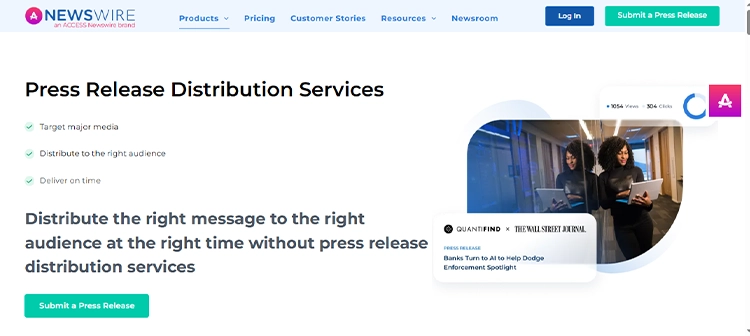
It offers multiple tiers of service, ranging from simple syndication to targeted industry outreach and media list building, all within a user-friendly dashboard.
Our Highlight
Our highlight here would be Newswire’s built-in AI writing assistant, AImee. It helps you write, improve, or tailor press releases before they go live. It’s perfect for small teams, solo PR pros, or anyone needing a second pair of eyes.
From Real Customer Reviews
Undoubtedly, Newswire is a user-friendly platform with a broad distribution reach, and the main issues users keep mentioning are the limited customer support, functionalities, and pricing.
- 4.4 on G2 (694 reviews)
- 4.6 on SoftwareAdvice (105 reviews)
What’s Good:
“Newswire is a decent press release distribution service. It’s user-friendly, which is great, and they have a wide network, so your news can reach a lot of people. I also like that they have different pricing plans, so you can find one that fits your budget.”
What Could Be Better:
“Not the cheapest, but they at least have better service.”
Verified User in Defense & Space, G2
Main Features Users Love
- User-Friendly Platform: The platform is easy to navigate, which enables users to create and publish press releases with ease.
- U.S.-Focused: It is an excellent choice for those wanting to increase brand awareness for the U.S market.
- Flexible Pricing Plans: Various pricing options make it accessible for startups and small businesses.
Pricing
Newswire services start at $349 for one press release for Newswire Digital (distribution to only online outlets throughout the USA).
3. PRLog – Free PR Tool for Press Distribution
If you’re just getting started with PR or working with a super tight budget, PRLog is one of the few platforms that still offers free press release distribution. It’s straightforward, easy to use, and great for small businesses, nonprofits, and solo professionals who want to get their news online without paying a dime.

While it doesn’t offer major media syndication or deep analytics, PRLog gets your release indexed by search engines and makes it visible to journalists, bloggers, and readers browsing the site.
If you want more features, you can always opt for some of their paid plans, which are also budget-friendly.
To create an account on this platform, you’ll need your business email.
Our Highlight
The free plan is the key selling point here. It’s one of the rare platforms that allows you to publish releases for free, and leaves the option for upgrading your account for additional features and more media outlets.
From Real Customer Reviews
Although it has been widely used over the years, PRLog doesn’t have many reviews on review platforms. Keep in mind that it’s a free tool, and therefore it doesn’t offer all the features that other platforms have.
- 4.6 on G2 (16 reviews)
- 4.6 on SoftwareAdvice (105 reviews)
What’s Good:
“I am sharing my Press release without any Charges with PRLog, Simple Interface, Press release Hit Counter service provided, free distribution to search engines, Instantly published, and Fast approval of my PR on PRLog. PRLog provides free PR Service.”
What Could Be Better:
“Free plan with limited distribution, Free plan with ads”
Sofia L., Information Service, G2
Main Features Users Love
- Free Press Release Publishing: You can post your release online at zero cost, with basic formatting options.
- Optional Paid Upgrades: The tool gives you the option to upgrade for features like image inclusion, pressroom customization, and better visibility.
- Search Engine Indexing: Releases are indexed by Google and other search engines to boost visibility.
Pricing
PRLog is free to use for basic release distribution. The price of the paid upgrades depends on the added features.
PR Analytics & Reporting Tools
A good PR analytics tool should do more than just collect data. It should help you understand the impact of your PR campaigns and communicate that clearly to your team or clients.
From tracking media coverage to measuring sentiment and reach, the right tools offer customizable reports and actionable insights that make PR results easy to measure and even easier to share.
1. Mentionlytics – Simple, Insightful Reporting for PR Teams
Mentionlytics may be known as a brand monitoring tool, but it’s also a great PR measurement solution for reporting, tracking campaigns, and analytics.
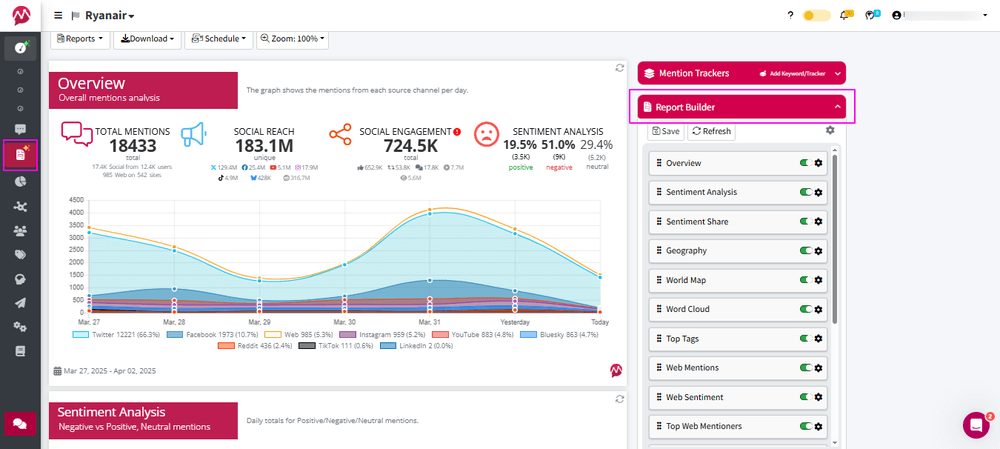
It offers clear, customizable reports, real-time dashboards, and accurate data that can help you understand your campaign’s performance.
Whether you’re tracking Share of Voice, sentiment, trends, or owned media impact, this PR tracking tool gives you a reliable view of how your PR efforts are landing results.
Our Highlight
Speaking of features most useful for PR pros, we have to emphasize the customizable and shareable reports and dashboards. You can tailor them to your exact needs, whether it’s a weekly client update or an internal campaign review, and export them (or share them with a link) in just a second.
From Real Customer Reviews
Excellent customer feedback and reviews keep Mentionlytics’ excellent scores.
- 4.9 on G2 (90 reviews)
- 4.7 on Software Advice (38 reviews)
- 4.7 on GetApp (38 reviews)
What’s Good:
“Mentionlytics is an easy-to-use tool that has allowed us to provide concrete data to our clients. We highlight its ability to monitor data and metrics on the X network, fast automatic reports, and all the information in Excel, making it a competitive platform. On the other hand, we highlight the attention, service, availability, and kindness of our Account advisor.”
What Could Be Better:
“It would be more improvements that allow the user to obtain more data on networks like Instagram and Facebook.”
Sayra Viviana C., Analista de Redes Sociales y Medios, G2
Main Features Users Love
- Customizable and Shareable Reports: Tailored insights with your branding, easy to export for stakeholders or clients.
- Campaign Metrics and Share of Voice: You can easily see where your brand stands and how your message is spreading.
- AI-Powered Sentiment Analysis: Accurately detects the tone of online conversations, beyond just positive, neutral, or negative. It can even recognize sarcasm, so you don’t need to curate mentions ever again.
Pricing
Mentionlytics’ Basic plan starts at $58/month, but you can often grab a limited-time offer of $41/month when billed annually.
There are multiple plans available, allowing you to choose the one that best suits your team’s size and needs. Plus, there’s a 14-day free trial (no credit card required), so you can explore everything before committing.
2. CoverageBook – For Better-Looking PR Campaign Reports
CoverageBook is built for one thing: to make PR reporting faster and aesthetically pleasing. It enables you to create polished visual reports from multiple sources with just a few clicks.
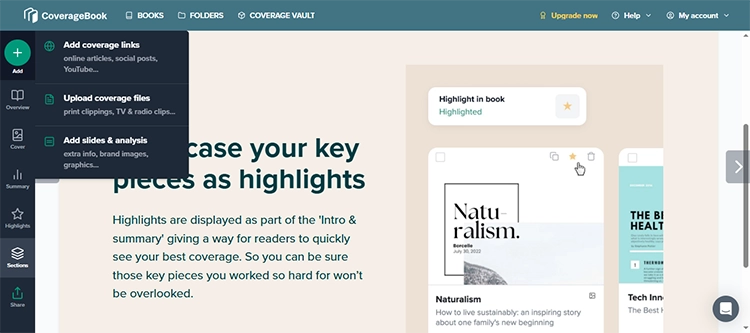
Although users acknowledge the need to check manually and correct data sometimes, the principle of CoverageBook is that you simply drop in your coverage links, and it automatically pulls in screenshots, estimated views, domain authority, and social shares.
Our Highlight
If we had to choose one feature, it would be automated, client-ready reports. You get clean, professional layouts and the ability to share a link or download a PDF or CSV.
From Real Customer Reviews
Users love the simplicity and user-friendly dashboards, but they emphasize that it would be much better if they didn’t have to do the manual insertion of links and everything.
- 4.7 on G2 (197 reviews)
- 4.9 on Software Advice (21 reviews)
What’s Good:
“I’ve been using CoverageBook for a few years now and love how easy it is to use. The reports are beautifully presented, and it makes tracking and managing media coverage simple and efficient.”
What Could Be Better:
“The media circulation and values figures are usually not accurate, so we have to upload everything manually which takes time and effort.”
Verified User in Leisure, Travel & Tourism, G2
Main Features Users Love
- Automated Coverage Collection: You drop your links and let the tool pull screenshots, metrics, and summaries.
- Branded, Shareable Reports: Customize layouts with your logo and brand colors, and send via shareable link, PDF, or CSV.
- Estimated Reach and SEO Metrics: You can view domain authority, potential views, and engagement estimations.
Pricing
CoverageBook starts at $99/month for small teams, with plans scaling based on volume. A free trial is available, allowing you to try it out before subscribing.
3. BuzzSumo – Comprehensive Content Insights
BuzzSumo is known for its robust content discovery and analysis capabilities, making it a valuable tool for PR professionals who want to understand content performance and media trends. It offers features such as influencer identification, backlink tracking, and content performance metrics across multiple platforms.
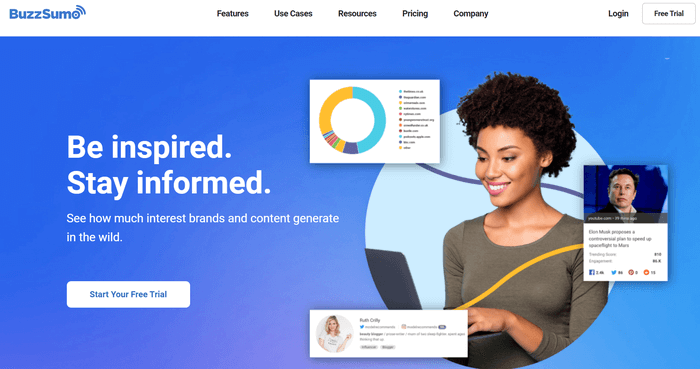
However, while BuzzSumo provides a wealth of data, some users find the platform’s depth can be overwhelming, especially for those new to content analytics.
Additionally, certain advanced features, such as detailed coverage reports, are only accessible in higher-tier plans, which may not be cost-effective for smaller PR teams or individual users.
Our Highlight
This PR reporting tool has a lot to offer, but we’re going to highlight BuzzSumo’s Content Analysis Reports. They let you measure performance across shares, backlinks, sentiment, or customize the topic, domain, or keyword.
From Real Customer Reviews
Users appreciate the insights this public relations measurement tool provides, and wish the advanced features were unlocked for the lower-tiered plans as well.
- 4.5 on G2 (103 reviews)
- 4.5 on Software Advice (146 reviews)
What’s Good:
“It has advanced features like customizing the feed. I can analyze content, and see performance reports & backlinks also. Overall, Buzzsumo is a helpful tool for content research & marketing.”
What Could Be Better:
“Only pricing is a challenge for small industries. Otherwise, it has lots of things to explore.”
Sahana B., Marketing Executive, G2
Main Features Users Love
- Content Analysis Reports: Track engagement, sentiment, and top domains for any topic.
- Influencer and Journalist Discovery: You can spot key voices sharing or writing about your niche and include them in your report.
- Trend Monitoring: You can check the trending topics and hot keywords in your industry.
Pricing
The price starts at $199/month for the Content Creation package. For PR-specific features, such as coverage reports, the PR & Comms plan is available for $299 per month. They offer a 7-day free trial.
PR Management Tools
Yeah, right – if only it were just about press releases… In reality, PR involves way more moving parts, from managing media contacts and follow-ups to tracking coverage and reporting results.
To keep it all running smoothly (and stay sane), you need a solid PR management tool.
1. Trello – Visual Task Management That Just Makes Sense
Trello is a simple, card-based project management tool that works great for small PR teams and freelancers who want to keep campaigns organized without overcomplicating things. Each board can represent a campaign, client, or workflow, making it easy to track media lists, pitches, follow-ups, and deadlines.
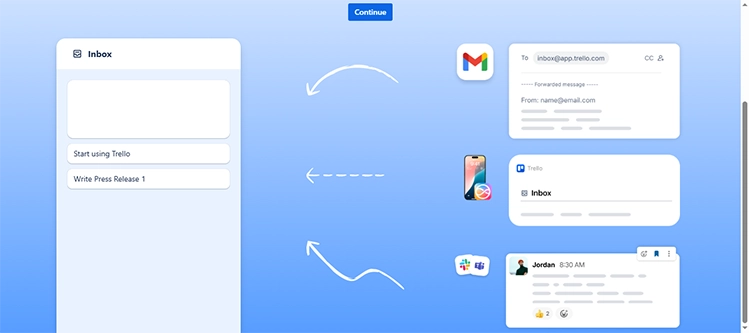
It is not PR-specific, but it’s flexible, visual, and very user-friendly.
Our Highlight
Trello shines with its drag-and-drop simplicity and visual boards, perfect for teams that like to see everything at a glance.
From Real Customer Reviews
Users love Trello’s interface and ease of use, but some note that its simplicity can become a limitation for more complex projects.
- 4.4 on G2 (13,689 reviews)
- 4.5 on Capterra (23,591 reviews)
What’s Good:
“It allows me to add collaborators, sort my boards, add due dates, notes for each item, and assign labels (plus more). All in all, it’s a very useful tool for organization and communication on collaborative tasks with your team.”
What Could Be Better:
“The templates are a little difficult to edit and customize – it would be nice if these were editable and customizable. Another cool thing would be to integrate due dates or things into a calendar!”
Sarah E., Marketing & Communications Coordinator, G2
Main Features Users Love
- Visual Boards & Cards: You can organize campaigns, tasks, and media outreach workflows.
- Labels, Checklists & Deadlines: These functionalities help you stay on top of every pitch and follow-up.
- Collaborative Tools: You can assign tasks, leave comments, and track progress with your team.
Pricing
Trello has a solid free plan, with paid plans starting at $5/month per user for more automation and features.
2. Asana – Managing Complex Tasks with Ease
Asana is designed for teams that manage complex campaigns and require staying aligned across multiple moving parts. From content calendars to press outreach timelines, Asana enables you to build workflows, set dependencies, assign teammates, and track progress in real-time.

It’s ideal for larger PR teams that need to collaborate, manage approvals, and plan out multi-channel efforts.
Our Highlight
Our highlight here is Asana’s ability to adjust to your needs, regardless of how complex the tasks are. And you’ll still be able to track everything without any issues. That’s why it’s perfect for coordinating complex PR campaigns.
From Real Customer Reviews
Users appreciate Asana’s intuitive interface and robust task-management features, but a few people note that some of the most useful features are only available as part of higher-tiered plans.
- 4.4 on G2 (11,932 reviews)
- 4.5 on Capterra (13,479 reviews)
What’s Good:
“What I like best about Asana is how it makes every project feel clear and simple from the start. The interface is clean and intuitive, so creating tasks or checking status is effortless. I especially appreciate the different views (List, Board, and Timeline) because I can pick the perspective that works best for what I’m tracking.”
What Could Be Better:
“What I dislike about Asana is that some of the really helpful features are locked behind higher pricing tiers. Things like advanced reporting or better admin controls would make a big difference, but they aren’t available unless you upgrade.”
Mario F., Managed Services Manager, G2
Main Features Users Love
- Timeline View & Milestones: Visually map out campaign timelines, track key moments, and manage deadlines with ease.
- Portfolios: With this feature, you can easily group related projects together to gain a higher-level overview of progress across multiple campaigns.
- Reporting Dashboards: Monitor campaign health, team workload, and task status in one place.
Pricing
Asana offers a free plan for smaller teams (up to 10 people), with premium plans starting at $10.99 per user per month, billed annually.
3. ClickUp – Highly Customizable Tool for Most Complex Workflows
ClickUp might seem complex at first glance, but it’s built to handle just about anything your PR team throws at it.
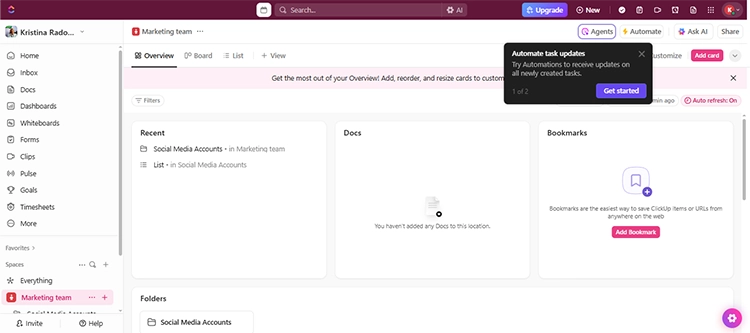
With high customization, you can create reusable task templates and automate repetitive work, so you’re not rebuilding the same workflows every time.
Our Highlight
ClickUp surely is one of the most complex management tools for PRs, but its complexity offers a blend of features that allows you to create even the most complicated workflows.
From Real Customer Reviews
ClickUp’s extensive capabilities and customization options delight users. On the other hand, some users mention that a learning curve for new users can be a pain point.
- 4.7 on G2 (10,275 reviews)
- 4.6 on Capterra (4,483 reviews)
What’s Good:
“ClickUp offers a highly customizable workspace that helps our team manage tasks, projects, and timelines all in one place.”
What Could Be Better:
“While powerful, ClickUp can feel overwhelming for new users due to its complexity and the learning curve involved.”
Juan S., Business Analyst, G2
Main Features Users Love
- Custom Workflows: You can tailor your PR processes with customizable statuses, fields, and templates.
- Integrated Docs & Dashboards: With these functionalities, you can draft press releases and monitor campaign performance within the same platform.
- Multiple Views: ClickUp provides the option to switch between list, board, calendar, and Gantt views, allowing you to choose the one that suits you best.
Pricing
For personal use or a very small team, a Free Forever plan is an option, while paid plans start at $7/month per user.
Influencer Relationship Management Tools
PR strategies today don’t rely solely on journalists. While they’re still a key part of the puzzle, the success of your public relations campaign often depends on how well you build and maintain relationships with influencers in your niche.
These tools help you find the right creators, manage outreach, and track results – so you can turn one-time mentions into long-term partnerships that truly move the needle.
1. BuzzStream – Influencer Outreach That Feels Personal
BuzzStream is used for finding the right contacts to personalize emails and manage follow-ups. It helps make outreach more human, even when you’re sending dozens of pitches a day.
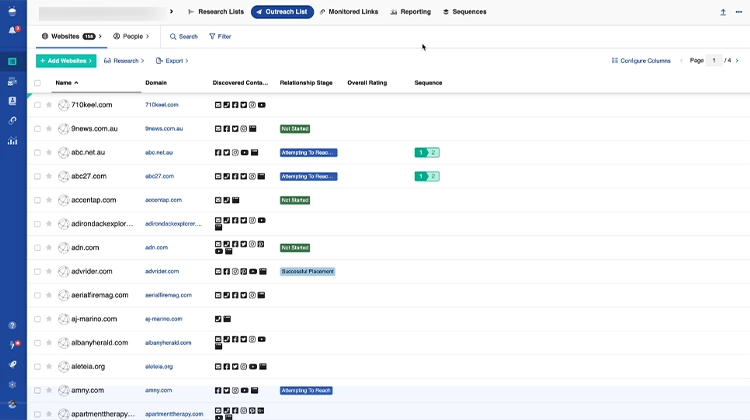
It’s ideal for PR teams managing influencer lists, blogger outreach, and digital PR campaigns across multiple niches.
Our Highlight
BuzzStream’s biggest win is how it handles personalized outreach at scale. You can keep track of conversations, relationship history, and contact details without ever digging through spreadsheets or inbox threads.
From Real Customer Reviews
Up close and personal, that’s what users love the most, though some of them are not thrilled with the UI.
- 4.2 on G2 (165 reviews)
- 4.5 on SoftwareAdvice (22 reviews)
What’s Good:
“It helps me stay organized and track my digital PR efforts easily. It’s amazing for research and pitching as well.”
What Could Be Better:
“The interface isn’t pretty but that doesn’t matter so much.”
Pearl K., SEO & Digital PR Manager, G2
Main Features Users Love
- Influencer & Blogger Discovery: You can find and import influencers directly from the web. You can even send them emails the moment you find them or add them to the contact list.
- Email Personalization and Tracking: The platform enables you to send personalized outreach emails and track opens, clicks, and replies.
- Contact Management & History: You can keep detailed notes, relationship stages, and past interactions in one place.
Pricing
BuzzStream’s plans start at $24 per month per user, and a free trial is available.
2. Upfluence – Influencer Marketing Platform for PR
Upfluence is an influencer marketing platform designed to help brands identify, engage, and manage influencer partnerships. With its robust database and advanced search filters, users can pinpoint influencers that align with their brand values and target audience.
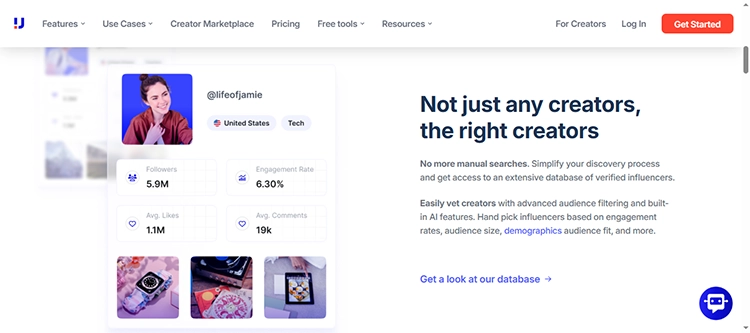
The platform also offers tools for campaign management, performance tracking, and payment processing, streamlining the entire influencer collaboration process.
Our Highlight
When discussing Upfluence, we must highlight its integrated approach. It combines influencer discovery, campaign management, and analytics in one platform. That reduces the need to juggle multiple tools.
From Real Customer Reviews
Most users love the campaign management features, but many of them noted that its complexity makes it challenging to navigate initially.
- 4.6 on G2 (138 reviews)
- 4.2 on TrustPilot (58 reviews)
What’s Good:
“We’ve been using Upfluence for 7 months to manage our influencer marketing campaigns, and it has made the process much smoother and more efficient.”
What Could Be Better:
“Pricing might be on the higher side for smaller businesses.”
Madalina A., Ecommerce executive, G2
Main Features Users Love
- Influencer Discovery Filters: The platform features advanced search filters that enable you to find influencers who match specific criteria.
- Campaign Management: You can use the tool to manage outreach, content approval, and performance tracking.
- Integrated Payment: Although we haven’t tried it, the platform offers streamlined payment processing for influencer collaborations.
Pricing
Upfluence offers customized plans, and their pricing is not publicly displayed, so you’ll need to contact them for pricing information.
3. Heepsy – A No-Fluff Way to Scout Influencers
With smart filters and audience insights, Heepsy helps you quickly sort through influencers on YouTube, TikTok, and Instagram to find those who are actually worth your time. You can check engagement, spot fake followers, and keep your picks organized within the platform.
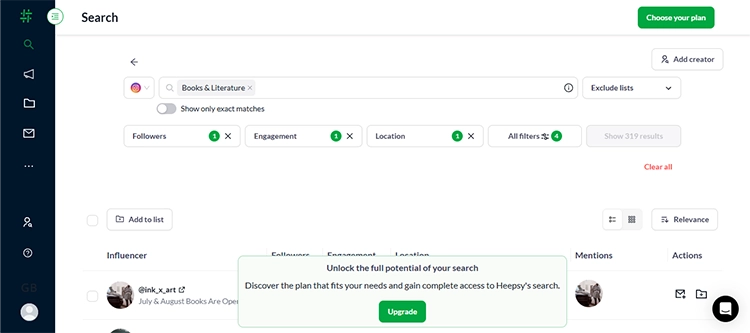
It’s not flashy, but it does the job, really quickly.
Our Highlight
What delighted us with Heepsy are their search filters. It makes the influencer search so easy and quick that you don’t have to lose too much time digging through the internet.
You just set your filters (choose social media, number of followers, engagement rate, and location) and in one click, you have the list.
From Real Customer Reviews
Users like how easy it is to dig into influencer metrics and build targeted lists, though some mention that actual contact info can be limited unless you’re on a higher-tier plan.
- 4.5 on G2 (41 reviews)
- 4.5 on Capterra (72 reviews)
What’s Good:
“The ‘Boards’ feature is very helpful. I use this feature the most, and it allows me to send tracking links to influencers to use in their content for us. It is very easy to use. Guillermo has been so helpful and patient with me. We have regular calls and answers any question I have quickly.”
What Could Be Better:
“The only downside is that you can only add influencers to boards who have more then 3k followers. This then doesn’t allow me to send them a tracking link, and tracking clicks, sales, and orders is really important.”
Verified User in Consumer Goods, G2
Main Features Users Love
- Search with Filters: You can choose follower range, location, and engagement rate to find the best-fit influencers.
- Influencer Reports: View engagement metrics, audience authenticity, and post frequency in one dashboard.
- CRM Lite: You can save an influencer list and keep basic notes to stay organized through your campaign.
Pricing
Heepsy offers a free plan with basic functionalities, and the first paid tier starts at $69/month billed annually.
Crisis Management & Alerting Tools
Every PR pro knows there’s nothing faster in this world than bad news. It travels at the speed of a retweet, and if you’re not watching, it can get out of hand before your coffee even cools.
That’s why real-time alerts and early warnings are non-negotiable. These tools help you catch issues as they start, so you’re not reacting too late, or worse, explaining why you missed it.
1. Mentionlytics – Real-Time Alerts Before Things Go South
You don’t need a full-blown PR crisis to know that timing is everything. Mentionlytics helps you stay ahead of trouble with real-time monitoring, sentiment shifts, and AI-powered anomaly Detection that tells you when something’s off (really fast).

With this PR listening tool, you’ll know if there’s a spike in mentions, a sudden wave of negativity, unusual behavior, or issues before it hits your inbox from someone else.
Our Highlight
To prevent a crisis from escalating, one of the most valuable feature combinations is SIA’s Anomaly Detection Alerts. SIA (Social Intelligence Advisor) is notifying you daily about the most important conversations (like a dissatisfied customer gaining traction on X), while Anomaly Detection Alerts kick in when something unusual happens – your mentions increase beyond the usual pattern.
From Real Customer Reviews
According to reviews, users find Mentionlytics’ AI-powered features very useful, but sometimes it can be overwhelming at the beginning to grasp everything.
- 4.9 on G2 (90 reviews)
- 4.7 on SoftwareAdvise (38 reviews)
What’s Good:
“Mentionlytics is a gem of a social listening tool. It’s incredibly easy to learn, quick to set up, and packed with features, especially the free trial version. The AI-generated summaries and real-time notifications make it very useful for monitoring ad campaigns and brand mentions. It’s absolutely worth every buck…”
What Could Be Better:
“If there’s one thing to note, it’s that the tool takes a bit of time to update…”
Twila Marie B., Senior Manager for Insights, Strategy & Fandom, G2
Main Features Users Love
- SIA Notifications: Get daily AI-curated summaries that highlight the most important and potentially risky conversations.
- Anomaly Detection: Be instantly notified when the mention volume increases over the expected or sentiment suddenly shifts, so you can act fast.
- Advanced Filters with Emotion Analysis: Prioritize the most critical mentions, like angry or highly negative ones, so you can tackle the real heat first.
Pricing
The Basic plan starts at $58/month, but if you check the pricing page regularly, you might catch a limited-time offer at $41/month with an annual subscription. If you’re not ready to commit, you can take it for a spin with a 14-day free trial – no credit card needed.
2. Brand Mentions – Brand Tracking with Inbox Alerts
BrandMentions is a solid option if you’re looking for timely alerts and broad source coverage without stepping into enterprise-level pricing.

It’s built for tracking brand mentions across websites, social media, and blogs.
Our Highlight
Brand Mentions has a great Campaign customization option that makes it easy to track the results of your campaign. You can see how your campaign is received, allowing you to adjust your marketing strategy as needed.
From Real Customer Reviews
Users laud how easy it is to set up and appreciate the quick alerts, but a few mention missing features and that pricing is billed quarterly.
- 4.5 on G2 (48 reviews)
What’s Good:
“The tool is super easy to use and delivers fast, accurate results. I really appreciate how customizable the campaigns are…”
What Could Be Better:
“While the tool is fantastic overall, I was disappointed to see the removal of the “Quick Research” feature, which was very handy for fast checks…”
Verified User in Marketing and Advertising, G2
Main Features Users Love
- Real-Time Alerts and Campaign Customization: You can easily create keyword campaigns with exclusions and filters to catch the mentions that matter most.
- Sentiment and Reach Metrics: It offers basic sentiment context alongside domain authority and share counts for every mention.
- Comprehensive Source Network: You can track mentions across websites, blogs, forums, and the web.
Pricing
BrandMentions plans start at $99/month, billed quarterly, and they offer a 7-day free trial.
3. Google Alerts – Free Tool for PR Needs
Google Alerts is a straightforward, user-friendly, free tool that allows you to monitor the web for specific keywords.
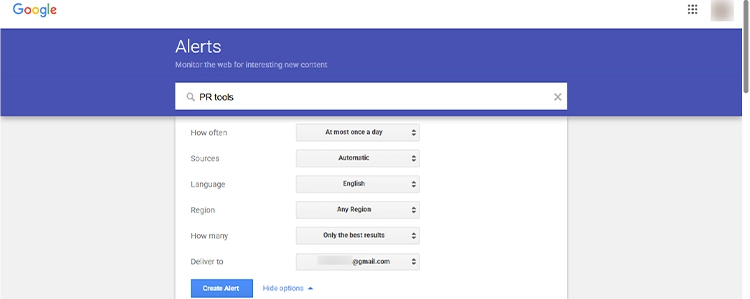
While it doesn’t offer advanced features, like sentiment analysis or real-time social media tracking, it’s useful for keeping an eye on brand mentions in news articles, blogs, and websites.
Our Highlight
The simplicity and ease of setup make Google Alerts a go-to for basic monitoring needs. You can set up alerts for your brand name, competitors, or industry keywords and receive email notifications when new content is published.
From Real Customer Reviews
Users appreciate the functionality and straightforwardness of Google Alerts, though they do mention it might clutter your inbox if you set it to receive alerts too often.
- 4.7 on Capterra (304 reviews)
- 4.7 on SoftwareAdvise (304 reviews)
What’s Good:
“It is a nice way to get notified via email through Google Alerts.”
What Could Be Better:
“Sometimes it can get to be a lot when receiving a lot of alerts.”
Chassis, Verified reviewer, Construction Software Advice
Main Features Users Love
- Keyword Monitoring: You can track specific terms across the web, for free.
- Email Notification: Google Alerts will notify you via email, so the updates will land directly in your inbox.
- Customizable Settings: You can adjust the frequency, sources, language, region, and how many results you want to receive. You can set it to receive only the best results or all mentions of the keyword.
Pricing
Google Alerts is completely free to use, making it an accessible option for individuals and small businesses.
AI Tools for Public Relations
Everyone, including PR pros, faces creative blocks and typo storms every now and then. That’s where an AI writing assistant can swoop in.
If you want to brainstorm headline ideas, write a pitch, or just try to make sure your press release isn’t a grammar disaster, these tools have your back.
1. ChatGPT – Your Always-On Brainstorm Assistant
Need headline ideas? A clever quote? A quick summary of a 5-page report? ChatGPT is your go-to creative assistant when your brain says: “Not today”.
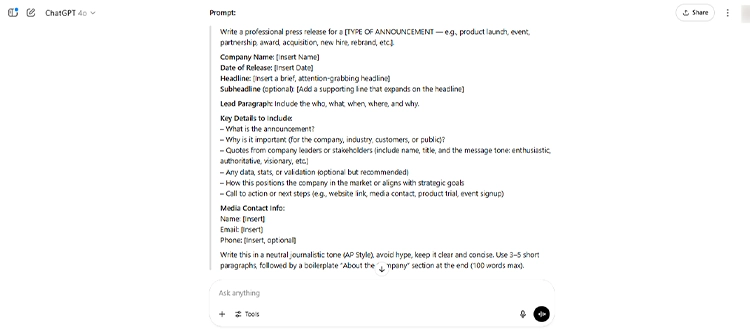
It helps PR pros write faster, brainstorm smarter, and simplify complex ideas in seconds.
Our Highlight
When it comes to ChatGPT, our highlight is its ability to follow the tone you set through your prompts. That way, you’ll always have the same brand voice tone for all your press releases or pitches you send.
From Real Customer Reviews
While it’s not a replacement for human nuance or PR judgment, users love how quickly ChatGPT helps them organize thoughts, spark creativity, and speed up their content workflow. Though most of them emphasize that you have to double-check and fact-check the content.
- 4.7 on G2 (784 reviews)
- 4.7 on ProductHunt (1,044 reviews)
What’s Good:
“ChatGPT helps me brainstorm, write, edit, and troubleshoot faster than ever…”
What Could Be Better:
“While ChatGPT is incredibly powerful, it sometimes gives overly general answers if the prompt isn’t very specific…”
Bairon P., Creative Editor Lead, G2
Main Features Users Love
- Content Drafting: Press Releases, outreach emails, talking points, you can do it all with ChatGPT.
- Tone Adjustments: You can make it sound more professional, casual, or even witty.
- Idea Generation: From subject lines to campaign slogans, it can be used for everything you can think of.
Pricing
The GPT-3.5 version is free, but you can always upgrade to ChatGPT Plus for $20/month.
2. Grammarly – Because Typos Are Not PR Strategy
You could have the perfect pitch, but if it’s full of typos, passive voice, or their/there/they’re, your credibility takes a hit. Grammarly steps in as your personal editor, making sure every press release, email, and social post is polished, professional, and typo-free.
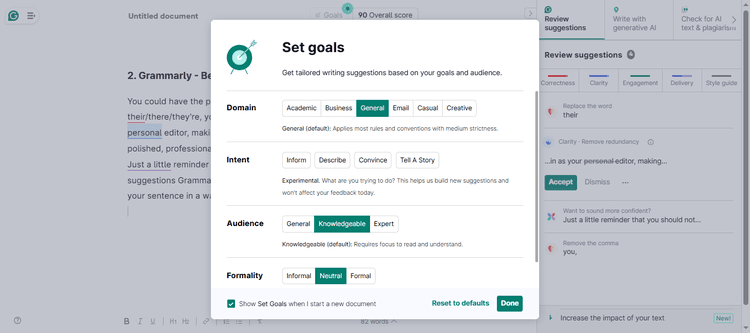
Just a little reminder that you should not automatically accept all the suggestions Grammarly throws at you, because sometimes it might tweak your sentence in a way you don’t want to.
Our Highlight
Grammarly has real-time feedback on tone, clarity, and grammar. You don’t need to copy-paste into Word to Grammarly or vice versa. It works as an extension wherever you write.
From Real Customer Reviews
Users praise its tone detection and writing suggestions, but sometimes find the suggestions a bit too “by the book” for creative writing.
- 4.7 on G2 (11,418 reviews)
- 4.1 on TrustPilot (10,298 reviews)
What’s Good:
“Grammarly is incredibly helpful for catching small grammar and punctuation mistakes that I might miss when editing my own work…”
What Could Be Better:
“Sometimes Grammarly offers suggestions that feel too rigid or formal, especially when writing creatively or using an informal tone…”
Doniyor M., Associate, G2
Main Features Users Love
- Tone Detector: Make sure you’re striking the right mood – confident, friendly, formal, or assertive.
- Real-Time Editing: You can fix grammar, punctuation, and awkward phrasing as you write.
- Clarity Suggestions: Using Grammarly, you can say more with fewer words and lower the risk of miscommunication.
Pricing
Grammarly offers a free version with basic writing help. The premium plan starts at $12/month when billed annually.
3. Jasper AI – The Copywriting Machine That Gets PR
If ChatGPT is your brainstorming buddy, Jasper is more like your caffeinated copywriter who knows deadlines are real.

Tailored for marketers and content teams, Jasper comes loaded with templates that help you crank out press releases, headlines, bios, and even product descriptions – without sounding like a robot.
Our Highlight
Jasper shines when you’re juggling multiple content needs and want on-brand, on-message copy fast. Plus, its built-in brand voice feature makes it a solid choice for agencies or PR teams handling multiple clients.
From Real Customer Reviews
Jasper AI generally has great reviews. Users like the time-saving benefits this tool offers and its simplicity. On the other hand, some users say it doesn’t have the ability to understand complex queries.
- 4.7 on G2 (1,260 reviews)
- 3.9 on TrustPilot (4,152 reviews)
What’s Good:
“While the platform is fantastic and one of the best AI writing tools I’ve used, their customer service truly sets them apart…”
What Could Be Better:
“Choosing the right template can take some trial and error, but it’s so helpful to learn…”
Armando M., Principal Content Specialist, G2
Main Features Users Love
- Templates: Jasper offers various templates for press releases, email outreach, bios, blog intros, and more.
- Brand Voice: You can save your tone preferences so every message stays consistent.
- Collaboration Tools: This feature is great for agencies managing multiple projects and clients.
Pricing
Jasper’s Creator plan starts at $49/month, with a free 7-day trial.
Check Out the Best PR Tool for Media Monitoring & More for Free
If you’re looking for an all-in-one PR tool that covers media monitoring, social listening, crisis alerts, customizable reports, AI-powered insights, sentiment analysis, competitor analysis, and share of voice – without breaking the bank – then Mentionlytics is the way to go.
Catch every whisper about your brand with Mentionlytics’ free 14-day trial and find out why PR professionals love it!
FAQs
Which PR tool is effective for communicating with external publics?
Prowly is a great option as it combines a media database, email distribution, and newsroom features, making it easy to reach journalists and stakeholders directly.
What is the most useful tool for PR professionals?
It depends on your focus, but Mentionlytics stands out for its all-in-one capabilities: media monitoring, social listening, reporting, sentiment analysis, and crisis alerts, all under one roof.
What is the most widely used PR tool?
Cision is often cited as the most widely used enterprise-level PR tool globally, especially for media database and outreach, though many PR pros also rely on more affordable options like Mentionlytics and Prowly.

