


Sprout Social is best known as a social media management tool, one of the favorites for scheduling and engaging with your audience across platforms. But since a lot of things have shifted lately and brands should listen to their audience more than ever before, we built a list that covers a much wider scope of functionalities and would serve best as Sprout Social alternatives in 2026.
In this article, we present the best Sprout Social alternatives we researched and tested, their pros, cons, and pricing, and explain the method we used to choose them so you can make the right choice.
1. Mentionlytics: Best for Brand-Monitoring-Focused PR Agencies
2. Buffer: Best for Approval Workflows and Easy Scheduling
3. Hootsuite: Best All-in-One Alternative for Big Budgets
4. Agorapulse: Best Balance Between Simplicity and Functionality
5. Statusbrew: Best for Combining Social Media Management and Customer Care
6. Planable: Best for Content Collaboration and Approval
7. SocialPilot: Middle Ground Alternative for Agencies
8. Socialinsider: Best for Competitive Benchmarking and Insights
9. Zoho Social: Best for CRM-Driven Marketing Teams
10. Sociality: Best for Structured Social Media Operations
11. Khoros: Best for AI-First Community and Social Management
Table of Contents
Our Methodology: How We Picked These Sprout Social Alternatives
We did what you’d probably do yourself (just… a bit more obsessively). First, we went where real opinions live, Reddit threads, G2 reviews, and marketing communities, to see which tools people actually recommend when they’re frustrated with Sprout Social. And yes, pricing complaints showed up a lot (no surprises there).
Then we looked for patterns: what users consistently complained about, what features were missing, and which tools were stepping in to fill those gaps. From there, we cross-checked everything with G2 ratings and recent feedback, because one glowing review from 2021 doesn’t mean much in 2026.
Finally, we tested each tool ourselves. Not just clicking around dashboards, but actually using them the way a marketer would. The result: A list based on real use cases, real frustrations, and tools that genuinely solve them.
Best Sprout Social Alternatives for 2026 – Comparison Table
After all that’s been said and our test is done, here’s the final list and our review of the best Sprout Social competitor tools to view at a glance.
| Tool | Best for | Free Trial | Pricing | G2 Rating | Scheduling | Social Listening | Media Monitoring | Sentiment Analysis |
| Mentionlytics | PR & marketing agencies | ✅ 14-day | From $69/mo | ⭐ 4.8 | ⚠️ Basic | ✅ Strong | ✅ Strong | ✅ AI-based |
| Hootsuite | Large teams | ✅ 30-day | From ~$99/mo | ⭐ 4.3 | ✅ Advanced | ✅ Strong | ⚠️ Limited | ⚠️ Basic |
| Buffer | Individuals & freelancers | ✅ 14-day & free plan | From ~$6/channel/mo | ⭐ 4.3 | ✅ Strong | ❌ | ❌ | ❌ |
| Agorapulse | SMBs | ✅ 30-day & free plan | From $99/user/mo | ⭐ 4.5 | ✅ Advanced | ⚠️ Add-on | ⚠️ Basic | ⚠️ Basic |
| Statusbrew | Social & customer care | ✅ 14-day | From $89/mo | ⭐ 4.8 | ✅ Advanced | ✅ Yes | ⚠️ Basic | ✅ Yes |
| Planable | Content collaboration | ✅ Free plan | From $39/user/mo | ⭐ 4.6 | ✅ Strong | ❌ | ❌ | ❌ |
| SocialPilot | Budget agencies | ✅ 14-day | From $20/mo | ⭐ 4.5 | ✅ Strong | ❌ | ❌ | ❌ |
| Socialinsider | Analytics & benchmarking | ✅ 14-day | From ~$99/mo | ⭐ 4.7 | ❌ | ❌ | ❌ | ❌ |
| Zoho Social | CRM-driven teams | ✅ Free plan | From ~$18/mo | ⭐ 4.6 | ✅ Strong | ⚠️ Basic | ⚠️ Limited | ⚠️ Basic |
| Sociality.io | Structured workflows | ✅ 14-day | From ~$166/mo | ⭐ 4.8 | ✅ Strong | ✅ Yes | ⚠️ Basic | ⚠️ Basic |
| Khoros | Enterprise CX & community | ❌ | Custom pricing | ⭐ 4.4 | ✅ Advanced | ✅ Advanced | ✅ Strong | ✅ Advanced |
Best Alternatives to Sprout Social Tested by Our Team in 2026
Here are 11 alternatives to Sprout Social worth considering. We tested them so that you can narrow the options and only test the ones that suit your needs the best.
Mentionlytics: Best for Brand-Monitoring-Focused PR Agencies
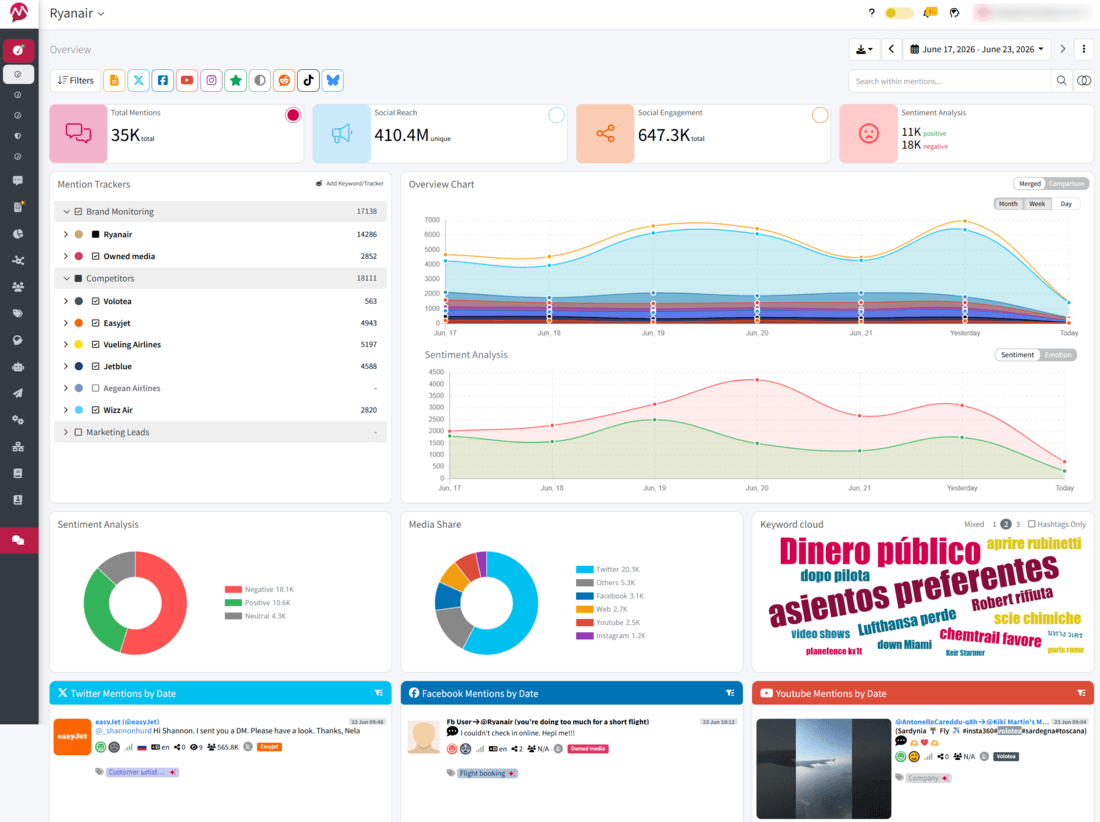
Mentionlytics is primarily a social listening and brand monitoring tool. So if you’re looking for something that is more than a publishing hub, Mentionlytics might be the right choice for you. Instead of focusing only on your owned channels, it tracks conversations across social media, news, blogs, forums, and even podcasts, which is where your brand reputation is actually being shaped.
What Users Say
Users consistently highlight Mentionlytics as a strong value-for-money alternative to enterprise tools, especially for PR and marketing agencies. Reddit threads often mention its Reddit and forum coverage as a key advantage, while G2 reviews highlight how easy it is to use the dashboards and generate client-ready reports without extra work.
What We Found in Our Tests
The biggest difference is perspective. While Sprout focuses on managing your content, Mentionlytics focuses on understanding your impact. The sentiment analysis is surprisingly accurate, and the AI Social Intelligence Advisor (SIA) feels like having a social listening analyst on your team.
Instead of manually digging through mentions, you get actual insights and recommendations. On top of that, highly customizable reports make it easier for you to present different metrics to each client.
Key Features
- Social Intelligence Advisor (SIA) for actionable insights
- Monitoring across social, news, blogs, forums, and podcasts
- Customizable dashboards and automated reports
- AI chatbot that answers all your questions based on your social listening data
- Earned Media Value (mEMV) for measuring PR impact
Pricing
Starts at $69/month with a 14-day free trial. You can often find a discount with a time-limited offer.
Pros
- Strong social and web coverage beyond just social media
- Advanced sentiment and emotion analysis and AI insights
- Highly customizable reporting
Cons
- Learning curve for advanced monitoring setups
- Limited social media management features
- Scheduling is not its strongest feature
Best for
PR and marketing agencies that need to track brand perception, prove ROI, and go beyond social media metrics.
Buffer: Best for Approval Workflows and Easy Scheduling
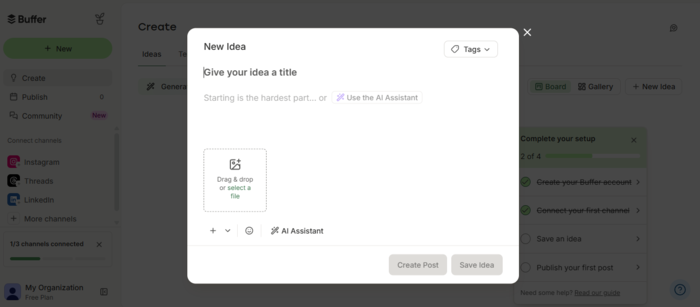
Buffer is what you reach for when you’re tired of tools trying to do everything, so you get overwhelmed every time you open the dashboard. It strips social media management down to the essentials: scheduling posts, approval workflow, publishing, and basic analytics, and it’s one of the most affordable Sprout Social alternatives.
What Users Say
Users love Buffer for its simplicity and ease of use. It’s often described as the “cleanest” tool in the industry. On the flip side, more advanced users point out that it lacks deeper analytics and listening capabilities and might be pretty expensive for an agency.
What We Found in Our Tests
There’s no learning curve here. You log in, connect your accounts, and you’re ready to go. Scheduling is smooth, the UI is intuitive, and everything works exactly as expected. They offer an AI assistant that could be of great help with post ideas. But we have to mention that they do not have social listening features.
Key Features
- Post scheduling and content calendar
- Multi-platform publishing
- Basic analytics and reporting
- AI assistant for content creation
- Simple engagement tools
Pricing
A free plan is available. Paid plans start at around $6 per channel a month.
Pros
- Extremely easy to use
- Affordable and transparent pricing
- Clean and intuitive interface
Cons
- No social listening or media monitoring
- Limited analytics depth
- Not suitable for large teams
Best for
Freelancers, creators, and small teams that need a simple, reliable publishing tool without complexity. And if you need something more complex, consider some of the Buffer alternatives.
Hootsuite: Best All-in-One Alternative for Big Budgets
Hootsuite is one of those tools that’s been around… forever, and somehow still keeps evolving. Originally focused on publishing and scheduling, it expanded its horizons with the Talkwalker acquisition, and now it offers the thing that was missing — social listening… with a price, of course.
So now it combines publishing, engagement, analytics, and social listening into a single platform, making it one of the closest direct alternatives to Sprout Social.

What Users Say
Users appreciate the all-in-one approach and flexibility, especially when managing multiple accounts. However, per-seat pricing (as of recent) and add-ons are common complaints, along with occasional complexity when setting up advanced features. Also, it seems the ICE stuff was not favorable for Hootsuite.
What We Found in Our Tests
Hootsuite is a serious tool. You can manage everything from one place. With Talkwalker by its side, it combines scheduling, posting, and listening, which is a great combo. Its analytics are great because they provide insights into trends, conversations, and competitors (but be aware that advanced analytics are only available on higher-tier plans).
But hey, there’s no such thing as a perfect tool. That goes for Hootsuite as well. First pricing: per-seat pricing can quickly increase your budget, especially if more than 10 people on your marketing team use it. Second, at that price, the tool could provide much faster support.
Key Features
- Social media scheduling and publishing
- Advanced social listening and monitoring
- Unified inbox for engagement
- Analytics and reporting dashboards
- Wide range of integrations
Pricing
Plans start at $99 per user per month (billed annually), with higher tiers for advanced features, and offer a 30-day free trial. Now, if that is a bit over your budget, you should look for some other Hootsuite alternative.
Pros
- All-in-one platform
- Strong listening and analytics
- Flexible integrations
Cons
- Expensive
- Can feel complex for smaller teams
- The interface can get crowded
Best for
Large teams with an extensive budget that want a full-featured platform combining publishing, analytics, and listening.
Agorapulse: Best Balance Between Simplicity and Functionality
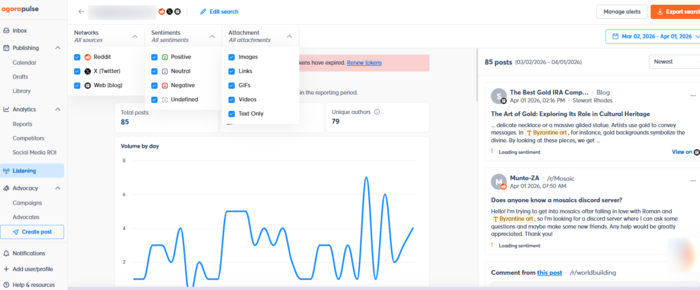
Agorapulse feels like the tool you land on after trying something too complex… and deciding you actually want your life back. It covers creation, approval, publishing, engagement, reporting, and basic listening in one place, but without the overwhelming “where do I even click?” feeling.
What Users Say
Users consistently praise Agorapulse for its ease of use and clean interface, especially for agencies managing multiple clients; it’s always recommended as the tool if you need approvals. The most common downside mentioned is limited reporting customization compared to more advanced tools.
What We Found in Our Tests
Everything is where you expect it to be. The unified inbox is one of the strongest features, making it easy to manage comments, messages, and mentions without switching tabs. Listening is there, but not enterprise-level. It’s solid, just not groundbreaking.
Key Features
- Unified social inbox
- Scheduling and publishing
- Approval workflow
- Performance reporting
- Team collaboration tools
Pricing
They have a free plan with very basic features and limits. Paid plans start at $99 per user per month and they offer a 30-day free trial.
Pros
- Easy to use and quick to set up
- Strong engagement and inbox features
- Good balance of features
Cons
- Limited reporting customization
- Not ideal for deep analytics
- Listening is not very advanced
Best for
Small to mid-sized teams that want structure without complexity. If you like this tool, but it doesn’t have all the features you need, you might check out Agorapulse alternatives to find a better fit.
Statusbrew: Best for Combining Social Media Management and Customer Care
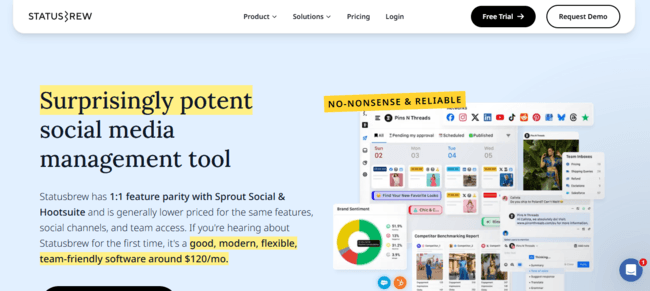
Statusbrew is an excellent tool for combining social media management and customer support. It’s not a classic scheduling tool, but it’s more built around handling conversations at scale.
What Users Say
Users highlight its efficiency in managing multiple accounts, especially if you need approvals and conversations with a unified inbox. Some mention that you need to manually label and sort at the beginning.
What We Found in Our Tests
The unified inbox is the core. Everything flows through it: messages, comments, mentions, reviews. You can assign conversations, add notes, and build workflows around them. Interestingly, they have a feature that automatically removes bots, trolls, and impostors around socials, which makes moderation much easier.
On the flip side, listening exists, but it’s only for higher-tier plans, and so is bulk scheduling. Somehow, I can’t shake the feeling that every feature I wanted to try wasn’t available on my tier (the first available option).
Key Features
- Unified inbox for all interactions
- Scheduling and publishing
- Team collaboration and approval workflows
- Social listening (for higher-tier plans)
- Google My Business integration
Pricing
Starts at $89/month with a 14-day free trial.
Pros
- Excellent for managing conversations
- Strong team collaboration features
- Good value for money
Cons
- Listening is only for higher-tier plans
- Occasional performance lag
- Bulk scheduling is not available for lower-tier plans
Best for
Teams that treat social media as a customer support channel.
Planable: Best for Content Collaboration and Approval
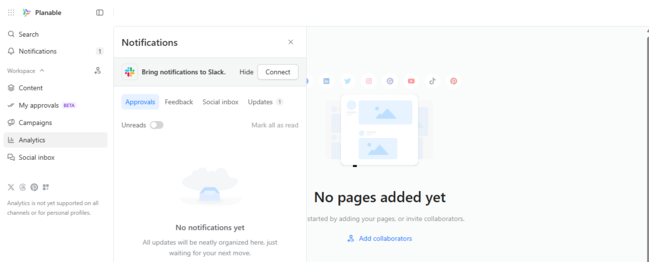
Planable is not trying to compete with Sprout Social. It’s solving a completely different problem. And that problem is: “Why does approving one post require 17 Slack messages?” And that’s probably why agencies whose every post needs clients’ green light consider this tool as a Sprout Social alternative.
What Users Say
Users love the collaboration features and approval workflows. Clients can easily see how the post will look in the feed, comment on it, or approve it in seconds. The main criticism is regarding price, especially for those with multiple clients, since they are paying for each client (workspace).
What We Found in Our Tests
It’s one of the most intuitive tools on this list. You can see exactly how your post will look before publishing (the grid planner is a lifesaver), and the approval workflow runs smoothly. The client can comment on it directly and approve it in one click. But once content is live, Planable steps back. It’s not built for performance tracking, but everything else works as a clock.
Key Features
- Visual content calendar
- Post previews
- Approval workflows
- Team and client collaboration
- Multi-platform scheduling
Pricing
A free plan is available. Paid plans start at $39 per user per month.
Pros
- Excellent collaboration experience
- Very intuitive interface
- Perfect for agency-client workflows
Cons
- No social listening
- The grid planner is an advanced feature
- The price rises with the number of clients
Best for
Teams focused on content workflows and approvals.
SocialPilot: Middle Ground Alternative for Agencies
SocialPilot is what you pick when you want functionality without needing to explain the invoice to finance. It’s practical, affordable, and built for teams managing multiple accounts.
What Users Say
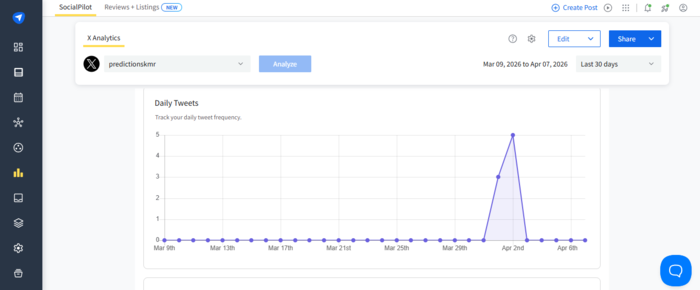
Users appreciate the affordability and ease of managing multiple clients. Complaints vary depending on what’s in the users’ focus. Some complain about the lack of a post preview, while others think that the main problem is that it is somewhere in the middle, a too-expensive option for solopreneurs and too simple for bigger teams.
What We Found in Our Tests
Scheduling and bulk posting are smooth, and managing multiple accounts is straightforward. You have a unified inbox, which can make social media management much easier. But analytics stay on the surface, and listening is basically nonexistent. It does what it promises, nothing more, nothing less.
Key Features
- Bulk scheduling
- Multi-account management
- Basic analytics
- Client collaboration tools
- Content calendar
Pricing
Starts at $20/month with a 14-day free trial.
Pros
- Very affordable
- Easy to manage multiple accounts
- Quick setup
Cons
- Limited analytics
- No social listening
- Can get click-heavy at scale
Best for
Agencies and small teams that need a cost-effective publishing tool without deeper insights.
Socialinsider: Best for Competitive Benchmarking and Insights
Socialinsider flips the usual question and instead of focusing on “What should we post?” it asks: “What’s already working, and how do we outperform it?” It’s the tool that focuses on benchmarking competitive content.
What Users Say
Users highlight its strong analytics and benchmarking capabilities. It’s often praised for helping teams understand competitor performance.
What We Found in Our Tests
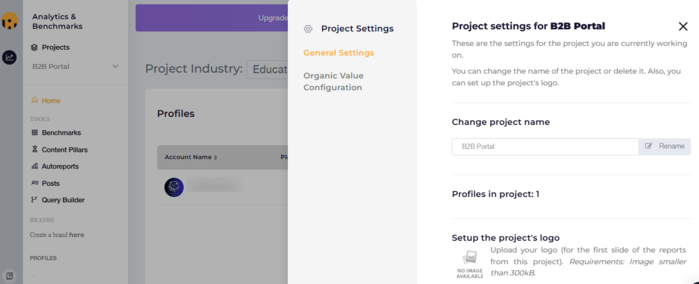
This is not one of the ordinary publishing tools. It’s more like an insights engine. You get deep data on competitors, their content performance, and industry benchmarks. If you’re making decisions based on data (and you should), this becomes incredibly valuable.
For example, they have something called Content Pillars, which are basically tags for your posts. It’s very convenient if you cover various topics and want a quick check of what you have covered in your posts. And it’s advisable to do it manually, because if you leave it to the platform to tag your content automatically, you might get tags that don’t fit well.
Key Features
- Competitor benchmarking
- Content performance analytics
- Campaign tracking
- Industry insights
- Reporting dashboards
Pricing
Starts at $99 a month for one user (seat), with a 14-day free trial.
Pros
- Strong competitor analysis
- Deep performance insights
- White labeling option for higher-tier plans
Cons
- No publishing features
- No social listening
- Narrow focus
Best for
Data-driven marketers focused on strategy and performance optimization.
Zoho Social: Best for CRM-Driven Marketing Teams
Zoho Social becomes powerful the moment you connect it to the rest of the Zoho ecosystem. If you’re already part of the Zoho system, this tool goes beyond just a posting helper and helps you connect your marketing and sales.
What Users Say
Users appreciate the integration with Zoho CRM and the overall value for money. Some mention it gets slow sometimes, and that it might help to have bulk updating.
What We Found in Our Tests
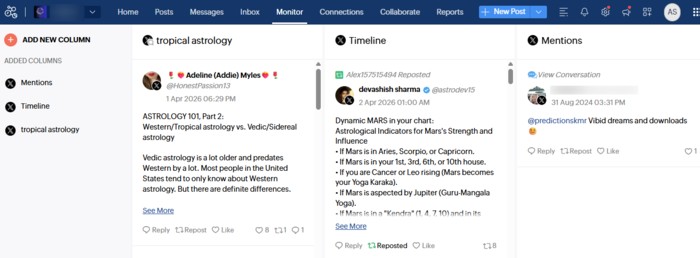
I got a bit stumbled when I opened Zoho Social despite the smooth interface. Something about the procedure of connecting accounts was a bit rocky. But once I passed that, I really enjoyed the ride. What I liked most is that you can customize your reports with metrics that are important to a specific client.
On top of that, you can add accounts that contribute to content or approve it. Of course, you can publish your content, and I played a bit with their Zia AI for content creation, but you need to have your own OpenAI key to do that. On the flip side, if you’re an agency with multiple clients, the price goes up, and the monitoring is basic.
Key Features
- Social media scheduling
- Approval workflow
- CRM integration
- Analytics and reporting
- Team collaboration
Pricing
A free plan is available, and paid plans for businesses (with 1 account) start at 15€ a month, and for agencies (with 10 brands) at 230€ a month. All plans come with a free trial.
Pros
- Affordable pricing
- Strong CRM integration
- Easy to use
Cons
- Limited advanced analytics
- Monitoring is basic
- Best features tied to the Zoho ecosystem
Best for
Teams already using Zoho or looking to connect social media with CRM.
Sociality: Best for Structured Social Media Operations
Sociality is not flashy, but it’s extremely organized. It focuses on keeping your social media operations structured, especially across multiple teams or markets.
What Users Say
Although it’s not mentioned a lot on Reddit, users often mention it as a great choice for tight budgets and easy reporting, and there are no recent reviews pointing out the tool’s downsides.
What We Found in Our Tests
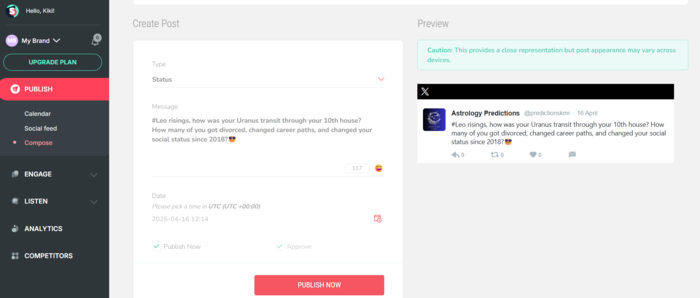
The moment you realize there are no negative reviews online, you become suspicious, and you want to try the tool out. As for scheduling and publishing content, the tool is perfect. Straightforward workflow with approvals, and easy to see how your post is going to look on your feed. You can easily insert an image or a video, which is a big plus. There’s no option to write the first comment, unlike with some tools. The UI is very pleasant. It’s not the most exciting tool, but it gets the job done efficiently.
Now, when we tried to get the report, we found we couldn’t do that for recent dates, and the results were inaccurate, showing 0 posts for the selected date range, even though there were several posts on our playground X account during that 10-day period. Was it a bug, or doesn’t it fetch posts before you start using the tool, or does it just need a bit more time to gather all the data? We don’t know, but we had to mention it.
Key Features
- Content scheduling and planning
- Engagement features
- Social feed preview
- Team workflows
- Competitor analysis
Pricing
The price starts at $99 a month (one user) and offers a free 14-day trial.
Pros
- Strong moderation features
- Structured workflows
- Social feed preview
Cons
- Social and web monitoring is an add-on
- The approval feature is not available for the starting plan
- Limited flexibility
Best for
Teams managing multiple brands, regions, or workflows.
Khoros: Best for AI-First Community and Social Management
Khoros has undergone major transformations since its acquisition by Ignite Tech in May 2025, forcing an AI-native approach. Aurora AI for community management and Iris AI for social and customer care are not quite classic Sprout Social alternatives, but rather a different category altogether.
What Users Say
After the makeover and AI direction, users say it’s pretty easy to use the rules, and the UI is pretty good, but some users emphasize that it could be pretty expensive for smaller teams and that there’s a steep learning curve.
What We Found in Our Tests
This is not a tool you “just start using.” It requires setup, training, and usually a dedicated team. But once implemented, it can handle massive volumes of interactions and data across channels. It’s not the perfect tool for small businesses or solopreneurs, since it takes a lot of time to get familiar with it, and you probably don’t have that time.
What’s great about the tool is that it gives you the feeling that you’re covering all conversations on various channels from one place, with AI running the show. It’s great for brands with multiple accounts and many mentions, where you tend to provide answers. Perfect features for the customer care team.
Key Features
- Social media management
- Community management
- Customer support tools
- Advanced analytics
- Workflow automation
Pricing
The software has custom enterprise pricing, and we were not able to find any relevant Reddit comments regarding the price.
Pros
- Extremely powerful and scalable
- Combines multiple functions in one platform
- Strong CX capabilities
Cons
- Complex setup
- Steep learning curve
- Expensive
Best for
Large enterprises managing customer experience across multiple channels and teams.
Try the Best Sprout Social Alternative for Free Now
So, after everything we’ve covered, here’s the real takeaway: there’s no such thing as the best Sprout Social alternative, only the one that fits what you actually care about.
And that’s the question worth asking: Do you need a tool that helps you post and stay organized, or one that tells you what happens after you hit publish?
Because those are two very different jobs. If your focus is on what happens beyond your own channels, like mentions, perception, and impact, then Mentionlytics is where things get interesting. You might discover that it’s a more powerful and more user-friendly alternative than Sprout Social.
But you don’t have to take our word for it, and you don’t have to commit right away. Take it for a 14-day free spin, explore the data, test the insights, and see what your brand really looks like from the outside.
FAQ
Who competes with Sprout Social?
Sprout Social competes with tools that combine publishing, analytics, and engagement, and the list is pretty long. Hootsuite, Agorapulse, Zoho Social, Sociality, and many other tools offer similar (or the same) features. But depending on your focus, the competition shifts to Mentionlytics for monitoring and insights, Socialinsider for analytics, or Buffer for simple scheduling.
Why is Sprout Social so expensive?
Sprout Social is expensive because it’s built for enterprise workflows, not just posting. You’re paying for advanced reporting, a unified inbox, collaboration tools, and add-ons like social listening, and the costs scale fast as your team grows.
Is Planable better than Sprout Social?
It depends on your focus, because Planable is just different. Planable is better for content collaboration and approvals. Sprout Social is better for analytics, reporting, and engagement. If your bottleneck is workflow, Planable wins. If it’s performance tracking, Sprout wins.
What is better, Hootsuite or Sprout Social?
It depends on your workflow. Sprout Social is stronger in reporting, analytics, and inbox management. Hootsuite is more flexible, better for large-scale publishing, and often more cost-efficient.
What are good alternatives to Sprout Social for agencies?
Agencies usually need multi-client management, reporting, and scalability. Strong options include:
- Mentionlytics for monitoring & reporting beyond social
- Agorapulse for the best balance
- SocialPilot a budget-friendly alternative
- Sociality.io for structured workflows
What are some cheaper alternatives to Sprout Social with similar features?
If you want similar functionality without the price tag:
- Agorapulse: closest feature match
- SocialPilot: core features at a fraction of the cost
- Zoho Social: strong value, especially with CRM
What are some affordable Sprout Social alternatives for agencies?
For agencies watching budget :
- SocialPilot: great for managing many clients cheaply
- Mentionlytics: basic publishing combined with advanced listening
- Zoho Social: low entry price with solid features
- Agorapulse: still per-user, but more reasonable
- Statusbrew: strong for engagement-heavy workflows
What are the best Sprout Social alternatives for monitoring?
If your focus is on social media monitoring, the best Sprout Social alternatives are:
- Mentionlytics for full web, podcast, and social media monitoring
- Hootsuite for solid listening capabilities
- Sprinklr for enterprise-level insights
- Brandwatch for consumer intelligence, if budget allows
What are some Sprout Social alternatives for Instagram analytics?
Sprout Social alternatives with Instagram analytics include:
- Mentionlytics: competitor analysis and brand monitoring
- Socialinsider: deep competitor benchmarking
- Hootsuite: solid cross-platform analytics
- Buffer: simple, clean performance tracking

