We wanted to make your choice much easier, so we dug through Reddit threads, listened to what users had to say about the tools, checked their G2 reviews, and tried the recommended tools, and here’s what we found out about 14 Brandwatch alternatives.
In this article, we describe the pros and cons of the best Brandwatch alternatives users most often recommend, explain why we chose these ones, and share what we found out from firsthand experience.
1. Mentionlytics: Best for PR Agencies of All Sizes
2. Talkwalker & Hootsuite: Best for Marketing Agencies with Large Teams
3. Meltwater: Best for PR Teams That Need Media Coverage and a Database to Match
4. Determ: Best as an Intuitive Tool for Small Teams
5. Sprout Social: For Social Media Management at its Best
6. Agorapulse & Mention: Best for Small Marketing Teams and Social Media Management
7. Statusbrew: Best for Social Media Management and Customer Care
8. Planable: Best for Content Collab and Approval Workflows
9. Buffer: Best for Individuals, Freelancers, or Small Teams
10. Muck Rack & Keyhole: Best for Cultivating Media Relations
11. Octolens: Best for B2B SaaS and Community-Driven Monitoring
12. Sprinklr: Best for Customer Experience and Social Media Management
13. Audiense: Best for Teams Looking for Social Intelligence Analytics Tool
14. SocialPilot: Best for Agencies Focusing on Social Media Management
Table of Contents
Our Methodology: Why We Picked These Brandwatch Alternatives
You might wonder why these specific Brandwatch competitor tools made the cut while others were left behind. Our selection process was deliberate and multi-layered to ensure we only recommend truly viable Brandwatch alternatives.
First, we scoured community hubs like Reddit and Quora to identify which platforms real users are actually switching to and recommending in unsponsored discussions.
Next, we filtered this initial list by applying our deep industry knowledge, removing tools that lack the enterprise-grade features required for serious brand monitoring.
We then cross-referenced their performance on major review platforms like G2, specifically prioritizing feedback from the last twelve months. This is crucial, as the rapid integration of AI has caused many tools to evolve significantly over the past year.
Finally, we conducted hands-on testing with each software. We explored their dashboards and data accuracy to ensure that the online sentiment matches the actual user experience, providing you with a vetted, reliable shortlist.
Best Brandwatch Alternatives for 2026 – Comparison Table
You don’t need to read the whole text to find out whether the tool has the feature you need. We compared the best Brandwatch alternatives and made a table for a quick glance comparison.
| Tool | Best for | Free Trial | Pricing | G2 Rating | Social Listening | Media Monitoring | Sentiment Analysis |
| Mentionlytics | PR agencies | ✅ 14-day | From $69/mo | ⭐ 4.8 | ✅ Strong | ✅ Strong | ✅ AI-Based |
| Talkwalker | Large teams & analytics | ❌ | ~$9,600+/year | ⭐ 4.3 | ✅ Advanced | ✅ Strong | ✅ Advanced |
| Meltwater | PR & media outreach | ❌ | ~$7,000+/mo | ⭐ 4.1 | ✅ Good | ✅ Strong | ✅ Good |
| Determ | Simple monitoring | ✅ 5-day | From €99/mo | ⭐ 4.7 | ✅ Good | ✅ Good | ✅ AI-Based |
| Sprout Social | Enterprise social media | ✅ 30-day | From $199/mo | ⭐ 4.4 | ⚠️ Add-on | ⚠️ Limited | ⚠️ Basic |
| Agorapulse & Mention | Small teams & SMBs | ✅ 30-day | From $99/mo | ⭐ 4.5 | ⚠️ Basic | ⚠️ Limited | ⚠️ Basic |
| Statusbrew | Social & customer care | ✅ 14-day | From $89/mo | ⭐ 4.8 | ⚠️ Basic | ❌ | ⚠️ Basic |
| Planable | Content collaboration | ✅ Free plan | From $39/user/mo | ⭐ 4.6 | ❌ | ❌ | ❌ |
| Buffer | Individuals & freelancers | ✅ Free plan | From ~$6/channel/mo | ⭐ 4.3 | ❌ | ❌ | ❌ |
| Muck Rack & Keyhole | Media database & PR | ❌ | ~$4,000+/year | ⭐ 4.6 | ⚠️ Add-on | ✅ Strong | ⚠️ Basic |
| Octolens | B2B SaaS monitoring | ❌ | From $119/mo | ⭐ 5 | ✅ Niche | ❌ | ⚠️ Basic |
| Sprinklr | Enterprise CX platform | ❌ | ~$2,800+/year | ⭐ 4.2 | ✅ Advanced | ✅ Strong | ✅ Advanced |
| Audiense | Audience intelligence | ❌ | Quote-based | ⭐ 4.5 | ❌ | ❌ | ⚠️ Limited |
| SocialPilot | Budget social media management | ✅ 14-day | From $20/mo | ⭐ 4.5 | ❌ | ❌ | ❌ |
Top Alternatives to Brandwatch Reviewed by Our Team in 2026
It wasn’t an easy choice; that’s why you have 14 Brandwatch alternatives on this list. Users are praising, and complaining, and we just wanted to test them all and see which ones are best for a specific use case.
Mentionlytics: Best for PR Agencies of All Sizes
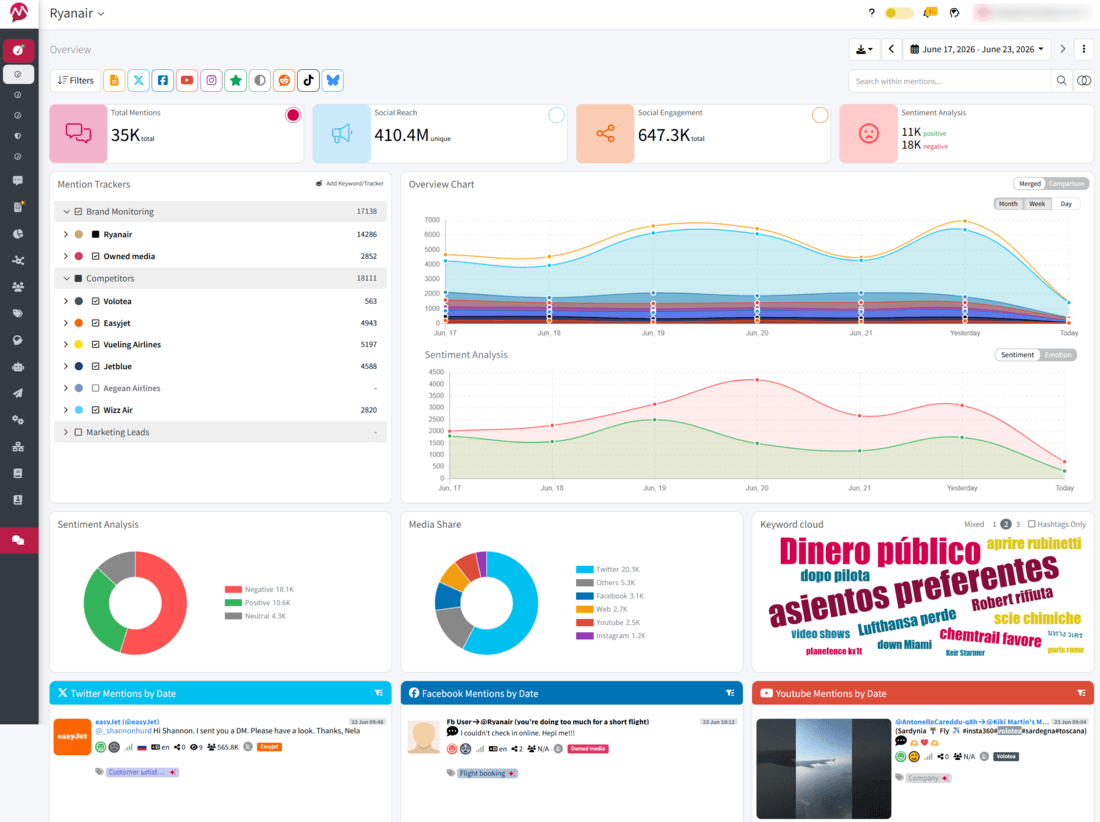
Mentionlytics is an AI-powered social listening tool naturally aligned with the agency workflow. It specializes in processing massive volumes of raw data, which is a lifesaver when you’re managing a diverse portfolio of clients across different niches. With 96%+ sentiment accuracy across multiple languages, it ensures PR pros actually understand the “vibe” of a client’s online presence in real time and makes it easier for them to present the results to clients. Plus, its Social Intelligence Advisor (SIA) acts like an extra team member, delivering competitor insights and automated reports that are ready to be sent to clients at a moment’s notice.
What Users Say
Users agree that Mentionlytics is a top-tier “value-for-money” alternative to the enterprise giants like Brandwatch. Users frequently highlight its Reddit coverage and real-time custom alerts as standout features.
One commenter noted it’s their go-to for monitoring news and forums without the astronomical price tag, while others praise its ease of use compared to more bloated monitoring suites.
What We Found in Our Tests
One of the most useful features is that Mentionlytics has highly customizable reports. You can add or remove elements and create a unique report for each client. For a PR agency and digital marketers handling a dozen different accounts, with different KPIs, this makes things a lot easier. You can easily choose the metrics your client focuses on most and present the results.
The tool covers everything from social, news, and blogs to podcasts, forums, and the web in general, but keeps the interface clean enough that you won’t need to spend hours onboarding your clients. In fact, they don’t even need to log in to see the value; the automated reporting does the job. Social Intelligence Advisor (SIA) is also a standout feature; it interprets mentions and turns them into actionable strategy tips.
Key Features
- Anomaly Detection Alerts: You’ll be the first to know the second something out of the ordinary happens, before it turns into a crisis, and allows you an instant response.
- Fully Customizable Dashboards: Every client has different KPIs. You can tailor each dashboard to show exactly what matters to them, rather than using a “one-size-fits-all” template.
- Top Mentioners & Influencer Tracking: Instantly identify the journalists, YouTubers, and podcasters driving the conversation around your brand.
- Multimodal Analysis (Image/Video/Audio): It tracks your logo in videos, reels, or images and even picks up brand mentions inside podcasts.
- Earned Media Value (mEMV): It assigns a dollar value to your mentions, so when a client asks if your efforts are paying off, you have a concrete number to show them.
- Competitor Analytics & Share of Voice: See exactly how much of the “market conversation” your client owns compared to their biggest rivals.
Pricing
Mentionlytics starts at $69 per month, and offers a 14-day free trial so you can test the waters (without adding a credit card and other nonsense). Keep an eye out for our time-limited offers, which can sometimes bring the entry price down to $59.
Pros
- Massive web and social coverage, including high-quality Reddit and forum data.
- High-level AI integration for sentiment and emotion analysis (including sarcasm) and daily executive summaries.
- Real-time alerts that are highly customizable to filter out the “noise”.
Cons
- Entry-level plans have stricter limits on keywords and update frequency.
- The depth of features means there is a slight learning curve to master the advanced monitoring rules.
- Focused primarily on listening and reporting rather than active journalist outreach/databases.
Best For
PR and marketing agencies with multiple clients that need to demonstrate ROI. If you need customizable reports, high sentiment accuracy, and a way to put a literal price tag on your PR success via mEMV, this is your tool.
Talkwalker & Hootsuite: Best for Marketing Agencies with Large Teams
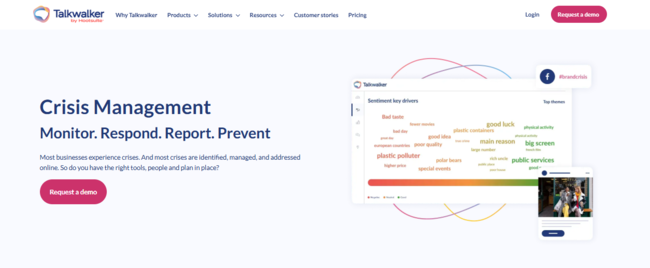
If Brandwatch is the industry veteran, Talkwalker by Hootsuite is the high-tech challenger that got a massive upgrade. Since the acquisition, Talkwalker has evolved from a standalone listening tool into the “brain” within Hootsuite’s social management ecosystem, and you can easily move from a high-level “listening” alert to a “publishing” action without ever leaving your tab.
What Users Say
Reddit users generally place Talkwalker in the “Big Three” alongside Brandwatch and Meltwater. While Redditors often complain about the enterprise price tag, they frequently praise the data coverage.
See how Brandwatch vs Meltwater compare.
What We Found in Our Tests
While testing Talkwalker, three things dominated our minds the entire time: polished UI, the publish-and-listen combo, which makes things much easier, and (on the flip side) the learning curve. If you thought you were going to master Boolean search in one afternoon, you’ll have to reschedule the following three days. It is complex, let’s be honest. And if you want to use all the features (to get the best out of it), you’ll need the whole team to hang out there, because it definitely isn’t a one-man-show tool.
Key Features
- Deep Channels Coverage: Social, news, forums, blogs, broadcast, podcasts… basically, if someone whispers about your brand in a dark corner of the internet, Talkwalker might still catch it.
- Visual Listening: Logo detection in images and videos, especially useful for brands that live on Instagram, TikTok, and YouTube, where tagging is… optional at best.
- Blue Silk AI: Excellent feature for surfacing trends and clustering conversations in a way that saves time.
- Crisis Alerts: When something spikes, you know quickly.
- Competitive and Market Insights: It is useful for benchmarking against competitors and spotting market trends.
Pricing
Talkwalker doesn’t do “off-the-shelf” pricing. It’s an enterprise-only model, and while industry whispers suggest plans start around $9,600 per year, most agency-level setups will cost significantly more depending on your data needs.
Pros
- Global data coverage
- AI summarization and visual recognition
- Combined with social media management (Hootsuite)
Cons
- Zero pricing transparency
- Overwhelming for small teams
- Requires a significant time investment to set up custom dashboards and Boolean queries
Best for
Companies with large teams and extensive budgets. Others might opt for Talkwalker alternatives.
Meltwater: Best for PR Teams That Need Media Coverage and a Database to Match
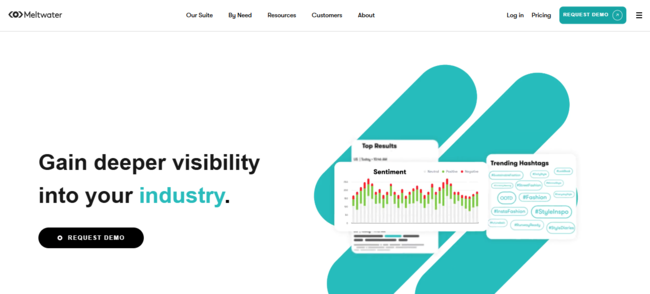
Meltwater is the PR veteran that never left the newsroom. It has built its reputation around media intelligence and outreach, and in 2026, it’s still one of the go-to tools for PR teams that live and breathe coverage, press lists, and earned media.
What Users Say
According to users, it’s a great tool with wide coverage and a media database, but it comes at a price. And while no one doubts its capabilities, coverage, or listening depth, that spicy price always pops up in conversation.
What We Found in Our Tests
The media database is powerful, arguably the main reason people choose it. You can find journalists, track their work, and pitch directly from the platform. For PR teams, that’s gold.
But when we switched gears to social listening, things felt… okay, but not mind-blowing. It works, but it doesn’t have that “wow, I didn’t know I needed this” feeling like some competitors. Also worth mentioning: the UI isn’t exactly love at first click. You’ll get used to it, but don’t expect a frictionless onboarding.
Key Features
- Media Database & Outreach: One of Meltwater’s strongest assets, where you can find journalists, build press lists, and pitch directly from the platform without juggling tools.
- Media Monitoring: Tracks online news, press mentions, and editorial coverage in real time, making it easy to measure PR impact.
- Real-Time Spike Alerts: A standout feature for crisis management, which allows you to stay ahead of potential crises.
- AI Summaries & Insights: Helps turn large volumes of media coverage into digestible insights.
- Custom Reports & Dashboards: Build reports for campaigns, coverage, and performance, useful for client updates and internal reporting.
Pricing
Meltwater is firmly in enterprise territory. Pricing isn’t publicly listed, and most deals are customized, but you can find estimations on Reddit, which, for proper use of the tool, you need to spend at least $7,000 a month per user. If that’s way over your budget, you might want to consider Meltwater alternatives.
Pros
- Best-in-class media database for PR outreach
- Strong media monitoring and coverage tracking
- All-in-one PR workflow
Cons
- Expensive, with limited pricing transparency
- UI can feel outdated or unintuitive in parts
- Media lists need updating
Best for
PR teams and agencies that prioritize media outreach, journalist relationships, and earned coverage tracking.
Track Earned Media Easily
Without breaking the bank. Mentionlytics is just what you’re looking for: advanced features, highly customizable, and no complex onboarding process.
Determ: Intuitive Tool for Small Teams
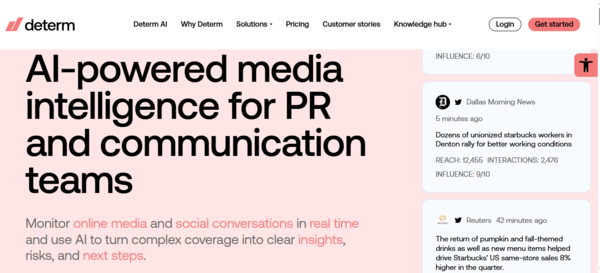
Determ is an AI-powered media monitoring platform built around one clear purpose: tracking what’s being said about your brand, competitors, and industry, without overcomplicating things. It pulls data from over 100 million sources in real time and comes with Synthia, its AI assistant, which turns raw mentions into quick, digestible insights.
What Users Say
Determ doesn’t dominate Reddit threads the way tools like Meltwater or Brandwatch do, but it does appear in conversations around simpler, mid-tier monitoring tools where users are actively looking to avoid enterprise-level complexity.
What We Found in Our Tests
The interface is clean, minimal, and easy to navigate, which aligns with user feedback that onboarding is quick and intuitive. Compared to more feature-dense platforms, there is very little friction when setting up topics or interpreting results.
Synthia AI is where the product stands out the most. Instead of manually going through large volumes of mentions, the tool provides instant summaries with sentiment and key insights, which significantly reduces the time needed to understand coverage.
Key Features
- Synthia AI Assistant: Instantly summarizes mentions and provides actionable insights, so you don’t have to read everything yourself.
- Real-Time Alerts: Get notified via email, Slack, or mobile when something important happens, based on your own thresholds.
- AI Duplicate Detection: Groups similar mentions together to cut through the noise and avoid double-counting.
- Historical Data Analysis: Look back at past coverage to spot trends and benchmark performance over time.
- Custom Reports: Export-ready reports in PDF, CSV, Excel, Word, or PowerPoint, perfect for client updates without extra formatting headaches.
Pricing
Determ keeps things refreshingly transparent. Plans start at €99/month, covering one topic with unlimited users and keywords, plus a 5-day free trial to test things out.
Pros
- Intuitive and beginner-friendly interface
- Fast, AI-powered summaries with Synthia
- Real-time alerts with solid noise reduction
Cons
- No journalist database or outreach features
- No LinkedIn monitoring
- May miss very niche or highly specific mentions
Best for
Small teams, startups, and businesses that want fast, AI-powered monitoring without the complexity (or price tag) of enterprise tools.
Sprout Social: For Social Media Management at its Best
Sprout Social is one of those tools everyone in the industry has either used, demoed, or at least heard about. It combines social media management and analytics into a single platform, offering a unified dashboard where you can publish, engage, and monitor conversations around your brand.
What Users Say
On G2, users frequently highlight its clean interface and social media management features, but pricing comes up in almost every discussion. Users on forums like Reddit often describe Sprout as “powerful but expensive,” especially when additional features like advanced analytics or social listening are required. In several threads comparing tools, it’s positioned as a premium option that offers robust functionality, but only if you’re willing to pay for each layer.
What We Found in Our Tests
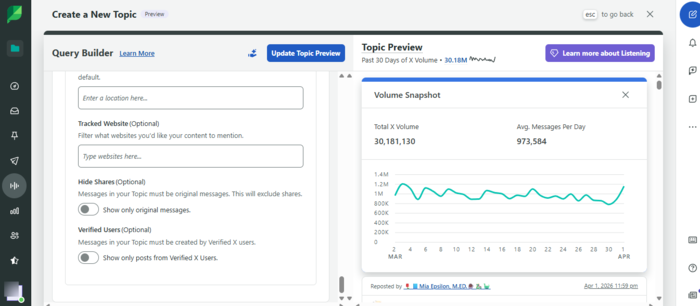
Though Sprout Social feels like stepping into a fully equipped control center with everything there, from publishing, scheduling, replying, to analytics, there’s an interesting tweak about how social listening is positioned: it’s an add-on.
So, your budget has just been extended a bit (almost doubled, to be precise) if you want to complete the circle from posting to monitoring. But let’s not be too harsh. Overall, the tool has some excellent features. For example, you can set topics using keywords you want to track and get insights into the number of mentions for a specific topic, which keywords prevailed, and who used a specific keyword the most.
If your company can afford the full set of features, that’s a great pick, but if your budget is tight, you might want to opt for some of Sprout Social alternatives.
Key Features
- Influencer discovery for finding relevant creators based on your topics and audience.
- Smart Inbox with AI prioritization to manage and respond to messages faster.
- Topic monitoring for tracking branded and non-branded keywords.
- Pre-built templates to quickly set up monitoring queries.
- Competitive analysis and reports with share of voice and engagement insights.
Pricing
Sprout Social’s pricing starts at $199 per seat per month for the Basic plan, which includes core social media management features but does not cover social listening. The Standard plan, at $299 per seat per month, introduces limited monitoring with up to 10 tracked keywords.
For more advanced listening and analytics, pricing jumps significantly, with plans reaching $999 per month or more, depending on features and scale. A 30-day free trial is available, but the full monitoring capabilities are only accessible at higher tiers.
Pros
- Unified social media management and analytics
- Strong integrations (Slack, Salesforce, etc.)
- Clean and easy-to-use interface
Cons
- Social listening is a paid add-on
- Key features locked behind higher tiers
- Limited white-label reporting
Best for
Enterprise-level organizations, large corporations, and agencies that need a centralized platform for managing and analyzing social media and have the budget to unlock its full potential.
Agorapulse & Mention: Best for Small Marketing Teams and Social Media Management
Agorapulse and Mention (integrated) fall into that category of tools people usually discover after getting tired of overly complex platforms. They cover monitoring, engagement, and reporting in a very simple way.
What Users Say
Across G2, Agorapulse is consistently praised for its ease of use and its usefulness for agencies managing multiple clients in social media, but report customization can be a problem.
What We Found in Our Tests
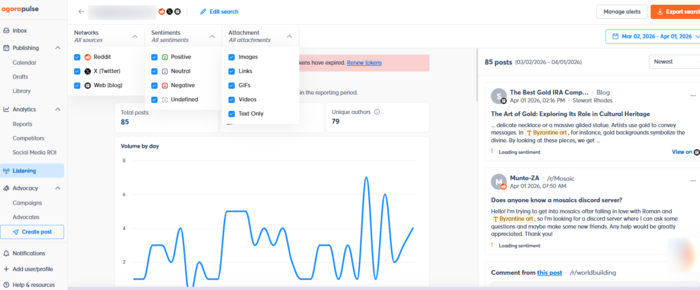
Mention by Agorapulse is so easy to use that you don’t need to be an expert to manage the data. What stood out immediately is how accessible everything is. If your keyword setup feels off, you can adjust it instantly; it’s right there in front of you. No digging through menus, no “where is this setting again?” moments.
On a scale of 1 to 10 for user experience and simplicity (the good kind), this easily hits an 11.
That said, it’s not trying to compete with enterprise tools. Coverage isn’t as wide, it won’t catch everything, and you won’t find advanced AI features. But for basic monitoring and engagement in one place, it does exactly what it promises.
Key Features
- Listening alerts for tracking brand and keyword mentions
- Intuitive interface with minimal learning curve
- Scheduling and engagement tools in the same dashboard
- Social media ROI tracking
- Downloadable reports for quick sharing
Pricing
Agorapulse offers a free plan with limited features, and the lowest plan starts at $99 per user per month. For more advanced needs, teams might want to explore Agorapulse alternatives.
Pros
- Beginner-friendly and easy to navigate
- Quick and flexible setup adjustments
- Combines engagement and monitoring in one tool
Cons
- Limited reporting customization
- Basic feature set compared to enterprise tools
- Struggles with large volumes of mentions
Best for
Small marketing teams and mid-size companies that want simple monitoring and smooth social media management without the complexity of larger platforms.
Statusbrew: Best for Social Media Management and Customer Care
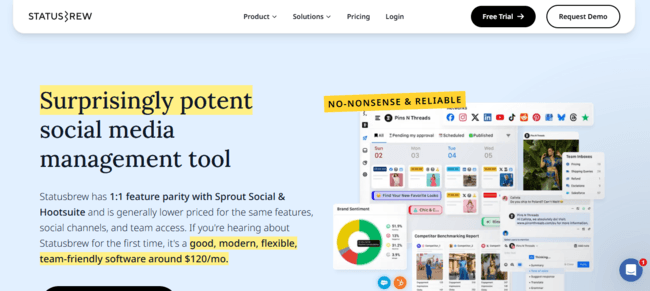
Statusbrew is somewhere between classic social media tools and customer support platforms. It combines publishing, engagement, listening, and community management into one system, with a strong focus on handling conversations.
What Users Say
Statusbrew is consistently described as a practical and efficient tool for managing multiple social accounts. The downsides are that it’s not the perfect choice for those leaning towards influencer marketing or employee advocacy.
What We Found in Our Tests
Statusbrew feels like a tool built for teams, not individuals. Everything revolves around managing conversations at scale. You get a unified inbox where messages, comments, mentions, and even reviews come together, which makes it much easier to handle customer interactions without switching between platforms.
Scheduling and publishing are straightforward, but the real strength is in engagement and workflow management. You can assign conversations, add notes, prioritize messages, and build internal processes around them.
Listening is there, but it’s not the core focus. It works well for tracking keywords and conversations across platforms like X, Reddit, and Instagram, but it’s more of a supporting feature rather than a deep analytics engine.
Key Features
- Unified inbox for messages, comments, mentions, and reviews
- Content scheduling and publishing across platforms
- Team collaboration (assignments, notes, approvals)
- Social listening with keyword tracking
- Analytics and performance reporting
Pricing
Statusbrew pricing starts at $89 per month, with higher tiers for advanced features and enterprise needs, and they offer a free 14-day trial.
Pros
- Strong collaboration and workflow management
- Handles multiple accounts efficiently
- Good value compared to enterprise tools
Cons
- Occasional lag and mobile limitations
- Listening is not as advanced as dedicated tools
- No features for influencer marketing
Best for
Teams and agencies that need a balance between social media management, customer care, and basic listening.
Planable: Best for Content Collab and Approval Workflows
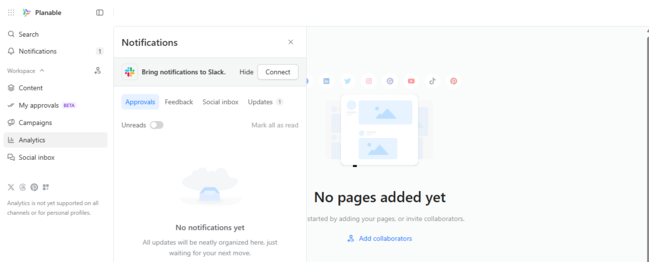
Planable is built around one thing, and it does it really well: collaboration. It’s not trying to be an all-in-one social media tool. Instead, it focuses on planning, reviewing, and approving content in a way that actually makes sense for teams and clients.
What Users Say
Reddit discussions pointed out that Planable has solid approval workflows and team collaboration features, but also noted that it might be limited when you need deeper analytics or cross-platform reporting.
What We Found in Our Tests
Planable is a great tool if you have multiple creators working on the same project, and you need approval for most of it. It’s easy to use, has no fancy UI, is simple, and clear. Everything is visual. You see exactly how the post will look before it goes live, you leave comments directly on it, and approvals are just one click away.
But once you step outside that use case, the limits show up quickly. Analytics are basic, engagement features are minimal, and it’s not built for monitoring or deep performance tracking. On top of that, analytics and social inbox are add-ons.
Key Features
- Visual content calendar with post previews
- Approval workflows for teams and clients
- Commenting and feedback directly on posts
- Multi-platform scheduling
- Collaboration tools for internal and external teams
Pricing
Planable offers a free plan with limited features. Paid plans start at $39 per user per month, scaling based on workspaces, users, and advanced features.
Pros
- Excellent collaboration and approval workflow
- Very intuitive and visual interface
- Great for working with clients
Cons
- Analytics is an add-on
- Social inbox is an add-on
- Pricing increases with team size
Best for
Marketing teams and agencies that need a clean, structured way to collaborate on content and get approvals.
Buffer: Best For Individuals, Freelancers, or Small Teams
Buffer is one of the most well-known tools in this space, built around simplicity. It focuses on scheduling, publishing, and basic analytics, making it a go-to option for individuals and small teams that don’t need a full “command center.”
What Users Say
Ease of use is probably its strongest selling point. Multiple comparisons highlight its intuitive interface and straightforward navigation, especially for users who don’t want to deal with complex dashboards or steep learning curves. But on Reddit, the tone is more direct, and one user described Buffer as “outdated and extremely costly if you are an agency,” pointing to pricing concerns when scaling across multiple accounts.
What We Found in Our Tests
Buffer is a simple, clean tool for managing social media. Scheduling and publishing are smooth, and the interface is one of the easiest to navigate compared to most tools in this category. You don’t need onboarding, tutorials, or a “let me figure this out” phase.
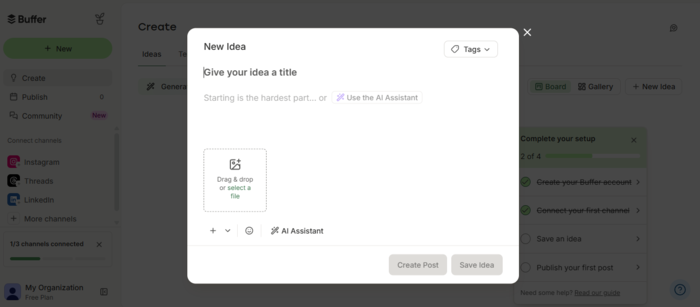
Analytics are there, but they stay basic. You get performance insights and audience data, but nothing too deep or customizable. It’s not trying to compete with enterprise tools. It just offers simple social media management without a too-complicated workflow. They do have an AI that helps you craft your post idea.
Key Features
- Post scheduling and content calendar
- Multi-platform publishing (LinkedIn, Instagram, X, etc.)
- Basic analytics and performance tracking
- AI assistant for content creation
- Engagement tools for replying to comments
Pricing
Buffer is one of the most affordable tools on this list. It offers a free plan (up to 3 channels), with paid plans starting at around $6 per channel per month.
Pros
- Very easy to use
- Affordable and transparent pricing
- Clean and intuitive interface
Cons
- Limited analytics and reporting
- Not suitable for large teams or complex workflows
- Can become expensive when scaling across many channels
Best for
Individuals, freelancers, and small teams that want a simple, reliable tool for scheduling and managing social media.
Muck Rack & Keyhole: Best for Cultivating Media Relations
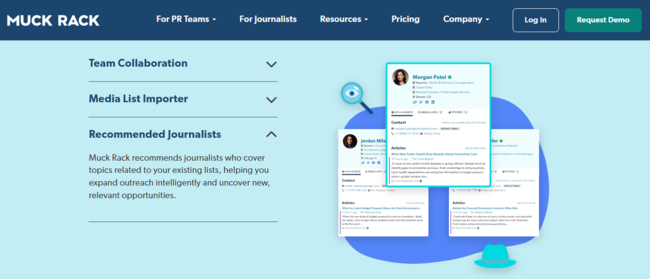
Muck Rack started as a PR-first platform, and with Keyhole now integrated, it also covers social media monitoring. It combines an updated journalist database with features like press outreach, LLM visibility tracking, and access to broadcast and print media.
What Users Say
Across Reddit, it’s often described as one of the strongest tools for media relations, especially compared to legacy platforms like Cision. Users frequently mention that the database feels more up-to-date and easier to work with when it comes to journalist pitching. On the flip side, pricing is the most challenging factor when deciding to go for this tool. And as for the social listening part, through Keyhole, G2 users say it’s great for analytics, but sometimes feels off when it comes to social media management features.
What We Found in Our Tests
The media database is impressive; there’s no way around it. Finding journalists, building lists, and exploring media contacts is fast and intuitive.
But once you shift focus to brand or competitor monitoring, the experience changes. Monitoring is not part of the core offering; it’s an add-on. This makes it clear that Muck Rack is still primarily built around media outreach and journalist relationships. That’s what you get in the base plans, and that’s where it performs best.
Key Features
- AI Media List Builder for finding and organizing journalist contacts
- Generative Pulse for AI-powered summaries and insights
- Spike notifications for tracking sudden changes in coverage
- Pitch-to-coverage attribution to measure PR impact
- Integrated online article monitoring through Keyhole
Pricing
Pricing is not publicly available. Based on user discussions on Reddit, basic agency plans are often estimated to start around $4,000 per seat a year, with additional costs for monitoring and advanced features.
Pros
- Strong and up-to-date journalist database
- Intuitive interface
- Reliable customer support
Cons
- No monthly contract option
- Monitoring (brand, competitors, topics) is an add-on
- Media intelligence features are also add-ons
Best for
PR teams that prioritize access to a large, updated journalist database and want to manage outreach and media relationships in one place.
Octolens: Best for B2B SaaS and Community-Driven Monitoring
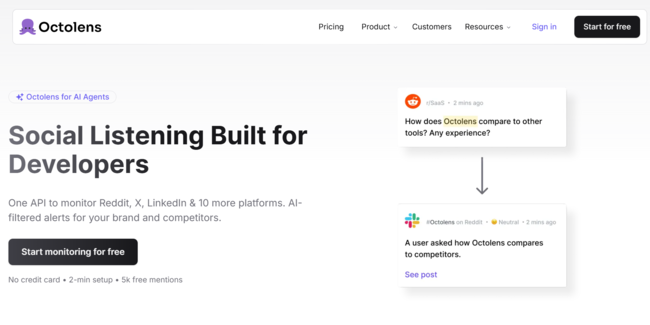
Octolens is a different kind of social listening tool. It’s not trying to track everything everywhere, like some other Brandwatch competitors. It focuses on high-signal platforms where real conversations happen: Reddit, X, LinkedIn, GitHub, and similar communities.
What Users Say
Users find this tool very useful, sometimes a bit pricy, and a great choice for tracking specific channels for brand mentions and branded keywords, but not that good for competitor intelligence or complex and deep analysis.
What We Found in Our Tests
Octolens feels fast. Not in terms of speed, but in terms of how quickly you get value from it.
You set your keywords, and within minutes, you start seeing relevant conversations from platforms like Reddit threads, LinkedIn posts, and GitHub discussions. And the moment you see GitHub on the list, you know it’s a tool meant for B2B and SaaS products.
The AI filtering is the key difference. Instead of showing everything, it prioritizes relevance, making the tool feel much lighter than traditional platforms.
That said, it’s very focused. You’re not getting deep analytics, complex dashboards, or broad media coverage, so it’s not quite the typical tool for building full reports.
Key Features
- AI-filtered mentions to reduce noise
- Monitoring across Reddit, LinkedIn, X, GitHub, and niche platforms
- Real-time alerts for high-intent conversations
- Keyword-based tracking with quick setup
- API and webhook integrations for workflows
Pricing
Octolens pricing typically starts around $119/month for the Pro plan and goes up to $319/month for more advanced usage, with custom enterprise options available.
Pros
- Extremely easy and fast to set up
- High-quality, relevant mentions (less noise)
- Strong for B2B and SaaS use cases
Cons
- Limited keyword tracking on lower plans
- No broad media monitoring (e.g., news)
- Not built for deep analytics or reporting
Best for
B2B SaaS teams, startups, and growth-focused companies that want to catch high-intent conversations in communities.
Sprinklr: Best for Customer Experience and Social Media Management
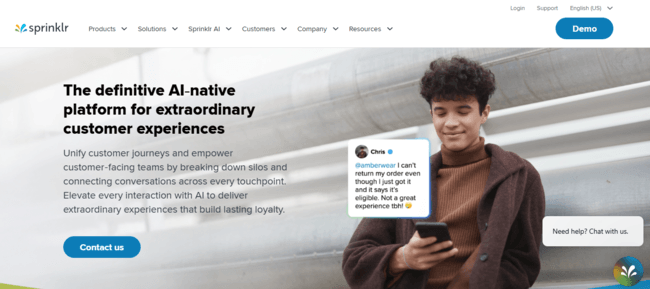
Sprinklr is a full-scale customer experience platform. It combines social media management, listening, customer support, and analytics into one system. In other words, it’s trying to be the operating system for your entire digital presence.
What Users Say
Across platforms, the story around Sprinklr is surprisingly consistent. Users frequently highlight how powerful and feature-rich it is, especially for managing multiple channels and teams from a single place. Scheduling, listening, and social media management, all under one roof, is very convenient, particularly for enterprise environments. Now, the downside of this massive tool is that it really takes time to figure it out, it’s not very user-friendly, and you’ll probably need some backend work to customize it.
What We Found in Our Tests
Sprinklr feels like a system, not just a tool. And it can be a bit scary, especially if you’re jumping from some less complex tools. It feels like you’re stumbling over every feature one by one, and the UI isn’t helping. But to be honest, having customer care, analytics, publishing, engagement, and listening deserves applause. We’ve only scratched the surface with our test, because if we studied the tool all the way through, this article would probably be released around this time next year.
The listening capabilities are strong, especially when combined with customer data and support workflows. You can track conversations, analyze sentiment, and connect that data with customer interactions across channels.
But the setup takes time. If you want to get real value out of Sprinklr, you need structured onboarding and usually a team behind it. This is not a one-person tool.
Don’t Have a Year for Onboarding?
Try a more intuitive tool that can track conversations with the same accuracy and be helpful to all your teams: Mentionlytics!
Key Features
- Unified customer experience platform with social channels tracking, support, marketing, and analytics
- Advanced social listening and sentiment analysis
- AI-powered insights and automation
- Workflow management across teams and departments
- Omnichannel customer engagement
Pricing
Sprinklr does not provide public pricing. It operates on a custom enterprise model, with costs depending on modules, users, and scale. But on Sprinklr’s G2 product page, we can see that plans start at $2,800 per user per year, though some sources mention additional implementation costs that can range from $5,000 to $50,000.
Pros
- Extremely powerful and feature-rich
- Covers multiple functions in one platform
- AI-powered workflows
Cons
- Steep learning curve
- Complex setup and onboarding
- Expensive, with no transparent pricing
Best for
Large enterprises and organizations that need a centralized platform to manage social media, customer experience, and analytics across multiple teams and markets.
Audiense: Best for Teams Looking for Social Intelligence Analytics Tool
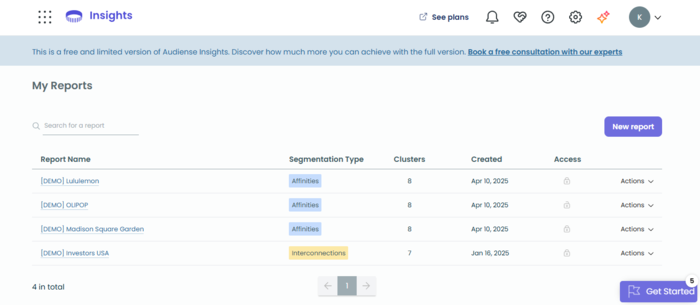
Audiense is not your typical social listening tool. It doesn’t look like that, act like that, and feel like that. Instead of focusing on mentions, it goes deeper into audience analytics of Meta and X audience, revealing who they are, what they care about, and where they spend time online.
What Users Say
Audiense users describe it as a tool that provides quick access to audience insights, but these insights can seem fragmented.
What We Found in Our Tests
Audiense feels completely different from tools like Brandwatch or Talkwalker. And that was a bit surprising for us. There’s no traditional keyword setup; instead, you analyze communities, interests, influencers, and behavioral patterns to give you a much clearer picture of who you’re talking to.
It’s powerful, but also very specific. If your goal is classic monitoring, brand mentions, alerts, or sentiment spikes, this isn’t the tool you should reach for first. Reports are easy to extract, share, or download, but the scope of channels is limited, and jumping from feature to feature is not smooth; it seems like every feature is a world of itself.
But what we have to note here is that for all features, they have the Model Context Protocol (MCP) to connect with the Cloud, and give a human-like conversation with the app.
Key Features
- Audience segmentation and persona building
- Influencer and community identification
- Interest and behavioral analysis
- AI-powered insights (IBM Watson integration)
- Data export and reporting templates
Pricing
Audiense does not publicly list pricing, and we couldn’t find more information on Reddit and review platforms. Plans are customized based on features and usage, and typically positioned for mid-size to enterprise teams.
Pros
- Deep audience insights beyond basic demographics
- Strong segmentation and persona-building capabilities
- Intuitive interface and helpful support
Cons
- Not a full social listening tool
- Limited real-time monitoring capabilities
- Data sources are not as broad as some competitors
Best for
Marketing teams, agencies, and strategists who want to understand their audience on a deeper level before launching campaigns.
SocialPilot: Best For Agencies Focusing on Social Media Management
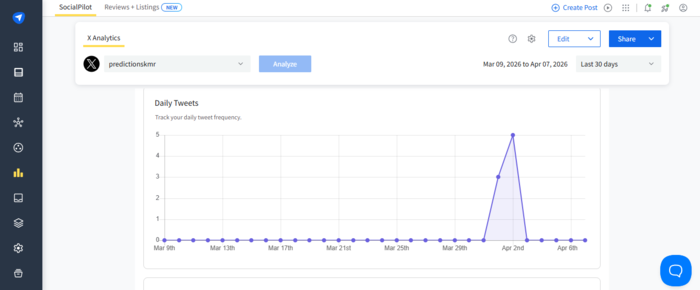
SocialPilot is a tool primarily focused on social media management and post analysis. It’s built mainly for agencies and small teams that need to manage multiple accounts without burning through budget, covering scheduling, analytics, and basic engagement in one place.
What Users Say
Users highlight how it simplifies handling multiple social accounts, with scheduling and publishing across platforms being especially smooth and time-saving. It’s affordable and often shows up in discussions as a cost-effective alternative to tools like Sprout or Hootsuite, particularly for agencies managing multiple clients. On the flip side, you might quickly hit the threshold, and then the price goes up.
What We Found in Our Tests
SocialPilot does exactly what you expect it to do, and that’s kind of the point. Scheduling, publishing, and managing multiple accounts is where it feels strongest. You can bulk upload content, organize posts, and keep everything in one place without overthinking it.
The interface is simple, but not overly simplified. It’s clearly designed for agencies handling multiple clients, which is great, until it isn’t. If you’re managing a lot of accounts, things can start to feel a bit click-heavy.
Analytics are there, but they stay on the surface. You get performance insights, but nothing too deep or customizable. Overall, it’s a practical tool. Not flashy, not overwhelming, just functional.
Key Features
- Bulk scheduling and content calendar
- Multi-account management from one dashboard
- Basic analytics and performance tracking
- Client collaboration and approval workflows
- AI-assisted content creation
Pricing
SocialPilot is one of the most transparent and affordable tools in this space. Plans start at $20 per month for one user, with pricing increasing based on the number of accounts and users. They have a 14-day free trial.
Pros
- Affordable compared to most competitors
- Easy to use and quick to set up
- Strong at managing multiple accounts
Cons
- Limited analytics and reporting depth
- Account limits can increase costs as you scale
- Occasional UI friction with larger workloads
Best for
Agencies and small teams that need a reliable, budget-friendly tool for managing multiple social accounts.
Try the Best Brandwatch Alternative for Free Now
Yes, Brandwatch is powerful, but at the same time expensive, complex, and (for many teams) a bit… too much. And here’s the big truth: Sometimes a premium tool doesn’t have to come with a premium price tag.
If exceptional social listening capabilities, combined with AI sentiment analysis, competitor tracking, influencer discovery, and personalized insights, without signing a five-figure contract, sounds tempting, Mentionlytics is your next stop.
A 14-day free trial will give you exactly the sense of what it looks like.
FAQ
Which platforms offer alternatives to Brandwatch for brand analytics?
Platforms like Mentionlytics, Talkwalker, Meltwater, and Sprinklr are excellent alternatives to Brandwatch for brand analytics.
Who are Brandwatch’s competitors?
That would depend on what you’re focusing on:
- Social listening, social media monitoring & consumer intelligence: Mentionlytics, Talkwalker, Meltwater, and Sprinklr focus on tracking mentions, sentiment, and trends across multiple channels.
- Media monitoring & journalist databases (PR): Muck Rack and CisionOne specialize in media outreach, press lists, and coverage tracking rather than deep social analytics.
- Social media management & listening: Sprout Social, Hootsuite, and Agorapulse combine publishing, engagement, and basic monitoring in one platform.
Is Meltwater the same as Brandwatch?
No, Meltwater is not the same as Brandwatch. Meltwater focuses more on media monitoring and PR workflows, while Brandwatch is stronger in consumer intelligence and deep social data analysis.
Are Brandwatch and Cision the same company?
Not exactly, but closely related, Brandwatch is owned by Cision after being acquired in 2021.
Is Brandwatch an AI tool?
Brandwatch is not an AI tool, but it uses AI for analyzing large volumes of social and consumer data, including sentiment and trend detection.