


Switching tools is never an easy job. You have to put in the time and effort to find the right one. So, we wanted to make the process at least a bit easier for you. We went through Reddit threads, paid attention to what users are saying about different tools, checked their G2 scores, and tested the most commonly recommended ones to find the best Agorapulse alternatives for 2026.
In this article, we walk you through the strengths and weaknesses of the Agorapulse alternative tools users most often bring up in online conversations, explain why they made our list, and share what we learned from testing them ourselves.
1. Buffer: Best for Simple Scheduling and Posting with Approvals
2. Mentionlytics: Best for Listening-Focused Social Media Managers
3. Planable: Best for Content Collaboration and Approval Workflows
4. Hootsuite: Best for All-in-One Social Media Management
5. Metricool: Best as an In-House Tool for Small Companies
6. Planoly: Best for Small Businesses, Creators, and Lifestyle Brands focused on Instagram
7. SocialBee: Best for Content Recycling and Evergreen Scheduling
8. Statusbrew: Best for Engagement-Heavy Teams and Customer Care
9. Sprout Social: Best for Enterprise-Level Social Media Management
10. CoSchedule: Best for Content Calendar and Marketing Organization
11. Loomly: Best for Structured Content Planning and Creation with Approvals
12. Sendible: Best for Agencies Needing White-Label and Client Management
13. Social Champ: Best for Affordable Social Media Management
Table of Contents
Our Methodology: How We Selected These Agorapulse Alternatives
You might be wondering why the following Agorapulse competitors made the list while others didn’t. The selection was designed to surface options genuinely worth considering as Agorapulse alternatives.
Our quest started on the place where users speak freely: almighty Reddit, to see which tools people are actively switching to and recommending without any sales pitch involved. From there, we narrowed things down using our own experience, filtering out tools that don’t hold up in real marketing workflows or lack the features teams actually rely on.
We then compared their scores on G2, focusing on recent reviews to ensure the feedback reflects how these tools perform today (not their old glory).
Finally, we tested each one ourselves, exploring the dashboards, features, and overall usability to make sure what’s promised actually shows up in practice.
Best Agorapulse Alternatives for 2026 – Comparison Table
Our final verdict is these 13 Agorapulse competitor tools, and here’s the comparison table for a quick glance at our findings.
| Tool | Best for | Free trial | Pricing | G2 rating | Social Listening | Social Media Publishing | Sentiment Analysis |
| Buffer | Simple scheduling & posting | ✅ Free plan & 14-day free trial | From $6/channel/mo | ⭐ 4.3 | ❌ | ✅ | ❌ |
| Mentionlytics | Listening-focused social media management | ✅ 14-day | From $69/mo | ⭐ 4.8 | ✅ | ⚠️ Basic | ✅ |
| Planable | Content collaboration & approvals | ✅ Free plan & 50 free-trial posts | From $39/user/mo | ⭐ 4.6 | ❌ | ✅ | ❌ |
| Hootsuite | All-in-one social media management | ✅ 30-day | From $99/user/mo | ⭐ 4.3 | ✅ | ✅ | ✅ |
| Metricool | In-house tool for small companies | ✅ Free plan | From $25/mo | ⭐ 4.5 | ⚠️ Limited | ✅ | ❌ |
| Planoly | Instagram-focused creators & brands | ✅ 14-day | From $16/user/mo | ⭐ 4.3 | ❌ | ✅ | ❌ |
| SocialBee | Content recycling & evergreen scheduling | ✅ 14-day | From $29/mo | ⭐ 4.7 | ❌ | ✅ | ❌ |
| Statusbrew | Engagement-heavy teams & customer care | ✅ 14-day | From $89/mo | ⭐ 4.8 | ⚠️ Higher plans | ✅ | ⚠️ Basic |
| Sprout Social | Enterprise-level management | ✅ 30-day | From $199/user/mo | ⭐ 4.4 | ⚠️ Add-on | ✅ | ⚠️ Limited |
| CoSchedule | Marketing calendar & organization | ✅ Free plan | From $19/mo | ⭐ 4.5 | ❌ | ✅ | ❌ |
| Loomly | Structured planning & approvals | ✅ 15-day | From $65/mo | ⭐ 4.6 | ⚠️ Limited | ✅ | ✅ |
| Sendible | Agencies & client management | ✅ 14-day | From $29/mo | ⭐ 4.5 | ❌ | ✅ | ❌ |
| Social Champ | Affordable social media management | ✅ 14-day | From $5/mo | ⭐ 4.4 | ⚠️ Higher plans | ✅ | ✅ |
The Top Agorapulse Alternatives of Reddit Users, Tested by Us
We’ve tested them all, and here are the pros and cons for each, what value it brings to you, what Reddit users think of it, and what our experience with these Agorapulse alternatives is.
Buffer: Best for Simple Scheduling and Posting with Approvals
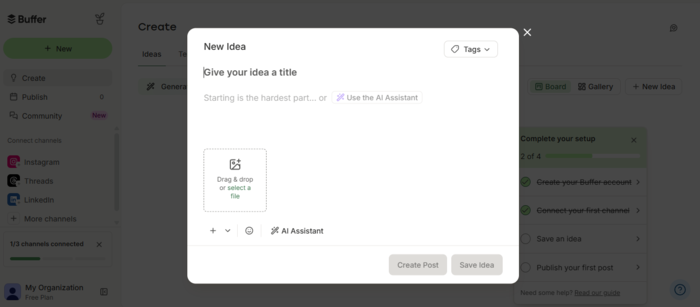
Buffer is one of those tools that doesn’t try to be everything, and that’s exactly why people like it. It’s economical, and it focuses on doing one thing well: helping you plan, schedule, and publish content without getting lost in a maze of features. If you’ve ever opened a tool and thought, “Why is this so complicated?”, Buffer is the opposite of that.
What Reddit users say
General vibe on Reddit and G2 is the same: users love the simplicity that Buffer offers, clean UI, reasonable price, and how easy the tool is to use. On the other hand, some users reported glitches while posting and said it has a bit too simplistic reporting features.
What we found in our tests
This one’s exactly how you’d expect it to be: clean, fast, and almost impossible to mess up. Setting up posting schedules is simple and quick. The UI is minimal (in a good way), and the whole experience feels like it was designed for humans, not enterprise checklists.
But, if you’re managing multiple brands, need advanced reporting, or want to go beyond your post performance, Buffer starts feeling… a bit thin. It’s not built for deep insights or heavy tasks, but for basic workflows, with approvals it’s an excellent choice. Since it has a free plan, it might be considered as an Agorapulse free alternative.
Key features
- Post Scheduling and Queue System: Plan content across multiple platforms with a simple calendar
- Multi-Platform Publishing: Supports all major social channels
- Basic Analytics: Track engagement, reach, and post performance
- AI Assistant: Helps generate captions and ideas directly in the editor
- Content Calendar: Visual overview of your posting schedule
Pricing
Buffer is one of those transparent tools with a free plan available. Paid plans start at around $6 per channel a month. If you have something more complex in mind, you might want to consider some Buffer alternatives.
Pros
- Extremely easy to use
- Clean UI that doesn’t overwhelm
- Fast setup and onboarding
Cons
- Limited analytics compared to competitors
- No real social listening or monitoring
- Can feel restrictive as you scale
Best for
Solo marketers, freelancers, and small teams who want a simple, reliable way to schedule content.
Mentionlytics: Best for Listening-Focused Social Media Managers
If most tools on this list are built around publishing, Mentionlytics flips the script: it’s built around what the hot topics people talk about online are, and what happens after you hit publish. Instead of focusing on scheduling and content pipelines, it helps you track conversations, understand sentiment, and see how your brand actually shows up across the web.
For social media managers who care about performance and want an easy and understandable way to showcase the impact of social media to their clients or C-suite, this is where things get interesting.
What Reddit users say
Users love how accurate sentiment analysis is, and that you get advanced features without breaking the budget. That’s a great advantage, and while big brands are most often mentioned, Mentionlytics users see that an enterprise suite doesn’t always have to come with an enterprise price. And of course, it’s not primarily a publishing tool (though it has the feature for that).
What we found in our tests
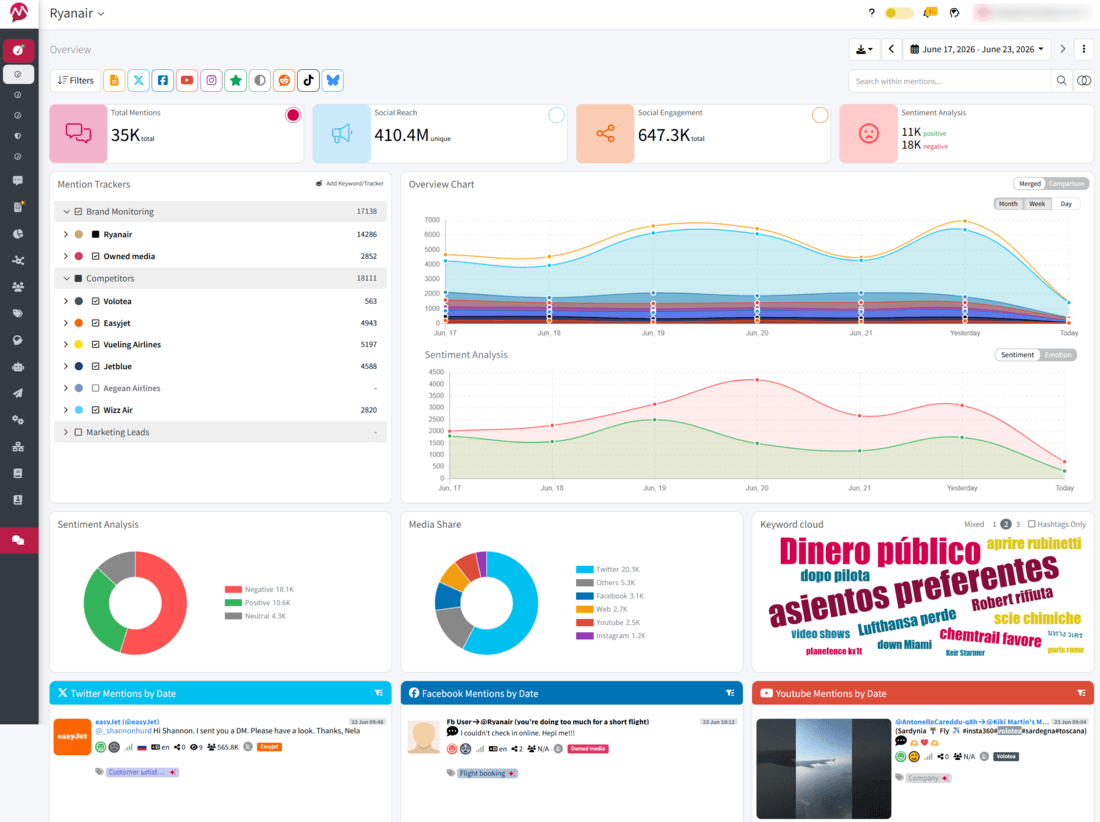
If you’ve ever started your free trial with Mentionlytics, we’ll agree on one thing: it’s easy to set up and easy to understand, the moment you lay your eyes on the dashboard. Of course, as you explore features, it might take a bit of your time, but once you see the big picture, you know the effort was worth it.
Now, besides this, Mentionlytics coverage is great. So many social platforms, news sites, forums, and podcasts you can track and see if your brand gets mentioned anywhere. But perhaps the most interesting thing is the AI layer each feature has, especially the Social Intelligence Advisor (SIA), an AI assistant for insights, summaries, and recommendations that tracks and interprets your data. The publishing features are basic, but everything else is beyond expectations.
Key features
- Web, Podcast & Social Listening: Tracks mentions across social media, news, blogs, forums, podcasts, and more
- AI Sentiment Analysis: Detects tone, context, and even sarcasm
- Earned Media Value (mEMV): It assigns a dollar value to your mentions, so when a client asks if your efforts are paying off, you have a concrete number to show them.
- AI Mention Clustering: Groups large volumes of mentions into meaningful topics
- Anomaly Detection Alerts: Notifies you when something spikes or changes suddenly
- Share of Voice & Competitor Analysis: Compare your presence against competitors
Pricing
Mentionlytics starts at $69 per month and offers a 14-day free trial, so you can test whether it suits your needs (no credit card required). They often have time-limited offers, which can sometimes bring the entry price down to $59.
Pros
- Strong coverage beyond just social media
- Advanced sentiment and AI insights
- Useful for competitive analysis, reporting, and trend spotting
Cons
- Basic publishing and scheduling features
- Can feel like overkill for simple social media management
- Requires some setup to get the most accurate insights
Best for
Social media managers, PR agencies, and marketers who want to understand what people are saying about their brand across the internet, not just on their own profiles.
Planable: Best for Content Collaboration and Approval Workflows
If you need to manage the workflow from content creation through publishing, Planable is a great tool to lean on. It’s not trying to be an all-in-one platform; it’s just fixing the messy middle of social media workflows.
What Reddit users say
Users on Reddit mention Planable as the solution when collaboration becomes the bottleneck. They like the visual calendar, clean interface, and the fact that clients can leave feedback directly on posts instead of scattering comments across emails and Slack threads. On the flip side, users point out that pricing might be an issue since most useful features are available only for higher plans or add-ons.
What we found in our tests
The moment you open the calendar and start previewing posts, it clicks. You see exactly how content will look on each platform, approvals happen in-context, and feedback doesn’t get lost in random threads. It genuinely removes friction between teams and clients. But once you move beyond that phase and search for analytics, listening, and performance tracking, you’ll feel the limits.
Planable is not a reporting engine or monitoring tool. It’s the space where content gets finalized before it goes live, and they perfected it.
Key features
- Visual Content Calendar: See posts exactly as they’ll appear on each platform
- Approval Workflows: Internal and client approvals in one place
- Real-Time Collaboration: Comments, feedback, and edits directly on posts
- Multi-Platform Scheduling: Publish across major social networks
- Content Preview: Platform-specific previews (huge for Instagram & LinkedIn)
Pricing
For basic use, Planable offers a free plan, while paid plans start at $39 per user per month and scale based on the number of workspaces and users, as well as advanced features. For their paid plans, they offer a free trial that is not time-limited, but includes 50 free posts.
Pros
- Extremely strong collaboration features
- Clean, visual interface
- Makes client approvals painless
Cons
- Limited analytics and reporting
- No social listening or monitoring
- Pricing scales per user (can add up for larger teams)
Best for
Marketing teams and agencies that struggle with content approvals, client feedback, and collaboration, and want a clean, centralized way to manage it all before publishing.
Hootsuite: Best for All-in-One Social Media Management
Hootsuite is one of the oldest players in the game. It’s built to handle everything in one place: scheduling, engagement, analytics, ads, and even some listening (through their latest acquisition). If you want to centralize everything around your social media and you have a budget for it, you will probably try Hootsuite.

What Reddit users say
Hootsuite comes up often in discussions, usually alongside tools like Sprout Social and Buffer. People recognize it as a powerful tool for managing multiple accounts and analytics, but… It’s not exactly the tool they love. The price is the most discussed complaint, and recently, the ICE thing.
What we found in our tests
The first impression: Hootsuite feels like a workflow hub. You can schedule across multiple platforms, manage messages, track performance, and even run campaigns, all without leaving the dashboard. But getting there takes effort.
The interface isn’t the most intuitive, and there’s a learning curve. It’s the kind of tool that works best when a team actually commits to using it properly. Speaking of the team, the per-user and per-channel pricing is pretty inconvenient if you have a larger team or want to track and publish across all social channels.
Key features
- Multi-Platform Scheduling: Plan and publish content across all major channels
- Unified Social Inbox: Manage messages and comments in one place
- Analytics & Reporting: Track performance and ROI
- Team Collaboration: Roles, approvals, and workflows
- AI Tools (OwlyWriter): Generate captions and content ideas
Pricing
Plans start at $99 per user a month (billed yearly), with higher tiers for advanced features, and offer a 30-day free trial. And if that is not the price your budget could tolerate, you might need to look for a Hootsuite alternative.
Pros
- All-in-one platform (scheduling, analytics, engagement)
- Strong integrations and scalability
- Reliable for managing multiple accounts
Cons
- Expensive compared to many alternatives
- Interface feels outdated to some users
- Advanced features locked behind higher tiers
Best for
Teams that want a single platform to manage everything, from publishing to reporting, and have a budget for that.
Metricool: Best as an In-House Tool for Small Companies
Metricool sits somewhere between simple schedulers and reporting platforms. It’s one of those tools that tries to give you both publishing and analytics in a single dashboard, and it’s not yet become the enterprise tool (in price).
What Reddit users say
Metricool tends to get mentioned as a “quietly good” tool, affordable, capable, but not as widely talked about as bigger names. The only thing that occurs from time to time is bugs and glitches that happen when you post video content on some of the social media platforms.
What we found in our tests
The first thing that I encountered was that I couldn’t connect my X account, and I have to say it was a bit disappointing. So, if you’re leaning on tweets or LinkedIn, you need to calculate the price for the X add-on into your budget. It’s a bit complex: you pay $5 per account, but if you want analytics from X (hashtag tracker), it’s $25 a day! This pricing model is definitely not what I had in mind. So yes, this colored the experience, have to admit.
But if you’re not focused on X, you’ll find the tool pretty easy to navigate. It has everything you need: content planning, scheduling, collaboration features (including approvals), reports, hashtag tracking, and even ad management (which is very useful). You also have a unified inbox and can track response time (again, very convenient).
Track X (Twitter) Without Additional Costs
Social listening with Mentionlytics lets you monitor any platform without expanding your budget!
Key features
- Multi-Platform Scheduling: Plan and publish across major social networks
- Collaboration Features: Easy approval workflow
- Content Calendar & Bulk Upload: Plan content efficiently
- Unified Inbox: Manage interactions in one place
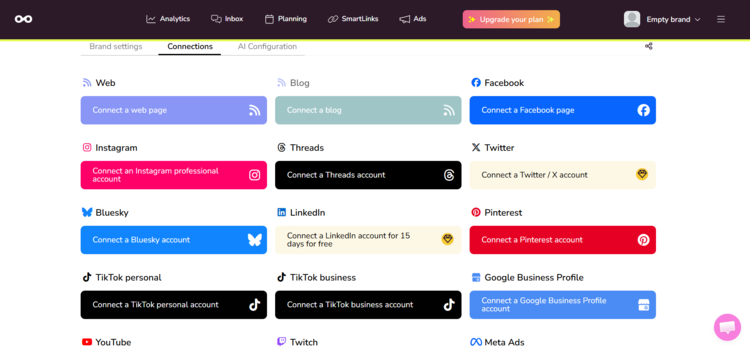
- SmartLinks (Link-in-bio tool): Easy way to get more traffic to your website
Pricing
Metricool offers a free plan, and the paid options start at $25 a month.
Pros
- Customizable, clickable links or buttons
- Covers multiple channels (including ads & web)
- Tracks conversions through SmartLinks
Cons
- X and LinkedIn are add-ons
- Competitor analytics is available for a limited number of platforms
- Hashtag tracking for X and Instagram over the budget
Best for
Marketers and small teams that are looking for an in-house tool to create posts, get approval, publish, and analyze.
Planoly: Best for Small Businesses, Creators, and Lifestyle Brands focused on Instagram
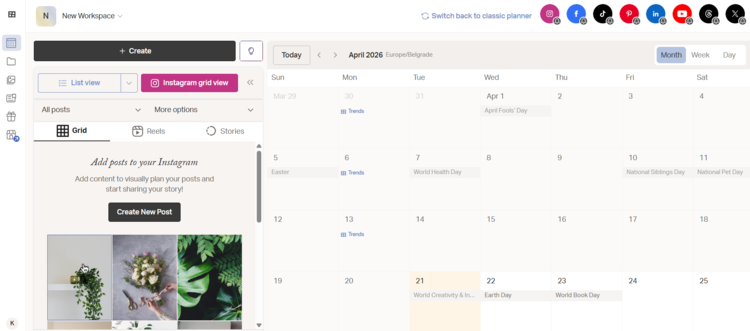
Planoly is a duality tool. It has two distinct sets of features: one for content creation and the other for building a mobile storefront to sell products and automate Instagram DMs and comments. Creating content and publishing is a breeze with it, and it shines at planning visual content.
What Reddit users say
This tool is often mentioned alongside Buffer, Metricool, and Later, and users say it’s easy to use and affordable. And the reviews are mostly very positive, especially for Instagram usage. Some users feel sorry that they can’t do bulk scheduling for Instagram stories in the new version of the tool.
What we found in our tests
To start with, I liked it! Why? It has some pretty useful features when it comes to content creation. It has a calendar (most publishing tools have one), but it also has a hashtag set builder, where you can create sets of hashtags and use them for every post (you can slightly change them when posting, of course).
The UI is smooth and visually appealing, and you don’t need a compass to manage everything. Oh, and if you’re not that good with words, you have an AI Caption Writer that can help you shape your post.
Now, I can’t get rid of the feeling that it’s a tool built for Instagram, and it’s a perfect combo if you have an e-commerce store, selling through Instagram, because you can connect your Instagram store with your Amazon store or your website.
Key features
- Visual Grid Planner: Drag-and-drop Instagram feed preview
- Post Scheduling: Schedule content across supported platforms
- Hashtag Manager: Save and organize hashtag groups
- Media Library: Store and organize visual content
- Auto-Posting: Reliable scheduling for posts and stories
Pricing
Social planner starts at $16 per user per month, and Creator store starts at $20 per month. Both have a 14-day free trial.
Pros
- Excellent for visual planning (especially Instagram)
- Clean and intuitive interface
- Reliable scheduling
Cons
- Limited analytics compared to competitors
- Not ideal for multi-platform strategies
- Collaboration features are basic
Best for
Creators, influencers, and brands that care deeply about how their Instagram feed looks and want a simple way to plan it visually before posting.
SocialBee: Best for Content Recycling and Evergreen Scheduling
SocialBee is the king of repurposing posts. Instead of constantly creating new posts from scratch, it helps you organize, recycle, and automate content so your channels stay active without burning you out. It’s especially appealing if you’re managing multiple accounts and want structure without paying enterprise-level prices.
What Reddit users say
SocialBee usually comes up as a budget-friendly alternative to bigger tools, with users highlighting its automation and content organization features, but it might feel a bit clunky on mobile.
What we found in our tests
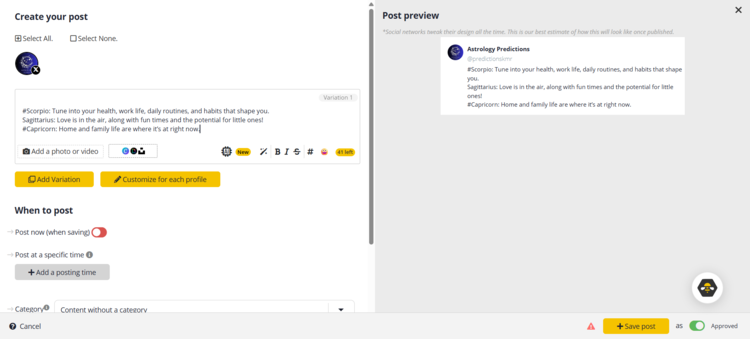
The moment you step into the tool, you will be taken on a discovery tour, so basically, you can’t get lost. You go from feature to feature to get to know. It’s easy to connect your accounts, and publishing is a smooth process.
Compared to Agorapulse, it feels a bit richer in features, but it all boils down to ease of publishing. You can categorize your content into different groups (yes, you do need to do that manually) and track which category is performing better.
I’ve also tried their AI for writing, and I have to say it’s pretty good. It’s an excellent tool for repurposing your evergreen content. Just insert a post or paragraph you want and hit the AI button, decide on a writing style, and it will give you three options (use one or all).
As for analytics, you have basic metrics like engagement, follower count, growth, and views, plus individual post analytics, which is very useful if you’re focusing on X but don’t have a paid account. That’s basically all you need to get data on post performance.
Key features
- Content Categories & Queues: Organize posts by type and automate distribution
- Evergreen Content Recycling: Automatically reuse high-performing posts
- Multi-Platform Scheduling: Publish across all major social channels
- AI Content Assistant: Generate captions and ideas
- Bulk Scheduling: Plan weeks or months ahead
Pricing
SocialBee plans start at $29 per month for 2 seats, and they offer a 14-day free trial.
Pros
- Affordable compared to competitors
- Strong automation features
- Good balance of scheduling and basic analytics
Cons
- Limited advanced analytics
- No real social listening
- Not ideal for large teams with complex workflows
Best for
Freelancers, small teams, and agencies that rely on content recycling and structured scheduling, and want to stay consistent without constantly creating new content.
Statusbrew: Best for Engagement-Heavy Teams and Customer Care
Statusbrew sits in that interesting space between classic scheduling tools and full enterprise platforms. It’s built not just for posting, but for managing conversations at scale. If your workflow involves handling comments, DMs, and customer interactions across multiple channels, Statusbrew starts to stand out.
What Reddit users say
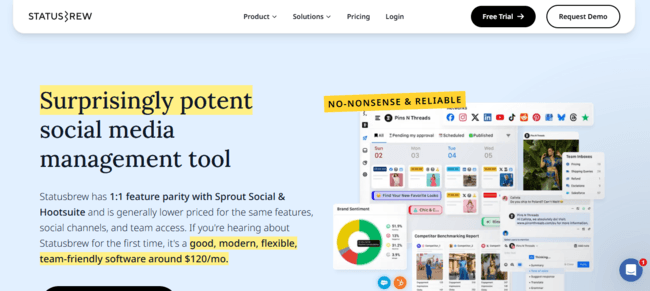
The sentiment of users on Reddit is interesting: Statusbrew is often mentioned as a cheaper alternative to Sprout Social, with similar capabilities. On the flip side, it might lack some features marketing agencies might need, such as influencer marketing features.
What we found in our tests
The best thing about this tool is the unified inbox. When you’re handling multiple social media accounts, it’s pretty easy to get lost with replies. Messages, comments, mentions, reviews, everything is within that one feature. You can give instructions to your team members via notes, or you can build the whole workflow around them.
An additional feature here is the automatic removal of bots and trolls, which makes moderation much easier.
We can’t evaluate its social listening capabilities because it’s available only on higher-tier plans, such as bulk scheduling, and we haven’t tested it.
Key features
- Unified Engage Inbox: Manage comments, DMs, and mentions in one place
- Multi-Platform Publishing: Schedule and publish across major networks
- Social Listening (higher plans): Track keywords, mentions, and trends across platforms
- Team Collaboration: Assign tasks, manage workflows, and control permissions
- Auto-Moderation: Filter spam and automate responses
Pricing
The lowest plan starts at $89 a month for one user, with a 14-day free trial.
Pros
- Strong engagement and inbox management
- Good balance of publishing & listening
- Built for team workflows and collaboration
Cons
- Less intuitive UI compared to simpler tools
- Limited advanced features (e.g., influencer marketing)
- Can feel complex for small teams
Best for
Teams and agencies that handle high volumes of messages, comments, and customer interactions and that need more than just scheduling.
Sprout Social: Best for Enterprise-Level Social Media Management
Sprout Social is what happens when a social media tool grows up and gets a budget. It’s built for teams that need structure, reporting, collaboration, and a polished interface, all in one place. It’s powerful, no doubt. But it also comes with a price tag (and expectations) to match.
What Reddit users say
Sprout Social shows up a lot in discussions, and usually in the same context: great tool, painful pricing. For smaller teams or companies, it might seem too complex, and if your company isn’t looking for an enterprise-level social media management tool, that’s not the Agorapulse alternative you’re aiming for.
What we found in our tests
It’s just like you would expect: publishing, scheduling, replying, analytics. All that within one hub.
The catch with this tool is that social listening is an add-on. And that was a surprise, because I would have expected it to be part of the deal given its enterprise-level style, but no. You need an extra budget to add this feature to your plan, and it all adds up.
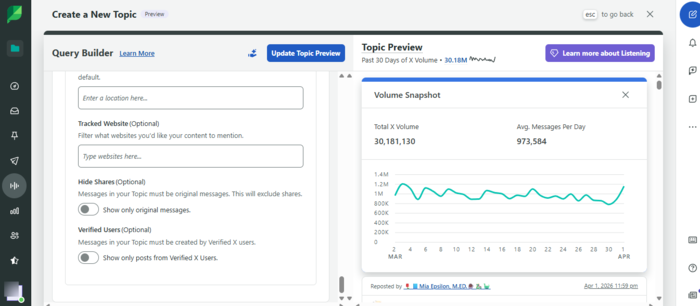
Now, if we set that aside, the tool itself has some very useful features. What I liked most is something like topic insights, which gives you the exact volume of mentions for a specific topic and the keywords used most. Pretty insightful feature. So the overall impression: great tool if you have a budget for it (and a bigger team), otherwise you might opt for some of the Sprout Social alternatives.
Key features
- Smart Inbox: Unified view of messages, comments, and mentions
- Advanced Analytics & Reporting: Custom reports, presentation-ready dashboards
- Multi-Platform Scheduling: Plan and publish across all major channels
- Topic Monitoring: For tracking branded and non-branded keywords
- Team Collaboration: Assign tasks, approvals, workflows
Pricing
Sprout Social’s pricing starts at $199 per seat per month for the Basic plan, which includes core social media management features but does not cover social listening. The Standard plan, at $299 per seat per month, introduces limited monitoring with up to 10 tracked keywords.
For more advanced listening and analytics, pricing jumps significantly, with plans reaching $999 per month or more, depending on features and scale. A 30-day free trial is available, but for full monitoring capabilities, you’ll need to upgrade to a higher tier.
Pros
- Best-in-class reporting and analytics
- Clean, intuitive interface
- Strong collaboration and workflow features
Cons
- Very expensive (especially for teams)
- Pricing scales per user
- Social listening is not fully included
Best for
Mid-sized to enterprise teams that need advanced reporting, structured workflows, and a polished all-in-one platform, and have the budget to support it.
CoSchedule: Best for Content Calendar and Marketing Organization
CoSchedule is a tool you can use for organizing everything related to content marketing: blog content, social media, campaigns, and team workflows, all in one calendar. Great option for bigger marketing teams, where each team member has their own tasks. If your biggest problem is “where is everything and who’s doing what?”, this tool starts to make a lot of sense.
What Reddit users say
CoSchedule doesn’t pop up as often as tools like Hootsuite or Buffer, but when it does, it’s usually in conversations about its integration capabilities, and users say it’s a solid choice for multi-platform use but feels a bit heavy.
What we found in our tests
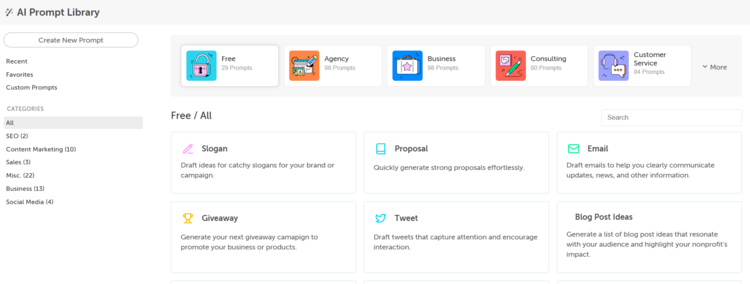
Your tester (me) found out that the button for a Free Forever plan does not function on their website. And the weird thing is that for a free trial, you have to insert your credit card number before you even enter the tool. I kept clicking the Free Forever plan, and eventually the app let me in. And what did I get? Calendar. A plain calendar where I can add tasks.
One more thing: it feels as if the platform hasn’t been updated lately (at least the calendar), since the Twitter logo still appears instead of X.
Anyway, the platform is very comprehensive and serves more as a publishing tool, though not limited to socials. In fact, it’s useful if you have a website and you want to publish content everywhere, from blog posts, emails, socials, and even podcasts. And you can publish on WordPress, for example, directly from the platform.
Overall, very useful and a bit confusing at first (not very intuitive, especially if you’re a beginner).
Key features
- Unified Marketing Calendar: Plan blog, social, and campaigns in one place
- Social Scheduling: Publish across multiple platforms
- ReQueue Automation: Automatically recycle top-performing content
- Task & Workflow Management: Assign tasks and track progress
- WordPress Integration: Strong connection for content teams
Pricing
CoSchedule offers a free forever plan for individuals, and the paid plans start at $19 per month, billed annually.
Pros
- Free forever calendar plan available
- WordPress integration
- AI writing assistant
Cons
- Can feel heavy for simple social media needs
- Limited analytics
- No social listening
Best for
Content marketers and teams who need a central hub for planning everything, from blog posts to campaigns and social content, not just scheduling posts.
Loomly: Best for Structured Content Planning and Creation with Approvals
Loomly positions itself as a “brand success platform,” but in practice, it’s a content planning and scheduling tool with strong approval workflows. Think of it as a middle ground between simple schedulers and collaboration tools like Planable. If your workflow involves planning, previewing, and getting content approved before publishing, Loomly fits naturally.
What Reddit users say
Loomly gets a mix of praise and frustration, usually depending on pricing and expectations. Apparently, a year ago, they had a huge price increase, which affected users, and users complained a lot in Reddit threads. Generally, there are a lot of loyal users who have been using this tool for years, mostly agencies, but this price thing and bugs that follow along made them consider alternatives.
What we found in our tests
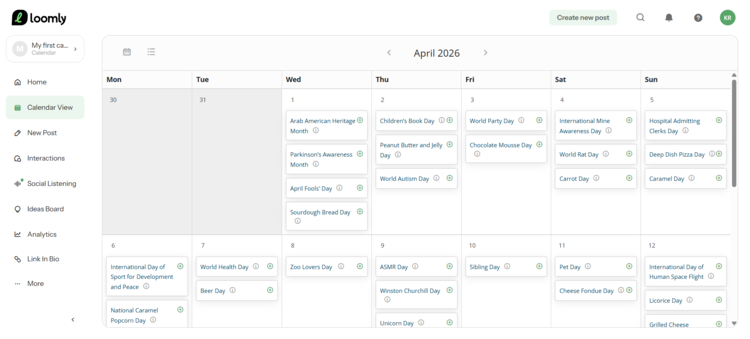
The first impression: Loomly looks neat. When you enter the app, you’ll see it’s very intuitive and packed with features, yet it doesn’t leave you wandering around. Everything is well organized. Now the features. The calendar view with content suggestions is very helpful, and their AI for caption creation and suggestions works excellently.
Content managers would probably love the “Ideas Board”, where you can write rough ideas you want to implement and track their progress through draft, to-do, in progress, and ready.
After connecting my Bluesky account and publishing a few posts, I was able to peek at analytics. I have to say that after taking the ride with more than 30 tools, this analytics seemed pretty basic. And it had one small mistake (the repost was actually on the other post, but okay, the final number was correct). I was surprised to see X as a custom integration, which is extra-charged. Please be prepared if that’s your most-used channel.
Oh, and one more thing. You’ll be able to use analytics after you publish (or schedule) at least 5 posts throughout the platform, regardless of how many posts you already have on the account.
They also have a social listening feature, but in my experience, it needs many additional improvements. For example, the brand was wrongly interpreted, due to a generic name, and I got a bunch of comments from the internet that are not related to the brand I experimented with, and without links… so I guess it’s still “take my word for it”.
But if we disregard my social listening attempt, my overall impression was very satisfying, which is why this tool is on our list, despite Redditors ranting about it.
Key features
- Content Calendar: Visual planning across platforms
- Approval Workflows: Internal and client approvals
- Post Preview: See exactly how posts will appear
- Multi-Platform Scheduling: Publish across major channels
- Content Suggestions: Post ideas and optimization tips
Pricing
The Starter plan costs $65 a month, enabling 3 users and 12 accounts, and they offer a 15-day free trial.
Pros
- Strong planning and approval workflows
- Great for multi-account management
- Excellent AI features for content creation
Cons
- Limited analytics depth
- Social listening for higher-tier plans
- Occasional reliability and support concerns
Best for
Teams and agencies that need a structured content planning, a little AI help for content creation, and an approval system, but don’t require deep analytics or monitoring.
Need Something With Stronger Social Listening Capabilities?
Check Mentionlytics and its powerful AI analytics features to see what valuable insights you can get.
Sendible: Best for Agencies Needing White-Label and Client Management
Sendible is built with agencies in mind. Not just posting, but managing multiple clients, workflows, and reporting, all under one roof. It’s one of those tools that tries to give you a scaled-down version of enterprise platforms, but at a more reasonable price. If you’re handling several brands at once, that positioning makes a lot of sense.
What Reddit users say
Reddit conversations around Sendible are a bit… quiet compared to tools like Hootsuite or Buffer. It’s not controversial, not hyped, just sitting in that “solid, but not exciting” zone. In one recent thread discussing alternatives, users mentioned moving away from Sendible rather than toward it, due to some bugs that became pretty frequent.
What we found in our tests
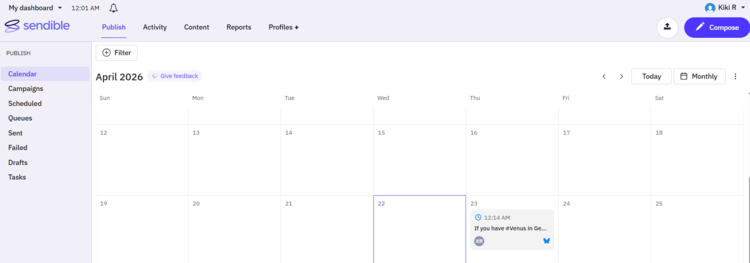
This tool is very straightforward. As a social media management platform, it’s a pretty good option if you don’t need anything extra from the tool. It has a calendar, a unified inbox (with priority and social), reports, drafts, a bulk publishing feature, and an AI feature to help you with content and hashtags. You also have a preview (not as good as some other tools, but it exists), and you can easily schedule the post after creating it or publish it right away.
A feature I like is that you can easily edit the post when you add it to the calendar, and you can request approval with one click. The AI assistant is not as advanced as Loomly’s, for example, but it’s there and can help you with spelling and grammar, rephrasing, and finding hashtags for the post.
Key features
- Multi-Platform Scheduling: Publish across major social channels
- Client Dashboards & White-Labeling: Brand reports and dashboards for clients
- Approval Workflows: Manage content approvals internally and with clients
- Analytics & Reporting: Generate reports across accounts
- RSS & Content Automation: Auto-publish content from feeds
Pricing
The price starts at $29 a month for one user, and they offer a free trial.
Pros
- Strong agency-focused features (white-label, client management)
- Bulk publishing
- Good balance of scheduling and reporting
Cons
- Interface feels slightly outdated
- Limited advanced analytics
- No strong social listening capabilities
Best for
Small to mid-sized agencies managing multiple clients, especially those that need white-label reporting and structured workflow.
Social Champ: Best for Affordable Social Media Management
Social Champ is one of those tools that tries to give you as much functionality as possible for as little money as possible. It covers scheduling, analytics, and some automation, without going anywhere near enterprise pricing.
What Reddit users say
Social Champ usually comes up as a budget-friendly, capable tool, but not without trade-offs. Users often describe it as a solid option for small teams or freelancers who want scheduling and basic analytics without paying for bigger platforms. At the same time, a few recurring issues arise, mainly around UI polish and occasional sync issues.
What we found in our tests
Social Champ is an intuitive and practical tool that over-delivers for its price. You have everything you need there for smooth social media management.
Scheduling is easy, the calendar is user-friendly, and bulk uploads make planning faster. It also includes features like approvals, UTM tracking, and automation, which you usually don’t get at this price point.
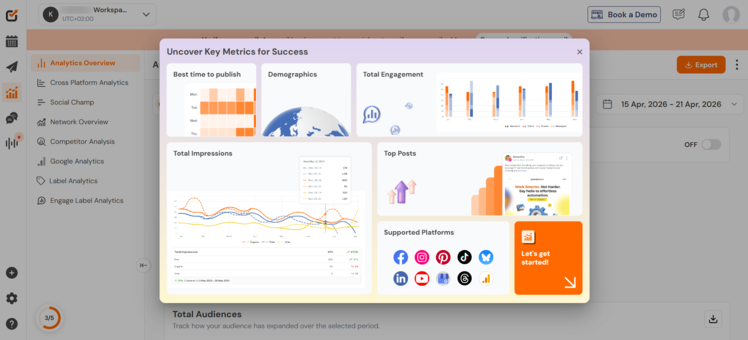
For analytics, they don’t offer the enterprise suite here; it’s basic but works for first-glance insights.
It also has an inbox feature that unifies comments, mentions, conversations (PMs), and ad comments. You can manage the conversation and track the status within that feature. They also offer a social listening feature that includes hashtag tracking, sentiment and emotion analytics, engagement metrics, and the number of posts for a specific topic (keyword). I haven’t tried it because it’s part of higher-tier plans, so I can’t confirm its accuracy.
Overall, Social Champ feels like solid ground, a tool that you can easily use, from publishing to tracking how your posts performed. And you can add Google Analytics there to get an overall picture of your brand’s online presence.
Key features
- Multi-Platform Scheduling: Publish across major social networks
- Content Calendar: Visual planning and scheduling
- Bulk Upload & Automation: Schedule content in batches
- Evergreen Content Recycling: Reuse top-performing posts
- Team Collaboration: Manage multiple users and workflows
Pricing
The price starts at $5 per month for one seat, and it offers a 14-day free trial.
Pros
- Good range of features for the price
- Easy to use
- Includes automation (rare at this price point)
Cons
- Analytics not as advanced as enterprise tools
- Social listening only available in higher-tier plans
- May feel limiting for large teams with complex workflows
Best for
Freelancers, small teams, and budget-conscious marketers who want a solid scheduling tool with a bit of extra functionality.
Try the Best Agorapulse Alternative in Social Listening for Free
Some Agorapulse competitors help you plan and publish. Others help you understand why something worked, what didn’t, and what’s coming next. Perfection doesn’t exist, and sometimes you need to pick the tool that fits your social media strategy more.
If you want to spot trends early, validate your ideas before posting, and track real reactions after, social listening is your battle plan. Mentionlytics gives you that full loop through powerful social media analytics. You can try it free for 14 days, explore the data, and see what your social media marketing strategy looks like when it’s actually driven by the signals your audience provides daily.
Find the context, and win the social media game.
FAQ
Does Agorapulse have a free version?
Yes, Agorapulse offers a free plan. It’s pretty limited, though. You get up to 3 social profiles and 10 scheduled posts, plus basic reporting and inbox features. It’s enough to test the waters, but not something most teams can rely on long-term.
What is the difference between Planable and Agorapulse?
Planable is built for content collaboration and approval workflows, think planners, marketers, and clients all commenting on posts before they go live. Agorapulse, on the other hand, is more of an all-in-one management tool, offering publishing, analytics, reporting, and a robust social inbox.
Is Hootsuite better than Agorapulse?
It depends on what you care about and how big your budget is. Agorapulse tends to outperform Hootsuite in areas like ease of use, support, and engagement tools, while Hootsuite is more known for its broad integrations and legacy presence. If you want something more modern and easier to manage, Agorapulse usually wins. If you need a “do-everything-but-with-more-tabs-open” tool, Hootsuite might still be a good fit.
What is an Agorapulse alternative with better inbox features?
Agorapulse already has one of the strongest inbox systems: it centralizes comments, DMs, mentions, and reviews in a single place, with team assignment features. That said, if you’re looking for alternatives with equally strong or more flexible inbox workflows, tools like Social Champ, Buffer, or Hootsuite are often considered the best-suited options when it comes to inbox features.

